

If you need one recommendation: install The Events Calendar (free) for listings and recurring events, add Event Tickets when you start selling seats, and only look elsewhere if you hit a wall. The two common walls are a full booking system with payments out of the box, where Modern Events Calendar ($99 a year) or Amelia for appointments fit better, and a site that only needs a tidy calendar, where Sugar Calendar (from $49.50 a year) stays out of your way. Running events through a WordPress site is more than listing dates: schedules, registrations, payments, reminders and the traffic spike on launch day all land on your plugin and your hosting at once, which is why this guide also covers what a ticket sale does to a shared hosting plan.
This guide breaks down the best WordPress event plugins and explains how to choose one that fits your unique workflow. When comparing options, focus on how each tool integrates into your process rather than simply its feature list.
When selecting an event plugin, the subtle differences become apparent once you start using them for real work. Evaluate not only the features but also how they perform in practice. Here are key criteria to consider:
A clean and intuitive interface saves time when creating or editing an event. If basic actions require multiple clicks or extensive documentation, it may slow you down over time.
Integrated payment systems reduce the need for third-party services. Plugins with built-in ticketing help minimize administrative overhead, although some may depend on additional add-ons.
Visitors need to find events quickly. Options such as list views, monthly calendars, and filters improve navigation. For additional insights on enhancing user interaction, check out our article on best WordPress contact form plugins.
For events that repeat on a regular basis, choose a plugin that efficiently manages recurrences without duplications.
Email marketing tools, CRMs, and calendar syncing integrations can automate communications with attendees and save time.
The ability to adjust layouts and styling without rewriting templates is key. Small design changes should be simple to implement so that your event pages remain attractive and on brand.
Since event plugins can add load to your database as your event list grows, consider plugins that work well with performance-enhancing solutions such as WordPress cache plugins.
There isn’t one plugin that’s perfect for every scenario. The following options were chosen because they are actively maintained, widely used, and offer different levels of complexity.
| Plugin | Free core | Recurring events | Ticketing & payments | 2026 price (list) | Best for |
|---|---|---|---|---|---|
| The Events Calendar | Yes | Pro add-on | Event Tickets (free) + Event Tickets Plus (paid) for WooCommerce/Stripe | Free; Pro and Tickets Plus sold as yearly add-ons | Communities, organisations, most first sites |
| EventON | No | Add-on | Add-on | Premium licence plus add-ons | Design-led sites, festivals, creative projects |
| Modern Events Calendar | Yes (limited) | Built in (Pro) | Built in (Pro): bookings, Stripe, PayPal | Pro $99/yr (1 site) | Businesses that want bookings and layouts in one package |
| WP Event Manager | Yes | Add-on | Add-ons (registrations, sell tickets) | Free core; add-ons sold individually or bundled | Directories and community sites where users submit events |
| Amelia | Yes (limited) | Yes | Built in: appointments, events, payments | Pro $149/yr (1 site); lifetime licences available | Salons, clinics, consultants, class schedules |
| Sugar Calendar | Yes (Lite) | Yes (paid) | Stripe ticketing from Basic (3% fee unless you add the ticketing add-on) | Basic $49.50/yr · Plus $99.50/yr · Pro $199.50/yr (3 sites) | Sites that want a light, fast calendar and nothing else |
Prices are the vendors’ published list prices in October 2026 and change with promotions; “free core” means you can run listings at no cost and pay only when you need tickets or recurrence.
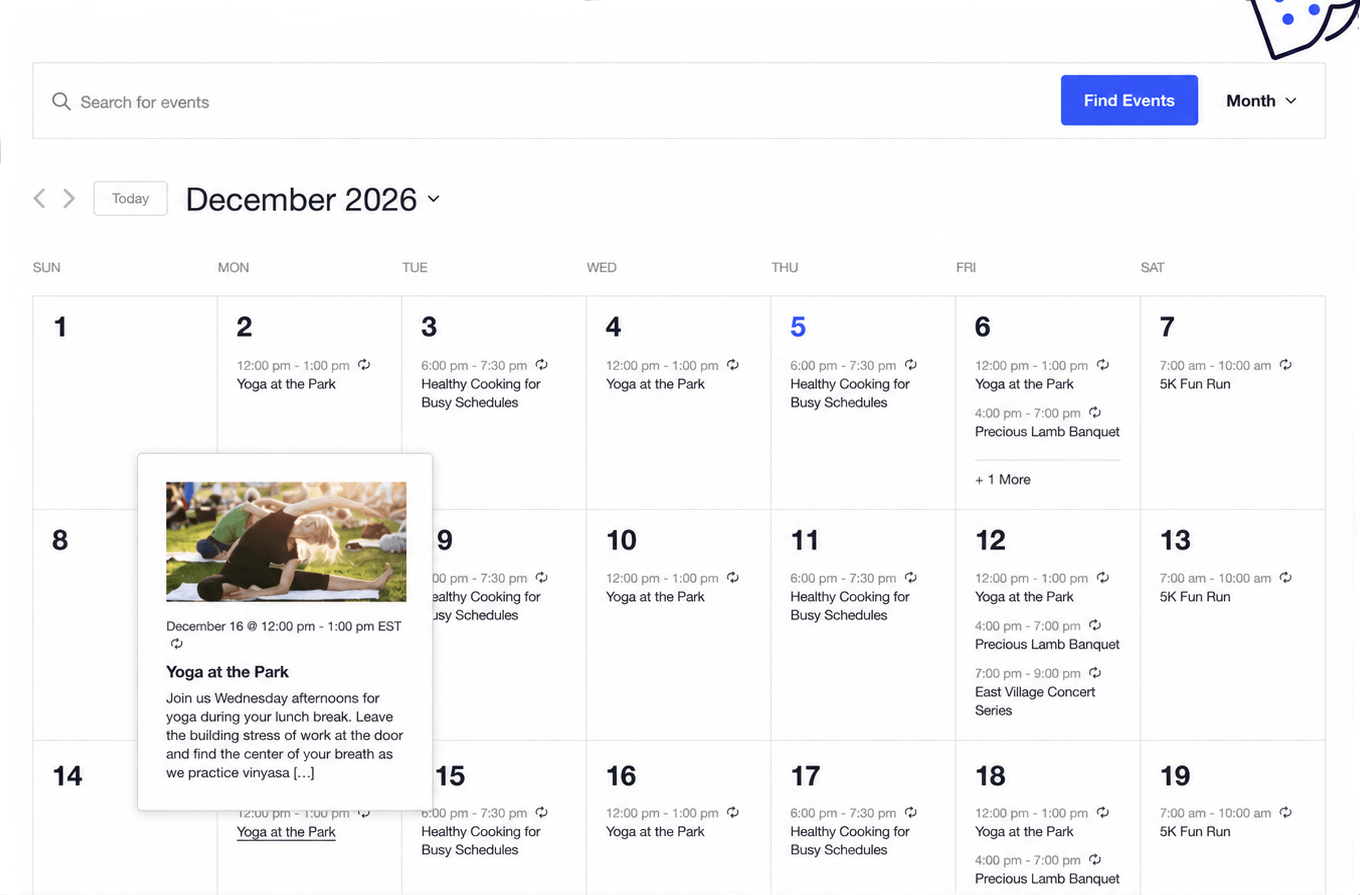
The Events Calendar is a strong starting point if you’re unsure of your specific requirements. It provides a clean event system with minimal setup, handling recurring events, location displays, and multiple calendar views. Note that advanced features, such as ticketing, require paid add-ons. This plugin is ideal for communities, blogs, and organizations that need straightforward event management.
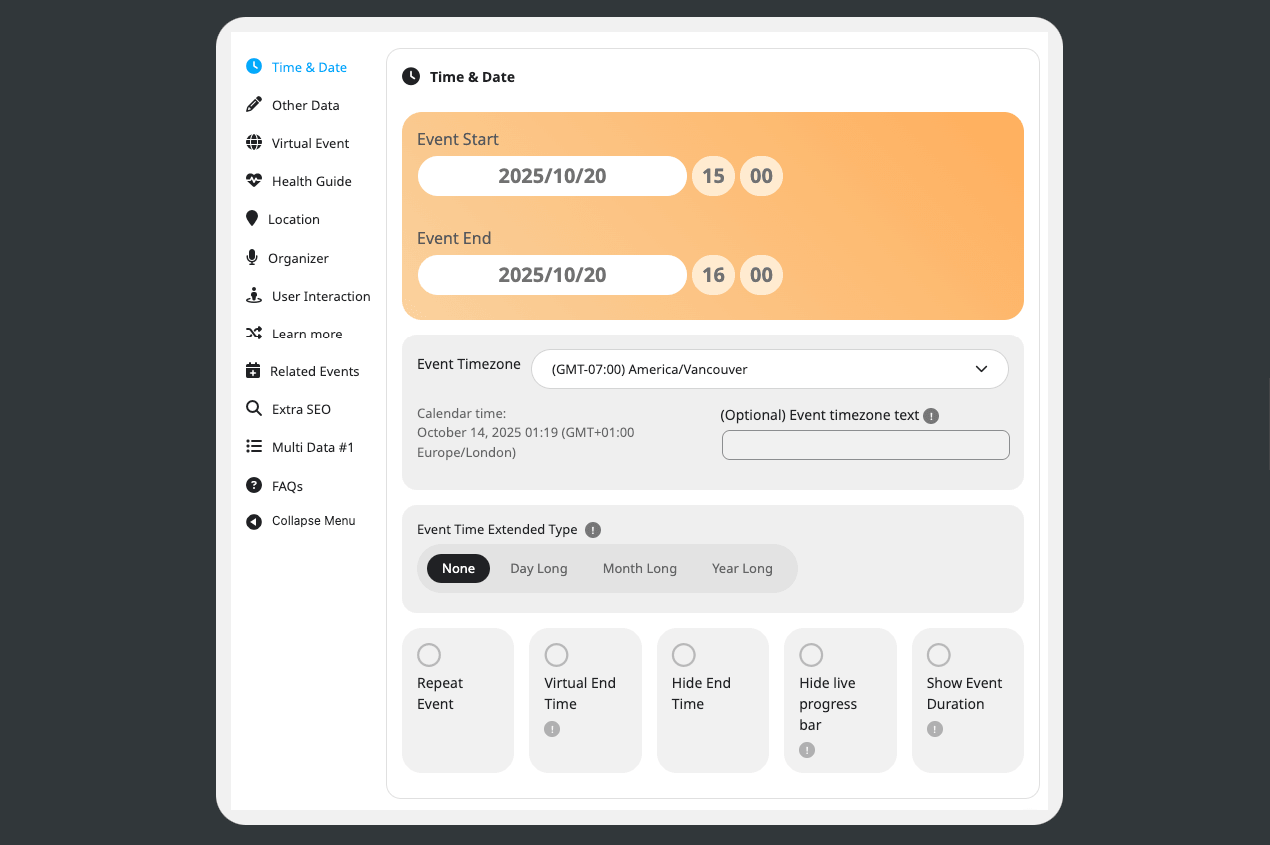
EventON focuses on aesthetics to present visually engaging events with minimal design work. Its interactive layouts, styled event cards, and flexible color coding set it apart. Although it supports add-ons for extra functionality, it might not be the best for complex booking systems. This plugin is well suited for festivals, creative projects, and marketing-oriented sites where design is as important as functionality.
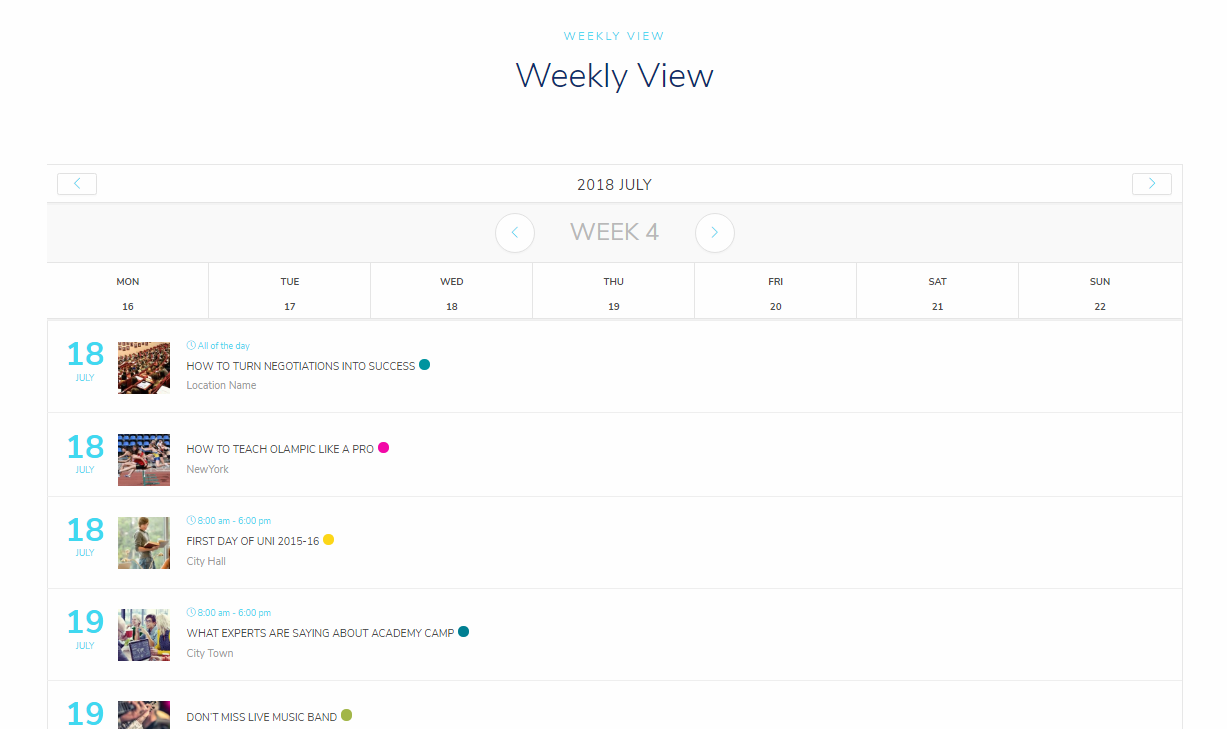
Modern Events Calendar bridges the gap between a basic event listing tool and a full booking system. It combines ticketing, payments, and customizable layouts in one package. The interface can be a little heavy initially, but its flexibility makes it suitable for businesses that need a comprehensive event management platform.
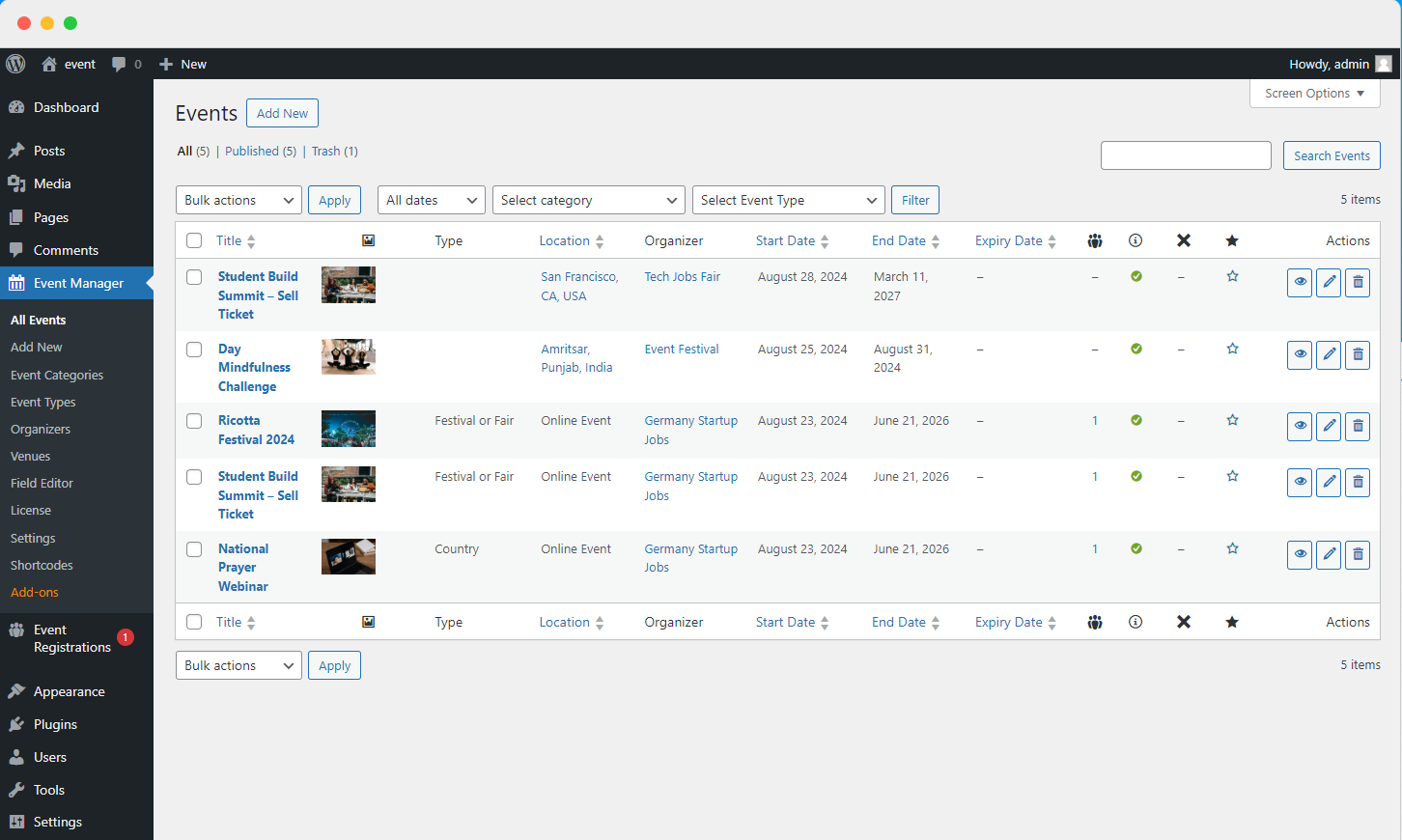
WP Event Manager takes a modular approach, allowing you to add features gradually through extensions. The core plugin is lightweight and fast, with options to add ticketing, registration, and integrations as needed. Although it may feel incomplete until fully extended, it works well for community platforms and directories where users submit events.
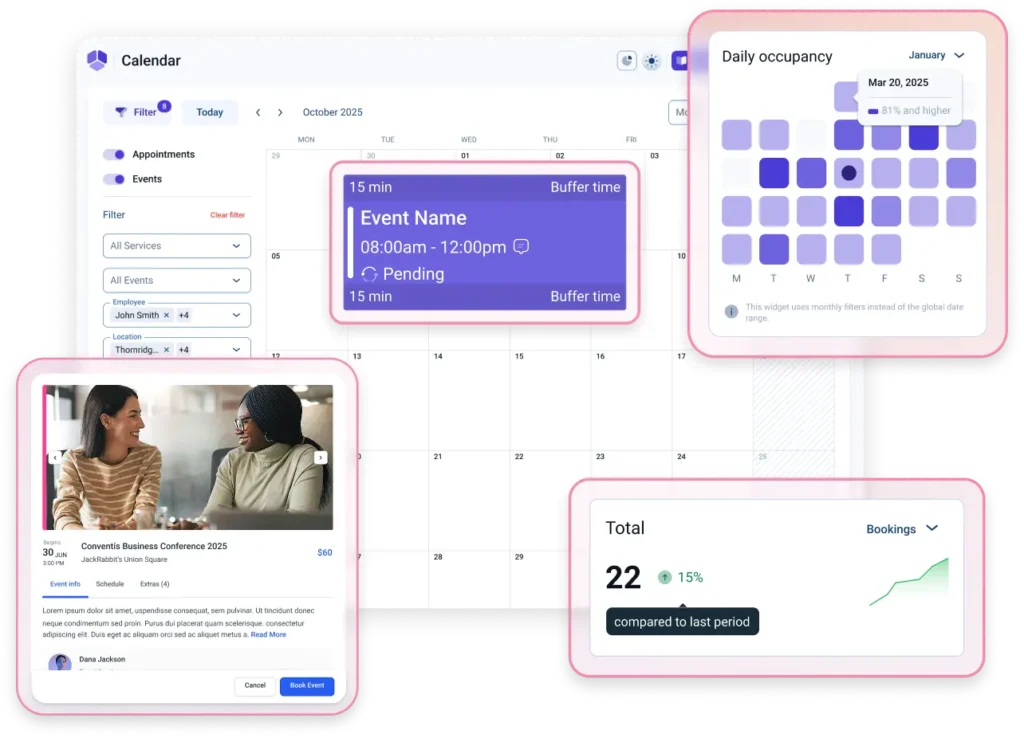
Amelia offers a booking-centric approach that is closer to an appointment system than a traditional event plugin. It automates bookings, notifications, and payments, reducing manual work. While it is ideal for service-oriented businesses such as salons and clinics, it might be more than what is needed for a simple event calendar.
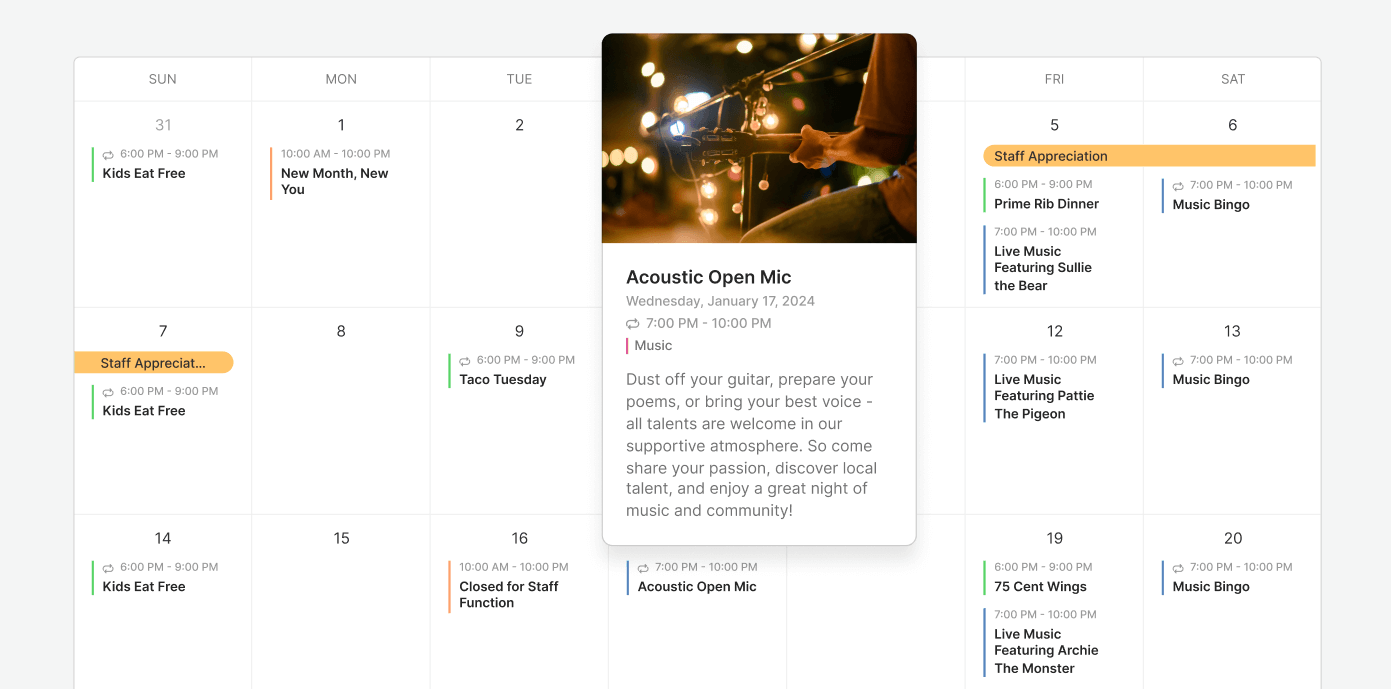
Sugar Calendar focuses on minimalism, delivering an efficient event display without unnecessary extras. It is lightweight and straightforward, making it ideal for websites that need only a basic event calendar. Its simplicity helps ensure reliable performance without added overhead.
Selecting the best WordPress event plugin is easier when you consider your workflow:
For a simple event display, a lightweight, streamlined plugin is ideal. Overly complex tools can slow your site and introduce unnecessary complications.
For monetized events, choose plugins with integrated payment systems or strong external integrations to simplify setup and reduce friction for users.
If your events repeat regularly, ensure the plugin can manage recurring entries reliably without duplication issues.
For events tied to services or appointments, consider booking-focused plugins like Amelia, which are designed to handle both events and appointments efficiently.
Issues often arise from mismatches between a plugin’s complexity and the intended use case:

Event plugins increase the load on your site, so consider these factors:
Recurring events, filters, and attendee data may result in many database queries. A calendar month view with recurring series can run dozens of queries per load, and attendee records add a row per registration, so a site that sells 5,000 tickets a year carries a measurably bigger database than a brochure site. Keep page caching on for calendar pages (checkout pages are excluded automatically), prune past events you no longer need, and use the plugin’s own cache settings where it has them.
The spike is not the event itself, it is the moment tickets go on sale. A newsletter to 2,000 people typically brings a few hundred visitors to the event page within ten minutes, and every checkout is an uncached request that touches the database three to ten times. Two things keep that smooth: a plan with headroom on monthly visits and CPU, and reminders that do not depend on page views. WordPress runs scheduled tasks (reminder emails, ticket expiry) through WP-Cron, which only fires when someone visits; for an events site, disable it in wp-config.php and let cPanel run wp-cron.php every five minutes instead, so reminders go out on time even at 3 a.m.
Effective caching and sufficient server resources help maintain site performance even under high load. A practical sizing rule with SiteValley’s plans: an organisation listing events with occasional free registrations fits the Pro plan ($59.40 a year, 25,000 visits a month); a site that sells tickets for several events a year should start on Small Business ($8.95 a month, 100,000 visits, dedicated IP for the payment gateway); and once ticket sales exceed roughly a thousand orders in a day, or you run a booking system that staff use all day, a KVM2 Cloud VPS ($19.99 a month, 2 cores, 4 GB RAM) stops the checkout queue from competing with anyone else’s site. If you are not sure which side of that line you are on, our seven signs it is time to upgrade your hosting gives you the thresholds to check.
There is no one-size-fits-all solution when it comes to WordPress event plugins. Your ideal choice depends on your workflow, audience, and the complexity of your events. Start simple and only expand your plugin’s features when necessary. Remember that a plugin is only one component of your event management ecosystem; hosting quality and site structure also play significant roles in performance.
At SiteValley, we recommend our Small Business hosting plan for WordPress event websites. This plan supports up to 50 websites with unmetered storage, unlimited databases, free SSL, and daily backups. Security is provided by Imunify360, ensuring a stable foundation even during peak activity.

Quick Customer care response, accurate and broad assistance, easy to use client area.....
I am very happy with the service. I am with site valley for many years and at the present usimg 2 hosting packages. Their service is excellent and super fast. Thanks & Greatly Appreciated
I've been hosting my websites with Sitevalley for more than 6 years. Very satisfied with the services and reliability they provide, competitive prices, almost no downtime, fast and knowledgeable customer support.
I have been using side valley for a couple of years now and have to say I am very happy with the service they offer.I use many Hosting services but site valley stands out in front. Reliable service, great support.I don't normally leave reviews but felt I wanted to for this service as it has been fantastic
I didn't want to review so soon on into taking out hosting with site valley but I feel obliged because their customer service is outstanding, second to none, every time I had an issue it was sorted immediately. I would highly recommend Site Valley.
I have been with Sitevalley for over a year and it's the best hosting I have EVER used. And I have been through a lot of them.
The support staff are amazing, and it's clear that they have a passion for hosting websites. I've rather enjoyed this webhosting company and it's stability for the price is bar-none, amazing.
My collegue adviced me to use SiteValley as a reliable hosting provider with great prices, professional and fast Customer Service. My experience with SiteValley was exactly the way I was promised.
I have been with SiteValley for many years, and plan to stay with them for many more. Customer support is very responsive and knowledgeable.
SiteValley.com is rated 4.8 / 5 based on 329 Reviews »

© 2001 – 2026 SiteValley.com. All Rights Reserved.
