

Searching for a Webflow alternative that lets you keep your website files and choose your own host? Start by separating the editor from the published website. A desktop editor can generate a static site, and a cloud editor can also export files you host independently. Neither approach automatically carries over a platform’s forms, customer accounts or checkout.
This guide compares Publii, Pinegrow and TeleportHQ using their public documentation, then explains how to evaluate an export, choose hosting and migrate safely. It is a feature and workflow comparison, not a hands-on benchmark. Webflow itself supports code export on eligible paid Workspace plans, with important exclusions for CMS content and hosted functionality. An alternative is useful when its editing and publishing model suits you better.
The three main options serve different working habits. “Self-hostable” here means you can host the resulting website files independently; it does not mean every editor can run on your own server.
| Tool | Editing model | Independent hosting | Best starting point |
|---|---|---|---|
| Publii | Desktop static CMS | Generate locally; sync or export files | Blogs and other regularly updated content sites |
| Pinegrow | Visual HTML/CSS editor for desktop | Work with standard project files | Designers and developers who want direct code control |
| TeleportHQ | Browser-based visual builder | Download code; choose a suitable output target | Teams combining visual design and developer handoff |
Publii’s core is free and open source, with optional paid extras. Pinegrow offers paid subscription and one-time purchase options. TeleportHQ advertises code export and free entry-level access; check its current plan limits for your projects and team. Hosting, domains and external services are separate costs.

A polished editor is only the beginning. Export a representative page before committing: include navigation, an image, a form, a nested URL and any feature your business depends on. Open it through a web server, not just by double-clicking an HTML file.
Check that the export contains the required HTML, styles, scripts, fonts and images, and that it loads from your intended domain and directory. A framework project may require a build step or server runtime; choosing “React” is not the same as downloading a ready-to-upload static folder. Confirm the output mode before choosing hosting.
Use the browser’s Network panel to look for failed requests and unexpected dependencies on the builder’s domain. Test menus, responsive layouts and deep links. Keep the editable project as well as the exported files: a deployment folder alone may not preserve the convenient editing workflow.
Look for editable page titles, descriptions, canonical URLs, alt text, sitemaps and redirect support. Check which settings survive export and which must be implemented on the host. The right choice also depends on who will maintain the site: a solo writer, a visual designer and a developer need different controls.
| Your priority | What to verify before choosing |
|---|---|
| Frequent publishing | Add and update a post without manually rebuilding its surrounding layout |
| Design control | Edit responsive rules and reusable components without losing those changes on the next export |
| Portability | Serve the final output on a second host and identify any external service dependencies |
| Budget | Account for the editor, renewals, themes, hosting, domains and form or commerce services |
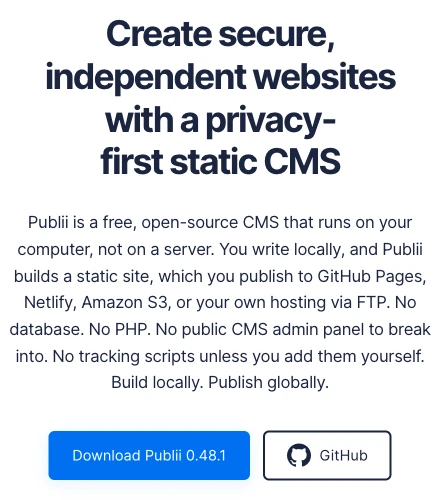
Publii is a desktop CMS that builds static pages locally. Its content editors and theme model suit blogs, documentation and other content-led sites. Built-in metadata, sitemap and image-processing features reduce the amount of routine publishing setup.
Its deployment documentation covers SFTP, supported hosting services and manual export. This is a practical option when one publisher wants to maintain content locally and upload the result. Keep a backup of the local site data. Theme-level design changes may require development work, and a static output still needs separate arrangements for server-side forms, logins or payments.
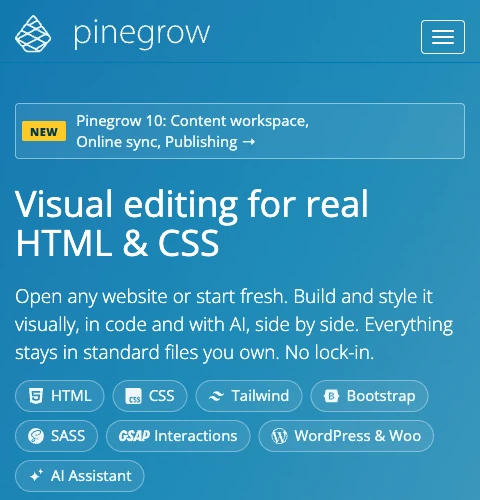
Pinegrow works with standard HTML and CSS files and lets you move between visual editing and code. It suits a designer or developer who needs to inspect page structure, styles and reusable elements rather than work entirely inside a fixed publishing template.
The benefit is control over the files; the trade-off is responsibility for their structure and behavior. Choose the relevant edition and extensions, and distinguish a plain static project from a WordPress-oriented workflow. Review the current license terms, including update entitlement. Pinegrow is a strong candidate for maintainable client handoff when the recipient can work with the project, not evidence that any export is automatically faster or better for SEO.

TeleportHQ provides a cloud-based visual editing and collaboration workflow with downloadable code. Its export guide distinguishes HTML/CSS from framework output. For a straightforward static host, choose an output that produces deployable static files and test the result.
Consider it when design collaboration and developer handoff are central to the project. Downloading code gives you an independent deployment path, but the editing workspace remains a cloud service. Budget for maintaining exported changes, and decide whether future edits happen in the builder or in the codebase so that one does not overwrite the other.
The following are additional research leads, not independently tested recommendations. Confirm the export entitlement and required integrations for your specific project.
| Option | Relevant export question |
|---|---|
| Mobirise | Check local-folder publishing, extension licensing and how forms work on your host |
| Bootstrap Studio | Its export guide describes an HTML/CSS/JavaScript output; retain the editable design project too |
| Nicepage | Verify HTML export availability in the chosen edition and any service-dependent functionality |
| Framer | Framer says it does not offer HTML export for self-hosting; exclude it when native export is a requirement |
Do not confuse connecting your own domain with controlling the hosting, or third-party scraping with a supported export workflow.
A static host serves files without generating each page through a CMS database. You still need HTTPS, appropriate MIME types, redirects, a real 404 response, backups and a repeatable deployment procedure. Our web hosting introduction explains the underlying roles.
This is often sufficient for a brochure site or small content site. Upload the export through the supported file-transfer method, set the document root and configure HTTPS and redirects. Check whether SFTP is available; it is different from FTP. See our cPanel hosting guide for the control-panel workflow. SiteValley’s Web Hosting page lists free SSL and daily backups; verify the selected plan’s features before ordering.
A VPS gives you control over routing, headers, compression and logging, with responsibility for operating-system updates, access security and certificate renewal. Choose it for requirements that justify that administration work, rather than assuming a static site requires a server of its own.
This can suit globally distributed static delivery, but website endpoints, HTTPS, custom domains and error handling vary by provider. Confirm how directory URLs, redirects and cache invalidation work. Object storage by itself is not a form processor or an application backend.
Git-based deployments and preview builds can simplify teamwork. Review build limits, bandwidth, redirects, rollback and service-dependent features. Keep a copy of both source and deployment output so that moving again remains practical.
The following fragment belongs inside an existing, correctly configured Nginx HTTPS server block. It is not a complete TLS setup. Replace the document root, ensure MIME mappings are loaded in the enclosing http context, and adapt the rules to the actual export. This example targets a multi-page static site, not a client-side application that deliberately handles routing itself.
root /var/www/example.com/public;
index index.html;
location / {
    try_files $uri $uri/ =404;
}
error_page 404 /404.html;
location = /404.html { internal; }
gzip on;
gzip_vary on;
gzip_types text/css application/javascript application/json image/svg+xml;
gzip_min_length 1024;
location ~* \.(css|js|jpg|jpeg|png|gif|svg|webp|ico|woff|woff2)$ {
    expires 1h;
}
location ~* \.html$ {
    expires -1;
}
Nginx’s try_files directive checks for files before returning a real 404. The example avoids falling back to the homepage for every unknown URL. It also uses expires to set caching without adding a duplicate Cache-Control header. Use long-lived immutable caching only for assets whose names change whenever their bytes change.
Before reloading, validate the complete site configuration with nginx -t. Then inspect actual response headers and status codes on a staging host. Gzip is negotiated with the client and applies only to suitable responses; it is not a promise that every asset will be compressed.

Choose around the work you repeat. A writer regularly adding articles benefits from content fields and a predictable publish action. A designer delivering custom client layouts may prefer direct structure and style control. A team sharing visual concepts may value collaboration more than offline editing.
| Working pattern | Start your evaluation with | Test before committing |
|---|---|---|
| Solo blog or content site | Publii | Create, update and redeploy a post; restore the editable site from backup |
| Custom client website | Pinegrow | Edit shared components and hand the project to its next maintainer |
| Collaborative visual handoff | TeleportHQ | Export the intended target and establish who owns later code changes |
| Storefront or account-based service | Begin with backend requirements | Prove payments, authentication and form processing separately from the static design |
A static front end can link to or integrate with a commerce service, but an exported page does not become a complete shop. Decide where orders, customer records and access control live before choosing the editor.
Static delivery can remove some server-side page-generation work. It does not automatically speed up DNS, guarantee a particular TTFB or improve search rankings. Network distance, caching, image sizes, fonts and JavaScript all affect the result. Anycast DNS concerns DNS resolution; it does not relocate your website’s origin server or replace a CDN.
For Largest Contentful Paint, inspect the main content asset and the work delaying its display. For Interaction to Next Paint, examine event handlers, long tasks and rendering; faster downloads alone do not establish better responsiveness. Reserve image space and avoid late layout changes to reduce Cumulative Layout Shift.
Measure representative pages before and after a migration using comparable devices, networks and test conditions. Review real-user data where available, and keep titles, canonical URLs, useful content and redirects correct. This guide makes no measured speed claim for any builder or host.
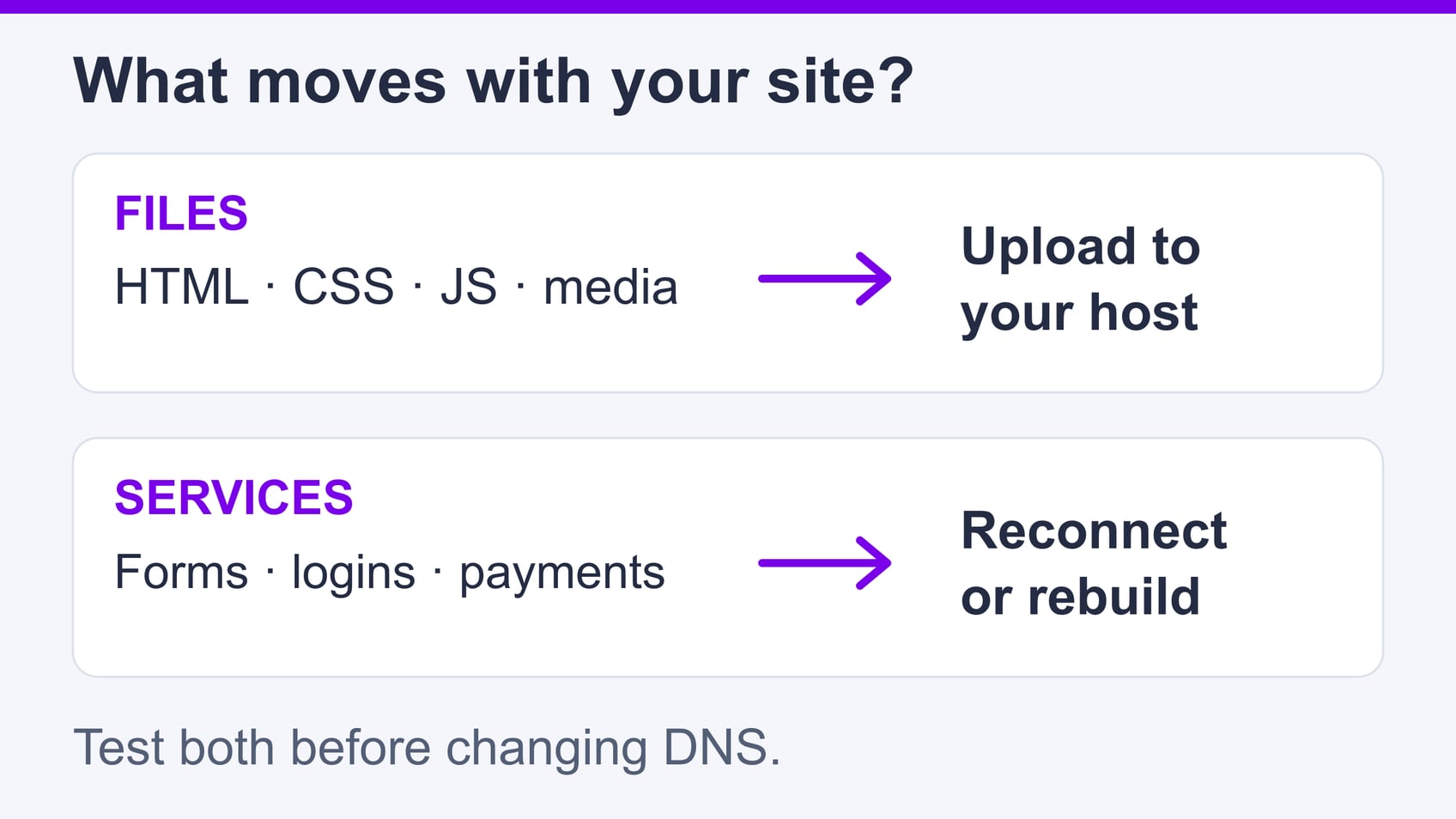
Separate what moves as files from the services that must be reconnected. HTML, styles, scripts and media can travel with an export; forms, login systems, search and payments may need external endpoints or a backend. Check the chosen builder’s documentation and test each dependency rather than assuming it moves with the visual layout.
Our website migration checklist provides a broader handover framework.
| Test | Expected result |
|---|---|
| Homepage and a deep URL | Correct page, complete styling, working navigation and no mixed-content errors |
| Random nonexistent path | HTTP 404, with the intended error page rather than a homepage returning 200 |
| Old URL | Correct redirect to its relevant replacement, without a loop or unnecessary chain |
| CSS, JavaScript and font | Successful responses with correct MIME types and suitable cache headers |
| Form or other critical service | A real end-to-end submission or transaction reaches the intended system |
Start with Publii for content-led desktop publishing, Pinegrow for visual editing with direct file control, or TeleportHQ for cloud collaboration with exportable code. Choose after a representative export succeeds on your intended host. Keep the editable project, identify external services and rehearse the migration so that file portability becomes a dependable working process.
What is a self-hostable Webflow alternative?
Can Webflow itself export a website?
Does a static export guarantee a faster site?
What should I check before migrating a static site?

Quick Customer care response, accurate and broad assistance, easy to use client area.....
I am very happy with the service. I am with site valley for many years and at the present usimg 2 hosting packages. Their service is excellent and super fast. Thanks & Greatly Appreciated
I've been hosting my websites with Sitevalley for more than 6 years. Very satisfied with the services and reliability they provide, competitive prices, almost no downtime, fast and knowledgeable customer support.
I have been using side valley for a couple of years now and have to say I am very happy with the service they offer.I use many Hosting services but site valley stands out in front. Reliable service, great support.I don't normally leave reviews but felt I wanted to for this service as it has been fantastic
I didn't want to review so soon on into taking out hosting with site valley but I feel obliged because their customer service is outstanding, second to none, every time I had an issue it was sorted immediately. I would highly recommend Site Valley.
I have been with Sitevalley for over a year and it's the best hosting I have EVER used. And I have been through a lot of them.
The support staff are amazing, and it's clear that they have a passion for hosting websites. I've rather enjoyed this webhosting company and it's stability for the price is bar-none, amazing.
My collegue adviced me to use SiteValley as a reliable hosting provider with great prices, professional and fast Customer Service. My experience with SiteValley was exactly the way I was promised.
I have been with SiteValley for many years, and plan to stay with them for many more. Customer support is very responsive and knowledgeable.
SiteValley.com is rated 4.8 / 5 based on 329 Reviews »

© 2001 – 2026 SiteValley.com. All Rights Reserved.
