

WordPress Multisite lets you operate multiple websites from one WordPress installation. The sites share WordPress core, plugin and theme files, database infrastructure, and hosting resources while retaining their own content, settings, users’ roles, dashboards, and URLs.
That shared architecture reduces repetitive administration, but it also expands the impact of resource shortages, failed updates, security incidents, and restore mistakes. Before enabling Multisite, you need to decide whether central control is more valuable than operational independence.
This guide explains when Multisite is appropriate, how its shared architecture affects hosting, and what to verify for domains, security, backups, performance, and future growth.
WordPress Multisite is best suited to websites under common ownership that follow shared technical and security standards. If individual sites need different owners, hosting environments, plugin policies, compliance controls, or recovery schedules, separate WordPress installations are usually safer.
The deciding factor is not the number of websites. It is how much independence each website needs.
| Requirement | Categories | Custom Post Types | WordPress Multisite | Separate WordPress Installations |
|---|---|---|---|---|
| Separate dashboards | No | No | Yes, per site | Yes |
| Independent branding | Limited to one site’s design | Limited without customization | Yes, per site | Yes |
| User administration | Shared | Shared | Centralized, with site-level roles | Independent |
| Plugin freedom | Shared | Shared | Network-controlled | Fully independent |
| Database independence | No | No | No; sites normally use separate tables in a shared database | Yes, if configured separately |
| Resource isolation | No | No | Limited | Depends on the hosting configuration |
| Backup granularity | Whole installation | Whole installation | Individual-site recovery can be complex | Individual installation backups |
| Migration difficulty | Low for content exports | Depends on content dependencies | Higher for extracting one subsite | Generally lower per site |
| Best use case | Organizing related content | Managing specialized content structures | Related sites under central governance | Operationally independent websites |
Multisite creates separate website contexts, not separate hosting environments. Separate installations provide stronger operational boundaries, especially when they use different accounts, containers, virtual servers, or physical servers.
Consider a university operating 30 departmental websites. Each department needs its own pages, editors, branding, and dashboard, but a central IT team controls approved plugins, themes, updates, and security policies.
That is a strong Multisite candidate.
A franchise network can also benefit. Individual locations may publish different menus, opening hours, and promotions while the parent organization maintains approved branding and functionality.
Multisite generally works well when:
Not every content collection needs multiple sites.
If a travel publication covers 15 destinations, WordPress categories may provide sufficient organization. Each destination can have its own archive without adding another dashboard or administrative context.
Custom post types are more appropriate when one website needs distinct content structures such as properties, products, events, or employee profiles. A custom post type defines a content type; additional fields and tailored templates require separate configuration or development. This can organize one site without introducing Multisite’s network administration and recovery complexity.
An agency managing unrelated client websites should generally avoid placing all clients in one Multisite network. Clients may request incompatible plugins, need independent restoration, change agencies, or demand control over their own hosting account.
Separate installations are also preferable when sites have different:
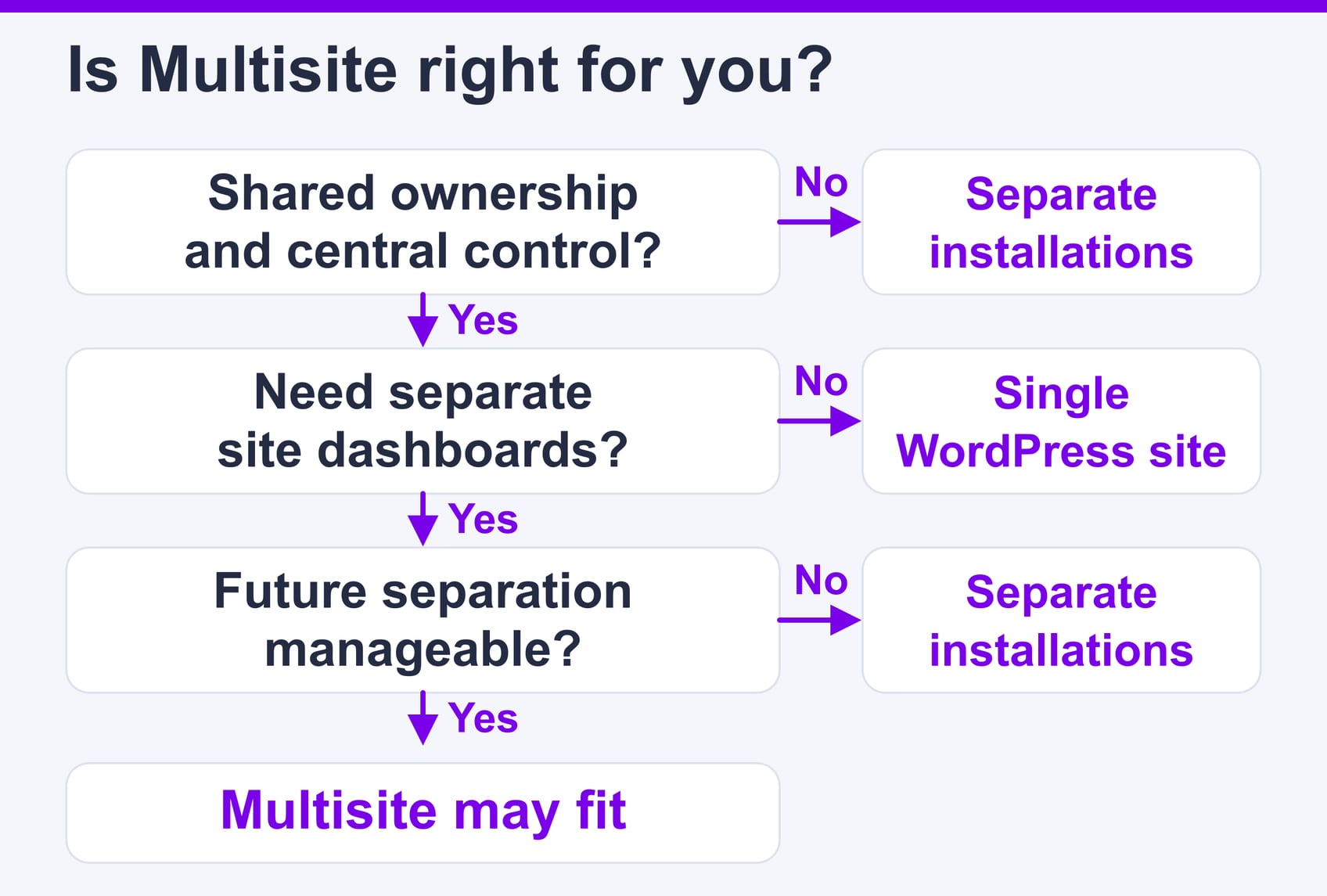
The three possible outcomes are:
Choose the simplest architecture that provides the operational boundaries your websites require.
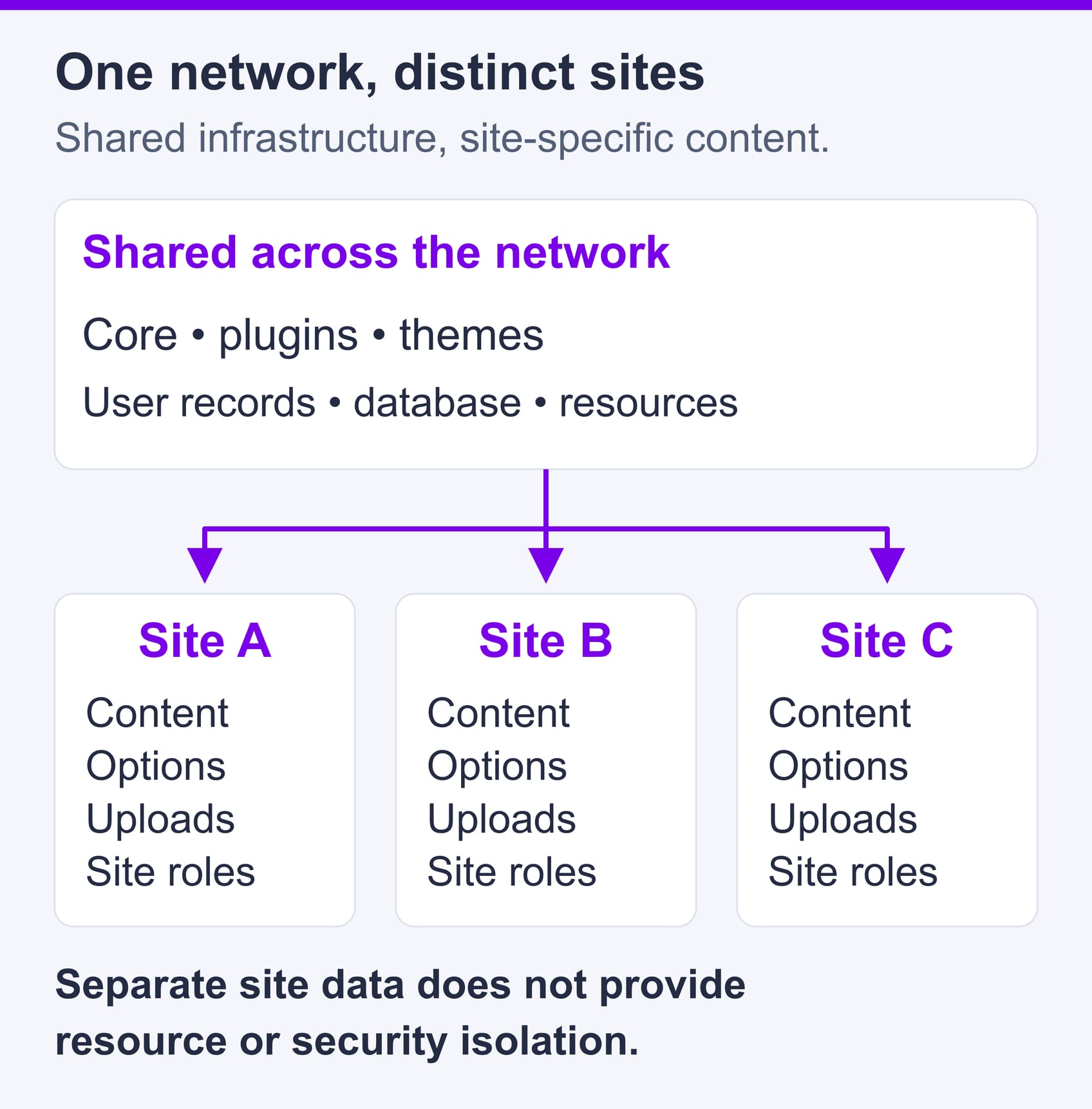
Each Multisite subsite has its own content, settings, dashboard context, and URL, but the sites run through one WordPress installation.
| Component | Shared or Site-Specific? | Operational Effect |
|---|---|---|
| WordPress core | Shared | One core update can affect the entire network. |
| Plugins and themes | Shared code | Sites can use permitted extensions, but the underlying files remain shared. |
| Database infrastructure | Shared | Sites normally have separate content tables in the same database. |
| Users | Shared network records | One account can have different roles on different sites. |
| Content | Site-specific | Posts, pages, comments, and most settings belong to one site. |
| Uploads | Site-specific directories | Media is organized by site within shared storage. |
| Domains | Site-specific | Sites can use subdirectories, subdomains, or mapped domains. |
| Administration | Mixed | Super Admins control the network; Site Administrators control assigned sites. |
| Server resources | Shared | Sites compete for CPU, memory, PHP workers, storage I/O, and database capacity. |
| Backups | Tool-dependent | Full backups cover shared components; one-site recovery requires special handling. |
When a visitor requests a mapped domain or subdomain, DNS sends the request to the web server. WordPress then identifies the requested site and loads the corresponding tables, settings, theme, and media paths from the shared installation.
Separate tables and upload directories improve organization, but they do not provide resource or security isolation.
The Super Admin manages network-wide settings through My Sites → Network Admin. This role can create sites, install plugins and themes, control extension availability, and manage network settings.
Site Administrators manage content, site settings, assigned users and permitted features within their sites. Their capabilities are reduced in a network: they cannot install plugin or theme files or edit other users’ shared profiles. They can still edit their own profile. The official network administration guide explains these boundaries.
This division saves time, but it concentrates risk. One compatible plugin update can benefit every site; one failed update can disrupt the entire network. A compromised Super Admin account can also expose every subsite.
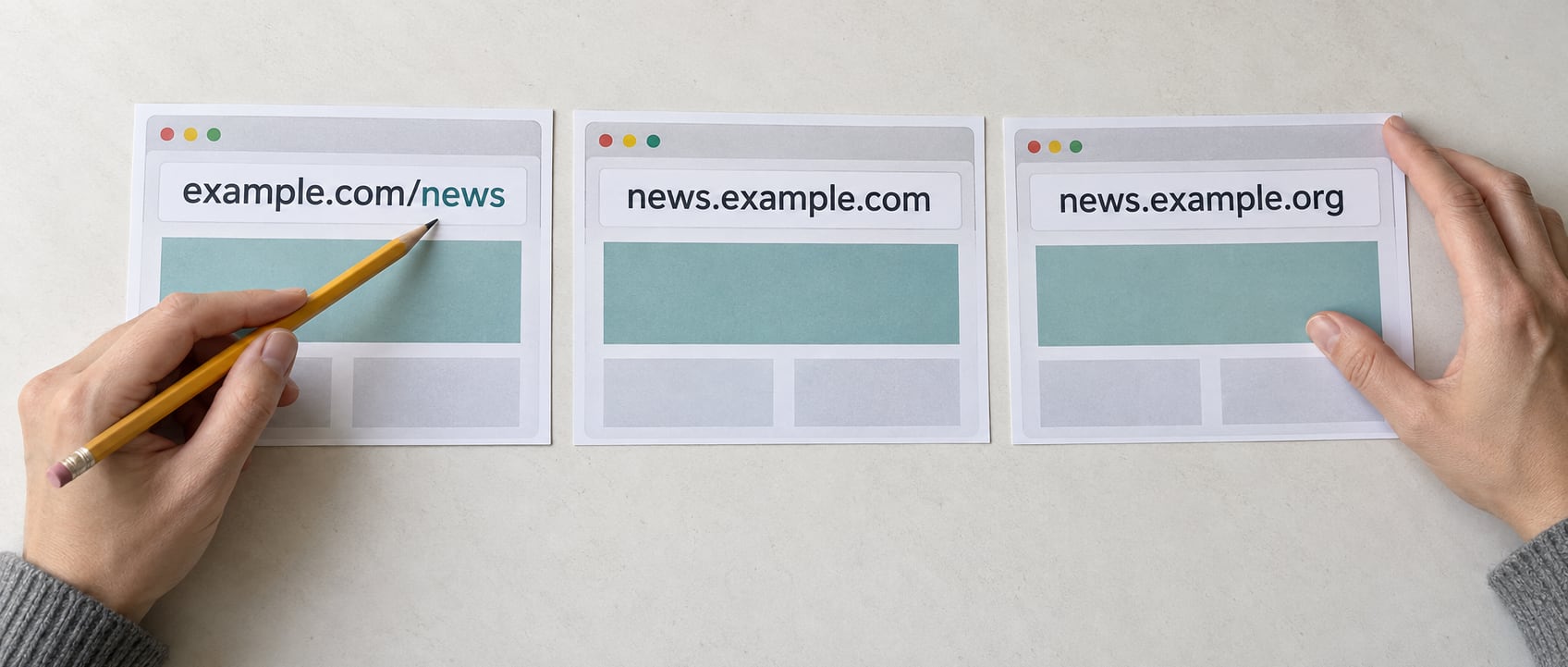
A Multisite URL structure affects DNS, TLS certificates, cookies, analytics, search visibility, and future migration work.
Subdirectories such as example.com/region/ suit closely related sites under one public brand. They require less DNS and certificate administration because every site uses the same hostname.
Before choosing this model, check for existing page, post, and permalink conflicts. WordPress may restrict the available network type for an established installation, so follow the current network-creation workflow rather than assuming both structures will always be offered.
Subdomains such as region.example.com work for departments, regional offices, or product divisions that need visibly distinct identities under a parent domain.
They require wildcard or individual DNS records and appropriate certificate coverage. Wildcard DNS simplifies routing, but it does not replace site-specific testing.
Mapped domains such as regionalbrand.com give subsites independent public identities. WordPress supports native domain mapping by editing a site’s address in My Sites → Network Admin → Sites → Edit → Info.
Changing the address inside WordPress is only one part of the configuration. DNS must point to the correct hosting endpoint, the web server must accept the hostname, and a valid certificate must cover it.
| Factor | Subdirectories | Subdomains | Mapped Domains |
|---|---|---|---|
| Branding | Unified | Distinct but related | Independent public identity |
| DNS work | Minimal | Wildcard or individual records | Records for every domain |
| Certificate planning | One hostname | Wildcard or individual certificates | Coverage for every mapped hostname |
| Cookie behavior | Path and hostname settings matter | Domain scope matters | Cross-domain workflows require testing |
| Migration effort | Often requires URL restructuring | Moderate | Existing public URLs may be easier to preserve |
| Best fit | Unified organizations | Departments or regions | Franchises and multi-brand groups |
Before launching a mapped domain, verify:
www hostname.Test mapped sites in a private browser session and inspect redirects, cookies, and network requests with browser developer tools.
A plugin that works on a standalone WordPress site is not automatically suitable for Multisite.
Super Admins can install plugins and network-activate them. A network-activated plugin runs across the network. When the network administrator enables the plugins menu, Site Administrators may activate installed, non-network-activated plugins for their sites, but they still cannot install plugin files themselves.
Before approving an extension, check:
Test extensions on a staging copy of the complete network, not only on an empty subsite. The test should cover plugin interactions, theme updates, login flows, scheduled tasks, forms, email, and caching.
A Site Administrator usually has a narrower scope than a Super Admin. A compromised Super Admin can install executable code, change network settings, and control access across the network.
Apply the same measures used to secure a WordPress website, with stricter controls for network-wide privileges:
| Change | Likely Scope | Staging Requirement | Rollback Preparation |
|---|---|---|---|
| WordPress core | Entire network | Mandatory | Verified backup and documented rollback |
| Network-activated plugin | Entire network | Mandatory | Previous code plus a plan for database changes |
| Site-activated plugin | Sites using it | Test affected workflows | Previous version and configuration record |
| Theme | Sites using it | Test representative sites | Previous theme version |
| User-role change | Assigned sites or network | Test privileged changes | Record existing permissions |
| Domain change | Affected site and shared routing | Test DNS, TLS, redirects, and login | Preserve previous DNS and address settings |
| Network settings | Potentially entire network | Mandatory | Export or document current settings |
The broader the possible impact, the stronger the approval, testing, and recovery requirements should be.
A network of 30 cached brochure sites may consume fewer resources than three WooCommerce stores. Hosting decisions should therefore reflect dynamic traffic, database activity, scheduled tasks, storage growth, and the business cost of downtime. The named hosting examples below use public plan information checked on 16 October 2026; they are not a hands-on Multisite benchmark.
Evaluate:
Concurrent dynamic requests are often more important than monthly visit totals. A short sales campaign can generate more server pressure than thousands of cached article views distributed across a day.
Shared hosting can work for a small, mostly cached network if the provider confirms Multisite support and supplies the required domain, certificate, database, backup, and resource-management features.
The SiteValley Small Business shared plan is listed at $8.95 per month or $95.99 per year and includes cPanel, free SSL, daily backups with 60 recovery points, unmetered traffic, up to 50 websites, and a dedicated IP. Before using it for Multisite, confirm with SiteValley how subsites and mapped domains count toward the website allowance and whether the required restore granularity is available.
Do not assume that a plan’s website quota measures Multisite subsites in the same way as separate installations. Get the provider’s interpretation in writing before migration.
A virtual private server is appropriate when the network needs allocated resources, full server access, custom caching, system cron, or more detailed monitoring. Root access also transfers responsibility for operating-system security, service configuration, updates, and incident response to the customer unless a separate management service is included.
The SiteValley KVM2 Cloud VPS is listed at $19.99 per month with 2 CPU cores, 4 GB DDR5 RAM under the displayed doubled-RAM promotion, 40 GB NVMe storage, a 1 Gbps port, full root access, and KVM isolation. The page describes a 5 TB transfer quota, followed by a 100 Mbit/s cap rather than overage charges. Confirm the current region, offer and terms before ordering.
A control panel does not make a VPS fully managed. Confirm exactly which operating-system, web-server, database, security, backup, and WordPress tasks are handled by the provider.
Dedicated servers become relevant when sustained workloads justify reserving an entire physical machine, when specialized hardware is required, or when predictable host-level capacity is more important than low cost.
Dedicated hardware does not isolate subsites from one another. A busy store can still consume the PHP workers, memory, database capacity, or storage throughput needed by other sites in the same Multisite network.
For a broader infrastructure comparison, see shared server vs. VPS hosting.
| Observable Symptom | Possible Constraint | Next Action |
|---|---|---|
| Repeated PHP worker saturation | Dynamic request capacity | Improve caching, profile requests, or add capacity |
| Memory exhaustion | PHP processes or plugins | Profile memory use and remove inefficient workloads |
| Slow database responses | Expensive queries or contention | Identify slow queries and assess database capacity |
| High storage latency | Disk I/O contention | Review storage performance and log growth |
| Missed scheduled tasks | WP-Cron or resource limits | Use monitored system cron where supported |
| One campaign slows other sites | Shared resource saturation | Add capacity or separate the dominant workload |
| Frequent HTTP 5xx errors | Application or infrastructure failure | Correlate logs, resource metrics, and request paths |
On cPanel hosting, Metrics → Resource Usage may show whether CPU, memory, I/O, or entry-process limits coincide with slow periods. Available metrics depend on the hosting configuration.
Place the hosting origin near the users generating the most important uncached requests. A CDN can distribute cacheable pages and media, but checkouts, administration, logins, searches, and other database-dependent requests still reach the origin.
Test uncached response time from the regions that matter to the organization instead of choosing a location based only on geographic distance.
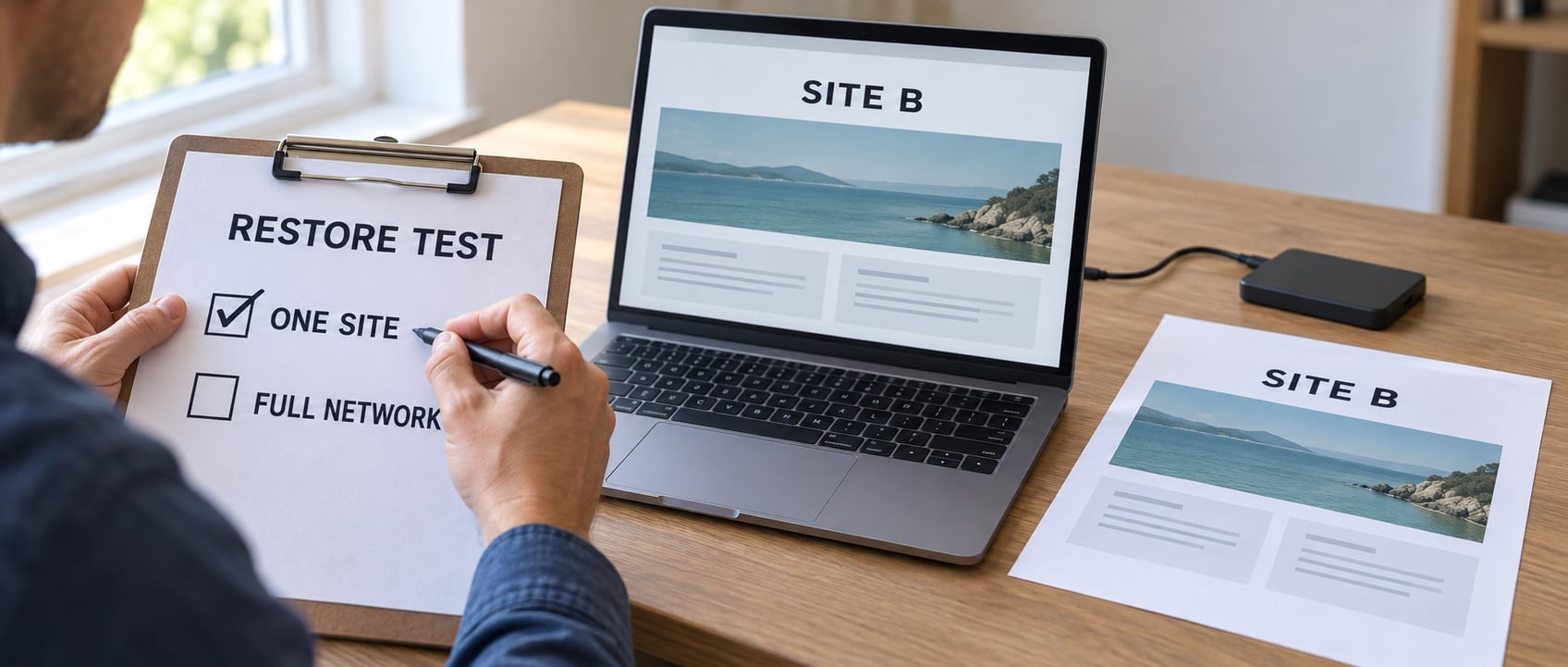
A backup is useful only if it can restore the damaged data without unnecessarily overwriting healthy parts of the network.
Backup frequency and retention matter, but they do not reveal what can be restored. A provider may keep many recovery points while supporting only a full-account restore. Review available WordPress backup options and ask the provider to describe the restoration process, not just the backup schedule.
Suppose an editor deletes content from Site 7 on Monday. During the same day, Site 12 receives new orders, Site 15 publishes articles, and users update accounts across the network.
Restoring Sunday’s full database may recover Site 7 while deleting Monday’s valid changes everywhere else.
A subsite normally has its own content and options tables plus an uploads directory, but user records and network configuration are shared. Plugins may also store data in custom or global tables. Restoring one site therefore requires an understanding of all dependent records.
| Recovery Scenario | Required Data | Is a Full Restore Appropriate? | Main Risk |
|---|---|---|---|
| Complete network failure | Files, database, uploads, and configuration | Usually | Loss of changes since the recovery point |
| One damaged subsite | Site tables, uploads, and dependent shared records | Usually not | Overwriting healthy sites |
| Deleted media | Specific upload files and possibly attachment records | No | Unnecessary database rollback |
| Failed code update | Compatible files and possibly database state | Sometimes | Losing new orders or content |
| Compromised administrator | Verified clean files, database, logs, and credentials | Depends on incident scope | Restoring malware or losing valid changes |
| Subsite extraction | Content, media, users, settings, licenses, and URLs | No | Broken references and incomplete data |
Confirm that your backup process covers:
Where available, cPanel → Files → Backup Wizard provides downloadable backup options. The official Backup Wizard documentation distinguishes full-account backups from partial restores; its presence does not guarantee one-subsite restoration.
The Recovery Point Objective (RPO) is the maximum amount of recent data the organization can afford to lose. Daily backups can leave close to 24 hours of exposure, which may be unacceptable for active stores or membership sites.
The Recovery Time Objective (RTO) is the maximum acceptable outage duration. Meeting a four-hour RTO requires more than a stored backup: qualified staff must be available to initiate, validate, and troubleshoot the restoration.
Ask the host to demonstrate how it would recover one subsite without restoring the entire network. If that service is unavailable, document and test an alternative before launch.
Page caching reduces repeated PHP execution and database queries, but administration, scheduled jobs, logged-in sessions, and ecommerce activity remain dynamic.
Monitor the busiest sites and important visitor journeys rather than relying only on server-wide averages. A network averaging 40% CPU use can still experience intermittent checkout failures caused by one subsite.
Track:
For WooCommerce, inspect WooCommerce → Status → Scheduled Actions for failed or overdue tasks. Test carts, checkout, payment callbacks, stock updates, email, and webhooks under representative load.
A subsite should be separated when its need for independence exceeds the value of centralized administration.
| Factor | Keep in Multisite | Consider Separation |
|---|---|---|
| Resource use | Workloads remain balanced | One site repeatedly dominates resources |
| Ownership | Common organization | Ownership or contractual control changes |
| Security | Shared requirements | Distinct security or compliance obligations |
| Plugins | Compatible shared stack | Unique or conflicting extensions are required |
| Recovery | Network recovery model is acceptable | Independent restore schedules are essential |
| Hosting | Shared location and stack are appropriate | A different region or platform is required |
| Migration | Long-term network member | Likely sale, transfer, or provider change |
Extraction is not a simple file copy. It may require migrating content, media, users, plugin data, licenses, redirects, analytics, email settings, DNS, and search signals. Mapped domains may allow public URLs to remain unchanged, while subdirectory sites usually require more URL and redirect work.
Review resource use and ownership requirements at least quarterly so separation can be planned before an outage or urgent contract change.
Before enabling Multisite or migrating production sites, assign each requirement an owner and record evidence for its status.
| Category | Preflight Check | Owner | Status | Evidence | Rollback Action |
|---|---|---|---|---|---|
| Architecture | Confirm Multisite is necessary and document exit requirements | ___ | ☐ | ___ | Retain separate installations |
| Ownership | Assign Super Admins, site owners, and approval responsibilities | ___ | ☐ | ___ | Revoke incorrect access |
| Extensions | Test plugin, theme, and licensing compatibility | ___ | ☐ | ___ | Restore approved versions |
| Domains and DNS | Verify records, redirects, and login behavior | ___ | ☐ | ___ | Restore previous DNS |
| TLS | Confirm certificates cover every hostname | ___ | ☐ | ___ | Restore previous routing |
| Test forms, password resets, and transactional delivery | ___ | ☐ | ___ | Restore mail configuration | |
| Backup and recovery | Capture backups and complete a restore test | ___ | ☐ | ___ | Execute documented recovery |
| Staging | Test roles, scheduled jobs, analytics, and cache isolation | ___ | ☐ | ___ | Stop deployment |
| Monitoring | Configure uptime, error, and resource alerts | ___ | ☐ | ___ | Restore alert configuration |
| Scaling | Document workloads, forecasts, and upgrade options | ___ | ☐ | ___ | Revert infrastructure changes |
| Migration | Validate content, media, redirects, and rollback timing | ___ | ☐ | ___ | Return to the original installation |
| Approval | Obtain technical and business sign-off | ___ | ☐ | ___ | Postpone launch |
Use the official WordPress Multisite network creation documentation for the current activation and configuration procedure.
Do not launch until you have completed a staging test, verified a full-network restore, documented the process for recovering one subsite, and approved a rollback plan.
WordPress Multisite is a governance tool, not a substitute for infrastructure isolation. It works best when related websites have common ownership, centralized technical standards, compatible extensions, and acceptable shared recovery boundaries.
Choose hosting according to dynamic workload, database activity, recovery requirements, and the effect one busy site could have on the rest of the network. Confirm domain mapping, certificate handling, backup granularity, resource limits, and server-management responsibilities directly with the provider.
If sites need independent ownership, security, plugins, hosting, or restoration, use separate installations. If central control remains more valuable, Multisite can reduce administration—but only when staging, monitoring, access control, backups, and an eventual separation plan are in place.
What is WordPress Multisite hosting?
Is Multisite better than separate WordPress installations?
Can WordPress Multisite run on shared hosting?
Does each Multisite subsite have a separate database?
Can one Multisite subsite be restored independently?
Can Site Administrators install their own plugins?
When should a subsite leave a Multisite network?

Quick Customer care response, accurate and broad assistance, easy to use client area.....
I am very happy with the service. I am with site valley for many years and at the present usimg 2 hosting packages. Their service is excellent and super fast. Thanks & Greatly Appreciated
I've been hosting my websites with Sitevalley for more than 6 years. Very satisfied with the services and reliability they provide, competitive prices, almost no downtime, fast and knowledgeable customer support.
I have been using side valley for a couple of years now and have to say I am very happy with the service they offer.I use many Hosting services but site valley stands out in front. Reliable service, great support.I don't normally leave reviews but felt I wanted to for this service as it has been fantastic
I didn't want to review so soon on into taking out hosting with site valley but I feel obliged because their customer service is outstanding, second to none, every time I had an issue it was sorted immediately. I would highly recommend Site Valley.
I have been with Sitevalley for over a year and it's the best hosting I have EVER used. And I have been through a lot of them.
The support staff are amazing, and it's clear that they have a passion for hosting websites. I've rather enjoyed this webhosting company and it's stability for the price is bar-none, amazing.
My collegue adviced me to use SiteValley as a reliable hosting provider with great prices, professional and fast Customer Service. My experience with SiteValley was exactly the way I was promised.
I have been with SiteValley for many years, and plan to stay with them for many more. Customer support is very responsive and knowledgeable.
SiteValley.com is rated 4.8 / 5 based on 329 Reviews »

© 2001 – 2026 SiteValley.com. All Rights Reserved.
