

WordPress has evolved far beyond its blogging roots. It now powers everything from small boutique shops to large online businesses managing thousands of transactions each month. This versatility is one reason many businesses compare the best WordPress eCommerce plugins before deciding how to build their online store. One advantage is its extensive plugin ecosystem, which lets store owners craft an eCommerce setup that fits their needs rather than adapting to a one-size-fits-all platform.
That flexibility can sometimes make choosing the right plugin challenging. Some tools are ideal for physical product catalogs, others focus on digital downloads, and some cater to subscriptions or membership-based businesses. The wrong choice may create unnecessary complexity, slow down your site, or lock you into workflows that are not suited to your business model. This guide reviews some of the top WordPress eCommerce plugins and explains where each one excels. Some emphasize broad functionality, while others serve specialized selling models.
Not every WordPress eCommerce plugin is designed to solve the same problem. A plugin built for selling downloadable software will naturally prioritize licensing and file delivery, while one created for traditional retail will focus more on inventory management, shipping, and checkout customization. Feature comparisons only have meaning when viewed through the lens of your specific business needs.
When evaluating a plugin, ease of use should be a key consideration. A feature-rich platform might sound attractive, but if everyday product management becomes tedious, that complexity quickly turns into lost time and frustration.
Performance is also important. WordPress eCommerce stores can become resource-intensive, especially when multiple plugins, payment integrations, analytics tools, and marketing add-ons are in use. A plugin that works well for a ten-product shop might become noticeably slower as your catalog and traffic expand.
Long-term adaptability is another factor. If you expect to add subscriptions, memberships, digital products, or advanced checkout workflows, choosing a scalable plugin can protect you from having to migrate later. Many leading WordPress eCommerce plugins may look similar at first glance, but long-term scalability often brings significant differences to light.
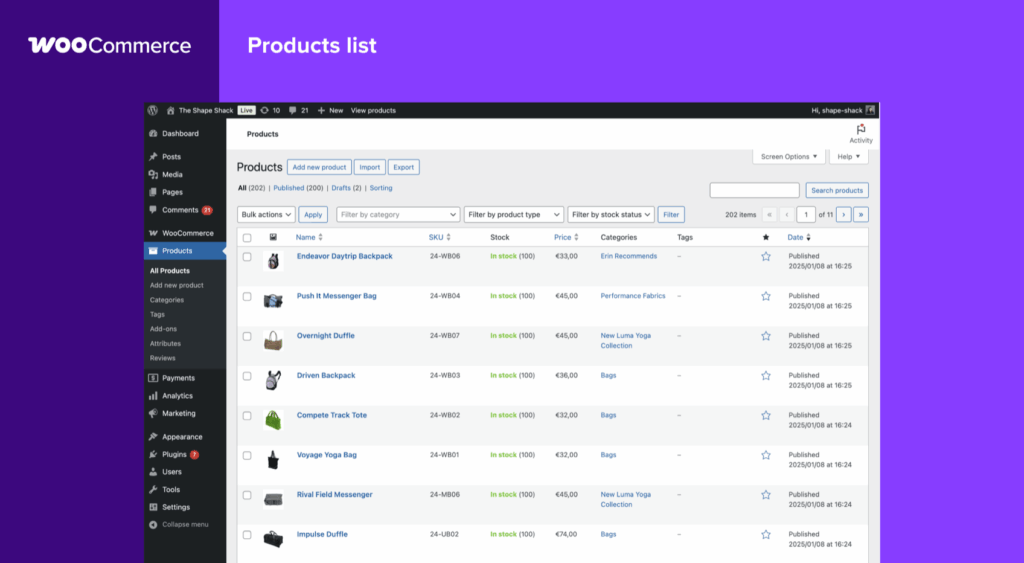
WooCommerce remains a popular choice for many WordPress users—and for good reason. It is one of the most established eCommerce plugins and supports a wide range of store types, from physical retail and digital products to hybrid models.
Best For: General-purpose online stores that need flexibility and extensive customization
Key Features: Product management, inventory tracking, shipping zones, tax handling, payment gateway integrations, coupon systems, and an extension marketplace
Pros: Very flexible, a large ecosystem, strong community support, and compatibility with most WordPress themes and builders
Cons: Extension costs can add up, it may become resource-intensive on poorly optimized hosting, and setup complexity increases with advanced requirements
Pricing: The core plugin is free, though many advanced features require paid extensions
WooCommerce is a strong choice for businesses that need detailed control. If you require custom shipping rules, specialized payment integrations, or advanced product configurations, few plugins can match its ecosystem. The trade-off is complexity—an optimized WooCommerce store can perform well, but an installation weighed down by too many add-ons might slow down.
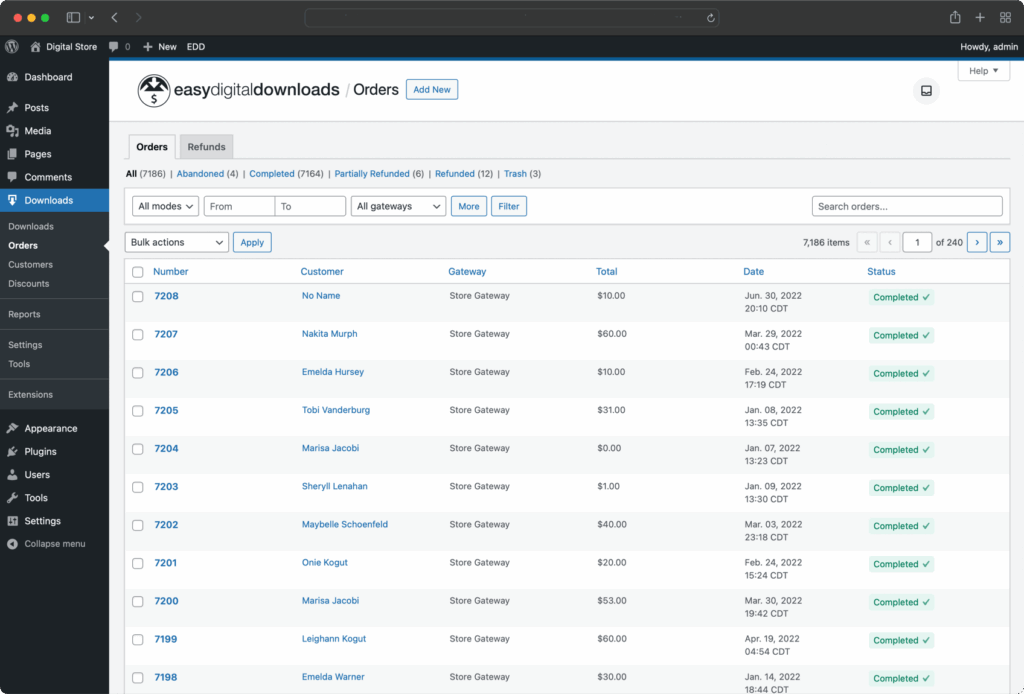
Easy Digital Downloads uses a more focused approach than WooCommerce, concentrating specifically on digital product sales. For creators selling software, downloadable files, templates, music, courses, or digital assets, this specialization is invaluable. The plugin avoids much of the overhead seen in retail-focused eCommerce systems.
Best For: Digital product businesses
Key Features: Secure file delivery, software licensing support, discount codes, customer account management, and payment integrations
Pros: Lighter compared to broader eCommerce platforms, tailored for digital workflows, and excellent for software sales
Cons: Not ideal for physical product stores; advanced functionality may require premium add-ons
Pricing: Free core version with premium extensions available
For businesses that are digital-first, traditional plugins like WooCommerce can feel like overkill. Easy Digital Downloads streamlines the process by concentrating on the needs of digital sellers.
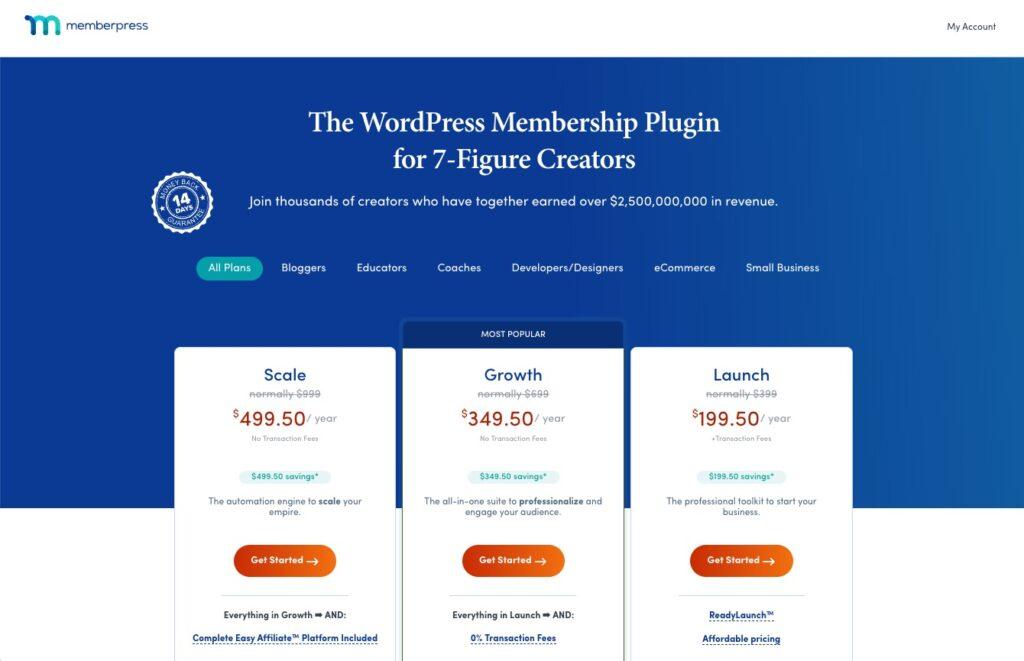
For those selling access rather than products, a different infrastructure is needed. MemberPress is crafted for subscription and membership businesses, making it a leading WordPress solution for gated content, recurring billing, and online communities.
Best For: Membership sites and subscription-based businesses
Key Features: Content restriction, recurring billing, subscription plans, access rules, course support, and drip content
Pros: Strong membership features, efficient recurring revenue tools, and a relatively straightforward setup
Cons: Less relevant for traditional product catalogs, and it comes with a premium price tag
Pricing: Paid plugin
Businesses built around exclusive content, premium communities, or recurring educational products often find MemberPress to be more effective than expanding WooCommerce with multiple add-ons.
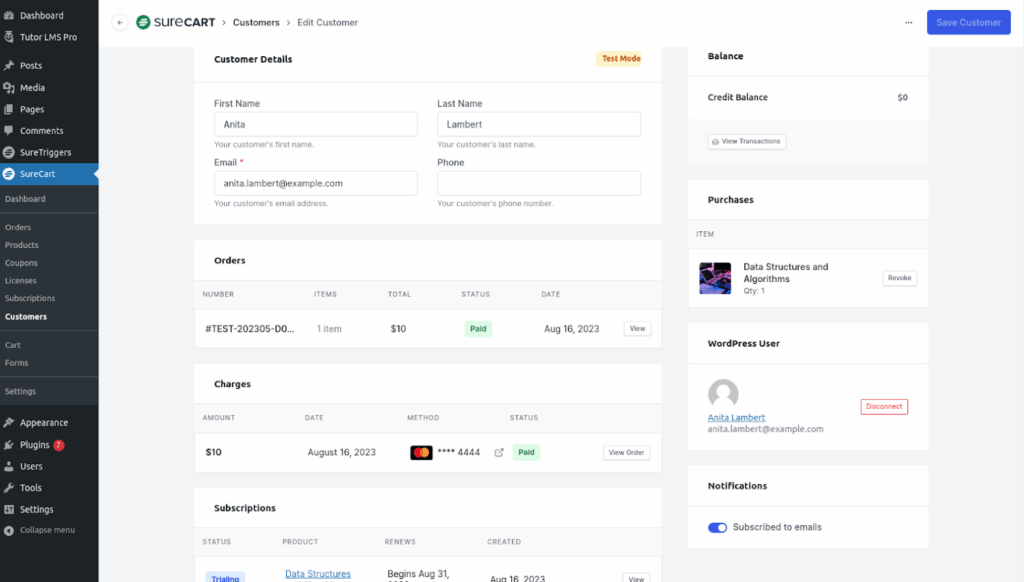
SureCart introduces a modern spin on WordPress eCommerce. Rather than relying entirely on traditional WordPress architecture for every function, it employs a design that minimizes performance strain—a definite benefit when heavy eCommerce plugins tax your site.
Best For: Modern stores that prioritize simplicity and speed
Key Features: Optimized checkout flows, subscriptions, payment integrations, and support for both digital and physical products
Pros: Lightweight, intuitive user experience, and easier onboarding compared to some older alternatives
Cons: A smaller ecosystem than WooCommerce and fewer mature integrations in niche categories
Pricing: Free and premium tiers available
For businesses that want capable eCommerce functionality without the complications of a sprawling plugin ecosystem, SureCart is a compelling alternative.
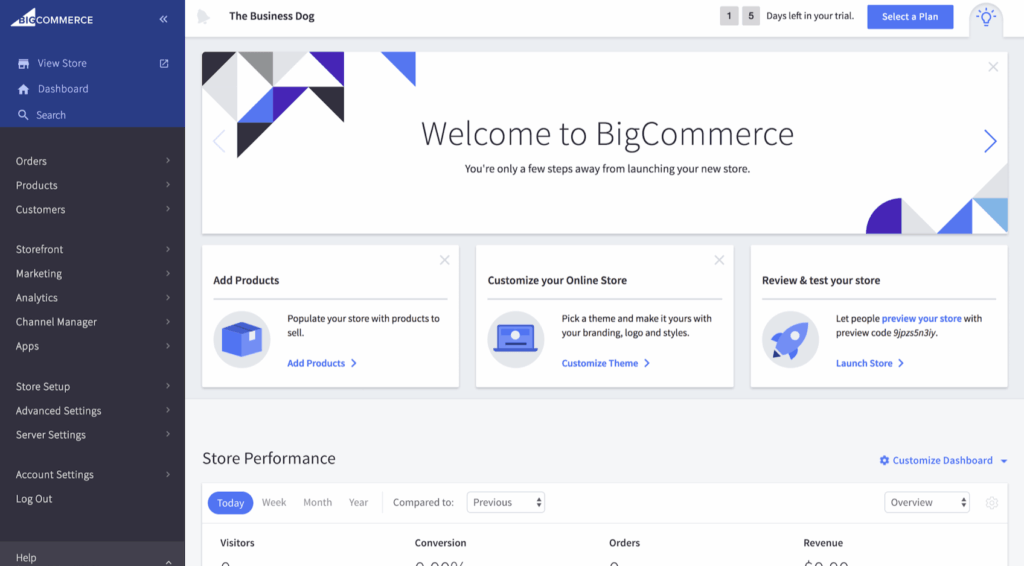
For some businesses, the idea of running everything directly inside WordPress becomes less attractive as operations grow. BigCommerce for WordPress takes a hybrid approach by combining WordPress’s content management with BigCommerce’s dedicated commerce infrastructure.
Why It Stands Out:
BigCommerce is appealing for larger stores that expect high transaction volumes or complex operations. This hybrid model offloads part of the commerce functionality to an external system, alleviating some of the scalability challenges.
Potential Limitations:
This method is less integrated than fully WordPress-based solutions, which can limit customization in certain workflows. There may also be higher recurring costs compared to self-managed plugin ecosystems.
Best Fit:
Growing businesses that appreciate WordPress for content marketing but need a more enterprise-grade commerce infrastructure might find BigCommerce for WordPress a good match.
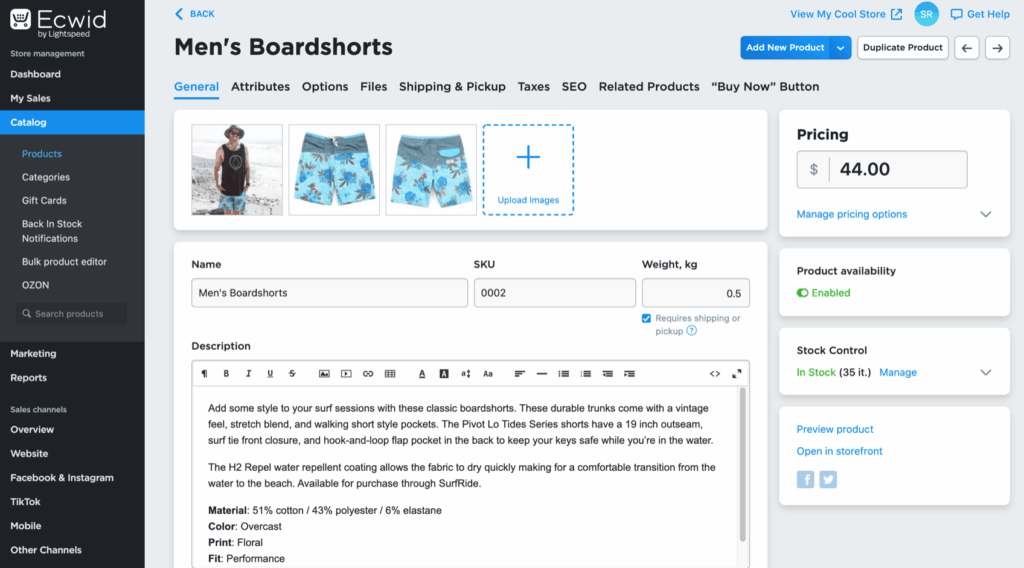
Ecwid takes a different approach by focusing on straightforward, multi-channel selling. Rather than transforming WordPress into a deeply customized commerce engine, it provides a streamlined hosted commerce layer that integrates easily with your site.
Strong Use Cases:
Ecwid is ideal for businesses that sell across websites, social media platforms, and marketplaces while maintaining centralized product management. It appeals to smaller stores that favor convenience.
Tradeoffs:
The level of customization is not as deep as WooCommerce, and highly specialized sellers may eventually find the platform limiting.
Best Audience:
Small businesses, first-time sellers, and brands that value a quick and simple setup over in-depth technical customization.
Choosing an eCommerce plugin is about finding the operational fit for your business—matching the tool to what you sell. Here are a few tips:
eCommerce sites differ markedly from static websites. Features such as product filtering, checkout sessions, cart storage, customer accounts, and payment processing generate continuous server activity, increasing resource demands.
Stores using plugins like WooCommerce can become database-intensive as catalogs grow and plugin collections accumulate. Often, inadequate hosting—not the plugin itself—creates performance bottlenecks.
Caching adds an extra layer of complexity because dynamic pages like the cart and checkout require real-time updates. In addition, if you experience performance issues with resource-heavy plugins, consider a quality VPS hosting solution. For example, SiteValley offers Cloud VPS Hosting with entry-level KVM1 plans featuring 2 GB DDR5 RAM, available from $9.99/mo in regions such as Los Angeles and Atlanta. This option helps maintain smooth operations during traffic surges without compromising on speed.
The best WordPress eCommerce plugin depends more on how well it fits your operational model than on its popularity. Whether you choose WooCommerce for its flexibility, Easy Digital Downloads for digital products, MemberPress for memberships, SureCart for a modern experience, BigCommerce for enterprise scalability, or Ecwid for ease of use, your final decision should match both your current needs and future growth plans.
Even the best WordPress eCommerce plugin can struggle if the underlying hosting cannot keep pace with dynamic checkout activity, database queries, and increasing traffic. Choosing a solid hosting plan is essential to ensure your store remains responsive and efficient during peak times. For more details on hosting options, review our plans at sitevalley.com/web-hosting.
What are the key features of WooCommerce?
Which WordPress eCommerce plugin is best for digital products?
How do hosting requirements affect WordPress eCommerce performance?
Can WordPress eCommerce plugins scale with business growth?
What factors should I consider when choosing a WordPress eCommerce plugin?

Quick Customer care response, accurate and broad assistance, easy to use client area.....
I am very happy with the service. I am with site valley for many years and at the present usimg 2 hosting packages. Their service is excellent and super fast. Thanks & Greatly Appreciated
I've been hosting my websites with Sitevalley for more than 6 years. Very satisfied with the services and reliability they provide, competitive prices, almost no downtime, fast and knowledgeable customer support.
I have been using side valley for a couple of years now and have to say I am very happy with the service they offer.I use many Hosting services but site valley stands out in front. Reliable service, great support.I don't normally leave reviews but felt I wanted to for this service as it has been fantastic
I didn't want to review so soon on into taking out hosting with site valley but I feel obliged because their customer service is outstanding, second to none, every time I had an issue it was sorted immediately. I would highly recommend Site Valley.
I have been with Sitevalley for over a year and it's the best hosting I have EVER used. And I have been through a lot of them.
The support staff are amazing, and it's clear that they have a passion for hosting websites. I've rather enjoyed this webhosting company and it's stability for the price is bar-none, amazing.
My collegue adviced me to use SiteValley as a reliable hosting provider with great prices, professional and fast Customer Service. My experience with SiteValley was exactly the way I was promised.
I have been with SiteValley for many years, and plan to stay with them for many more. Customer support is very responsive and knowledgeable.
SiteValley.com is rated 4.8 / 5 based on 329 Reviews »

© 2001 – 2026 SiteValley.com. All Rights Reserved.
