
Popups remain one of the most effective ways to capture leads, promote offers, and guide user behavior. Using well-timed and targeted popup plugins for WordPress, you can choose when, where, and to whom your popups appear. A carefully planned popup delivers a relevant message rather than an interruption, boosting conversion rates without compromising user experience.
Selecting the right popup plugin for WordPress means balancing usability, performance, and targeting capabilities. Key factors include:
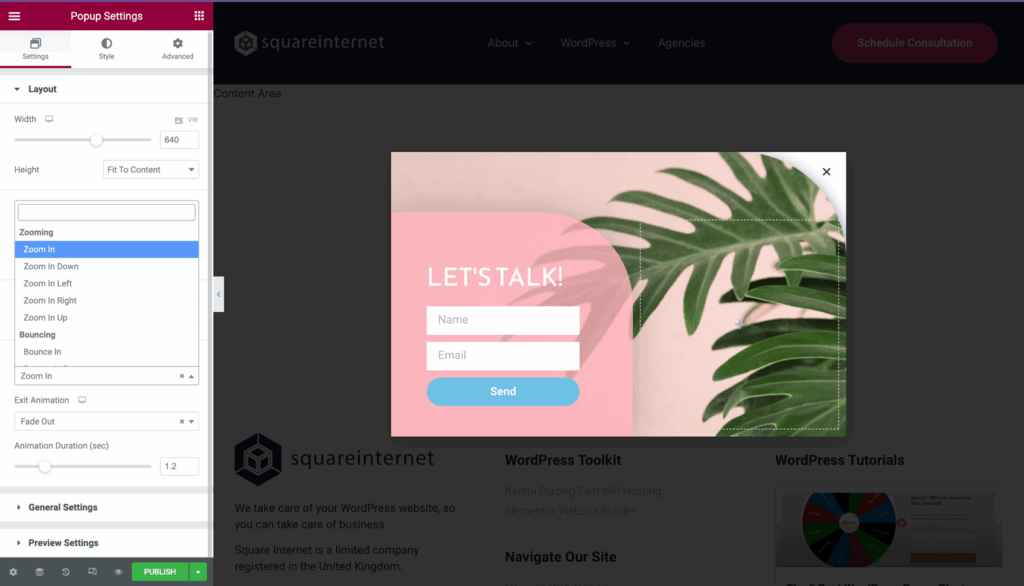
Using the right popup type for the right context can significantly affect conversions and user experience. Below are several options:
Lightbox popups appear in the center of the screen while dimming the background, capturing attention and encouraging signups—especially when paired with compelling offers. They work best when triggered after the user engages with the content rather than immediately on page load.
Slide-ins emerge from the side or bottom corner and occupy less screen space, making them less intrusive. They are well suited for content recommendations, newsletter sign-ups, or secondary offers, as they do not obstruct the main content.
Full-screen overlays cover the entire viewing area, ensuring undivided attention. They are ideal for delivering time-sensitive promotions or important announcements, though excessive use, particularly on mobile devices, may frustrate users.
Notification bars are small horizontal banners placed at the top or bottom of your page. They provide a subtle, ongoing method for displaying promotions or simple messages without interrupting the main content.
Gamified popups, such as spin wheels or quizzes, add interactive elements that can boost engagement substantially. These types are best suited for eCommerce or promotional campaigns where an entertaining component complements conversion efforts.
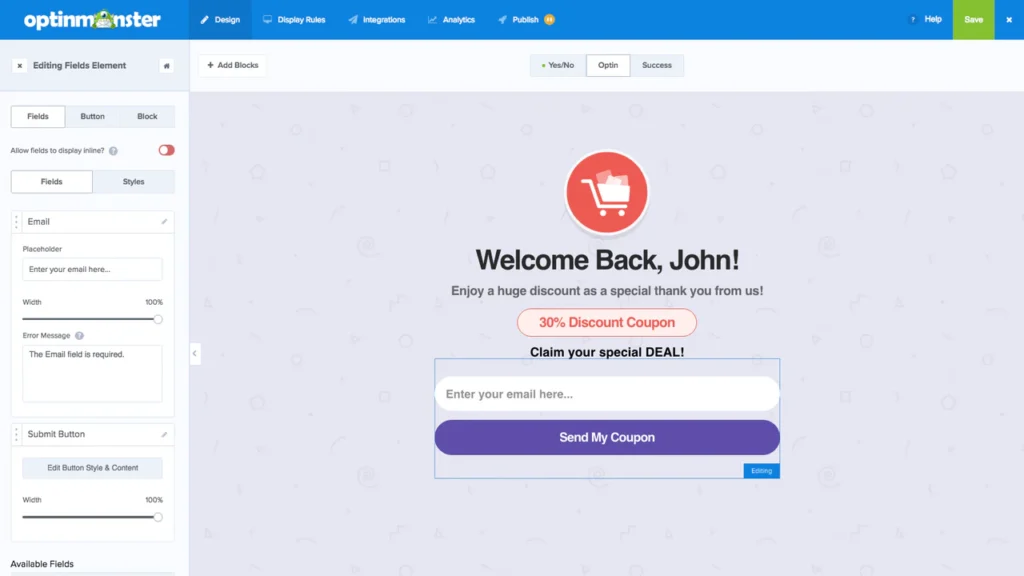
The right popup plugin depends on your needs for control, flexibility, and optimization. Below is a comparison of popular choices:
Balancing popups with site performance is essential. Key considerations include:
For additional security strategies, review How to Secure a WordPress Website: Key Steps for a Safer Site.
Effective use of popups involves more than simply enabling them. Consider these best practices:
Many popup issues stem from poor implementation. Common errors include:
Avoiding these mistakes can lead to improvements in both performance and user satisfaction.
Free popup plugins usually offer basic triggers, templates, and integrations suitable for simple campaigns, whereas premium solutions provide features like behavioral targeting, automation, and A/B testing that become essential as your site and marketing strategy grow.
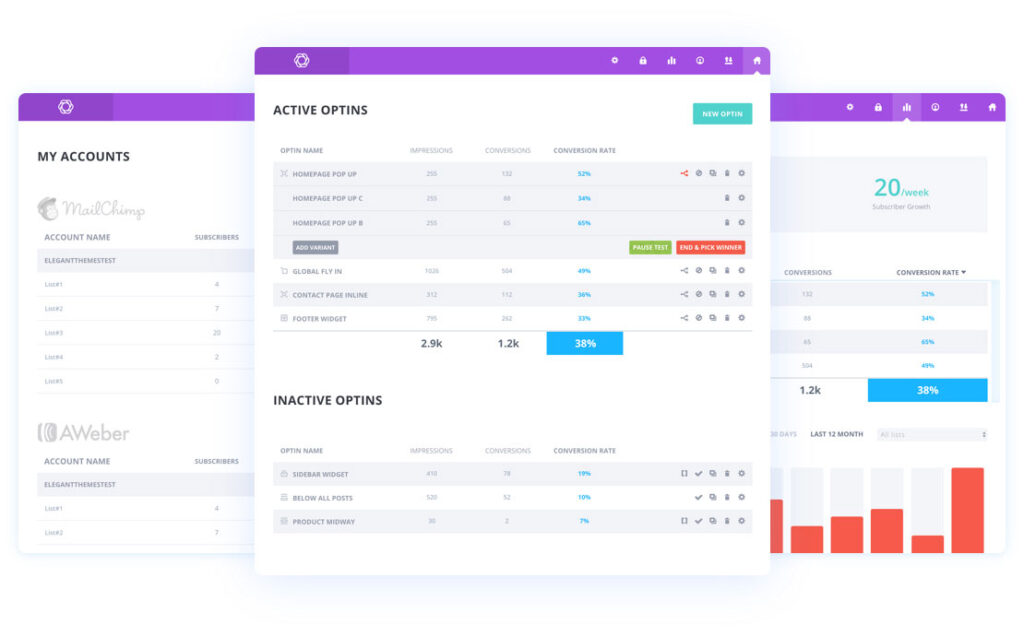
Your choice should align with your unique priorities and usage plans:
WordPress popup plugins can improve conversion rates when implemented thoughtfully. Choosing a tool that emphasizes timing, relevance, and user experience allows you to capture and convert visitors more effectively. Start with a straightforward solution, monitor performance, and refine your approach as you integrate popups into your overall strategy.
Running popup plugins alongside various analytics tools, themes, and other applications requires a dependable hosting environment. Performance issues on the server side can undermine your optimization efforts. At SiteValley, our cloud VPS hosting solutions—such as the KVM4 plan with 4 CPU cores, 8GB DDR5, and 80GB NVMe storage for $39.99/mo—provide the reliability you need for your WordPress site. Learn more about optimizing your hosting with our Virtual Private Server Use for WordPress Blog Performance Optimization guide.
A: Premium popup plugins typically offer advanced targeting, automation, and A/B testing features that can significantly boost conversions as your marketing needs expand.
What makes a popup plugin effective for lead generation?
How do lightbox popups differ from slide-ins?
Can popup plugins hurt my website’s performance?
How should I test different popup designs and timings?
Q: Are paid popup plugins worth the investment over free alternatives?

Quick Customer care response, accurate and broad assistance, easy to use client area.....
I am very happy with the service. I am with site valley for many years and at the present usimg 2 hosting packages. Their service is excellent and super fast. Thanks & Greatly Appreciated
I've been hosting my websites with Sitevalley for more than 6 years. Very satisfied with the services and reliability they provide, competitive prices, almost no downtime, fast and knowledgeable customer support.
I have been using side valley for a couple of years now and have to say I am very happy with the service they offer.I use many Hosting services but site valley stands out in front. Reliable service, great support.I don't normally leave reviews but felt I wanted to for this service as it has been fantastic
I didn't want to review so soon on into taking out hosting with site valley but I feel obliged because their customer service is outstanding, second to none, every time I had an issue it was sorted immediately. I would highly recommend Site Valley.
I have been with Sitevalley for over a year and it's the best hosting I have EVER used. And I have been through a lot of them.
The support staff are amazing, and it's clear that they have a passion for hosting websites. I've rather enjoyed this webhosting company and it's stability for the price is bar-none, amazing.
My collegue adviced me to use SiteValley as a reliable hosting provider with great prices, professional and fast Customer Service. My experience with SiteValley was exactly the way I was promised.
I have been with SiteValley for many years, and plan to stay with them for many more. Customer support is very responsive and knowledgeable.
SiteValley.com is rated 4.8 / 5 based on 329 Reviews »

© 2001 – 2026 SiteValley.com. All Rights Reserved.
