

WordPress includes a capable commenting system, but it can become difficult to manage when a site needs stronger moderation, reply notifications, voting, social sign-in, or community features. The challenge is choosing a plugin that adds the missing functions without creating unnecessary performance, privacy, or data-portability problems.
The best WordPress comment plugin therefore depends on the type of discussion you want to support. Some plugins enhance native WordPress comments and keep the data in your database. Others replace the interface with a hosted service, while self-hosted platforms give technical teams more control over the commenting infrastructure.
| Plugin or platform | Best for | Comment storage model | Main consideration |
|---|---|---|---|
| wpDiscuz | Extending native WordPress comments | WordPress database | Advanced options and add-ons require careful configuration |
| Thrive Comments | Engagement-focused sites | WordPress database | Commercial plugin; some conversion actions need other Thrive products |
| Jetpack Comments | A simpler replacement for the native form | WordPress with Jetpack services | WordPress.com services and third-party cookies for social login |
| Disqus | Outsourced comment infrastructure | Primarily hosted by Disqus | Privacy, advertising, external scripts, and data portability |
| Comentario | Self-hosted comment infrastructure | Separate self-hosted instance or cloud service | Self-hosting requires separate deployment and maintenance |
| GraphComment | Community-style discussions | Hosted service; optional synchronized WordPress copy | Enable and test synchronization; review plan limits |
Feature availability and pricing can change. Check the developer’s current documentation before committing to a plugin, especially if you need comment migration, social authentication, or a specific data-retention model.
A useful comment plugin should solve a specific limitation in your current setup. Readers may need clearer threaded replies, notifications, reactions, or an easier sign-in process. Site owners may need better approval queues, reports, spam controls, or tools for identifying comments that still require a response.
Before comparing feature lists, decide where comments should be stored. Plugins that extend the native system generally keep comments in the WordPress database, which can simplify backups and migration. Hosted platforms process at least part of the discussion through an external service. Self-hosted alternatives offer more infrastructure control but require additional installation, updates, monitoring, and email configuration.
You should also consider accessibility, privacy, mobile usability, and performance. A feature-rich interface is not helpful if it is difficult to navigate, adds excessive page weight, or collects visitor data in a way that conflicts with your privacy obligations.
The following options address different commenting requirements. This comparison draws on the developers’ public feature descriptions and documentation; test shortlisted options with your own site and comment data. The right choice depends on whether you prioritize native WordPress integration, engagement tools, outsourced management, or infrastructure control.

wpDiscuz extends the native WordPress commenting system instead of moving discussions to a separate hosted platform. Comments remain in the WordPress database, while the plugin adds an AJAX-based interface and more detailed display and interaction settings.
Available capabilities include threaded discussions, voting, subscriptions, comment-form customization, inline commenting, and moderation options. Some functions, including certain integrations and advanced features, may require separate add-ons, so check the current core-versus-add-on feature list before choosing it.
wpDiscuz is a strong candidate for site owners who want to preserve native comment storage while substantially changing the visitor experience. Its large settings area can take time to configure, and enabling every available feature may add complexity that a smaller blog does not need.

Thrive Comments focuses on engagement and moderation. It adds voting, badges, featured comments, subscriptions, post-comment actions, and a dedicated moderation interface. Opening an opt-in lightbox after a comment requires the separate Thrive Leads plugin.
The plugin uses WordPress comments rather than requiring a separate public discussion network. Thrive says comments remain when the plugin is removed, while additional features such as voting are lost. It is suitable for businesses and publishers that want engagement tools while retaining native comment records. It is sold separately and within Thrive Suite; compare current licensing, renewal terms, and included products before buying.
Thrive Comments is most relevant when discussions support a wider content or conversion strategy. If visitors need member profiles, private topics, and independent discussion boards rather than article comments, compare it with a dedicated WordPress forum plugin.

Jetpack Comments replaces the standard WordPress comment form with a form connected to Jetpack and WordPress.com services. Its documented social login options are WordPress.com and Facebook, and these require third-party cookies. Guest commenting with a name and email is also available when the site’s settings permit it.
Related Jetpack modules can provide subscription and notification functions, but these should be tested with the site’s exact Jetpack configuration. Jetpack Comments is a practical option for sites already using Jetpack that want a cleaner form without installing a more elaborate community system.
It is less suitable for site owners who want to avoid external service dependencies. Jetpack documents synchronization of comment data and metadata, so native WordPress storage does not mean that all data stays exclusively on your server. Review its connection requirements and privacy information, and test the form with your consent settings and visitors’ browser restrictions.

Disqus Comment System connects WordPress to the hosted Disqus commenting platform. It provides its own discussion interface, with threaded replies, reader notifications, moderation controls, user identities, and engagement analytics.
Because Disqus is an external service, it can reduce some comment-processing work on the WordPress server. However, its scripts still affect the page, and its hosted model introduces privacy, consent, advertising, account, and data-portability considerations. Available functionality can also vary by plan.
Disqus is best considered when a site owner intentionally wants an externally managed discussion platform. The official plugin lists comment synchronization back to WordPress and a WordPress-compatible XML export. Before migrating, test those paths with real comments, verify the fields and reply relationships they retain, and document what remains usable if the service is removed.
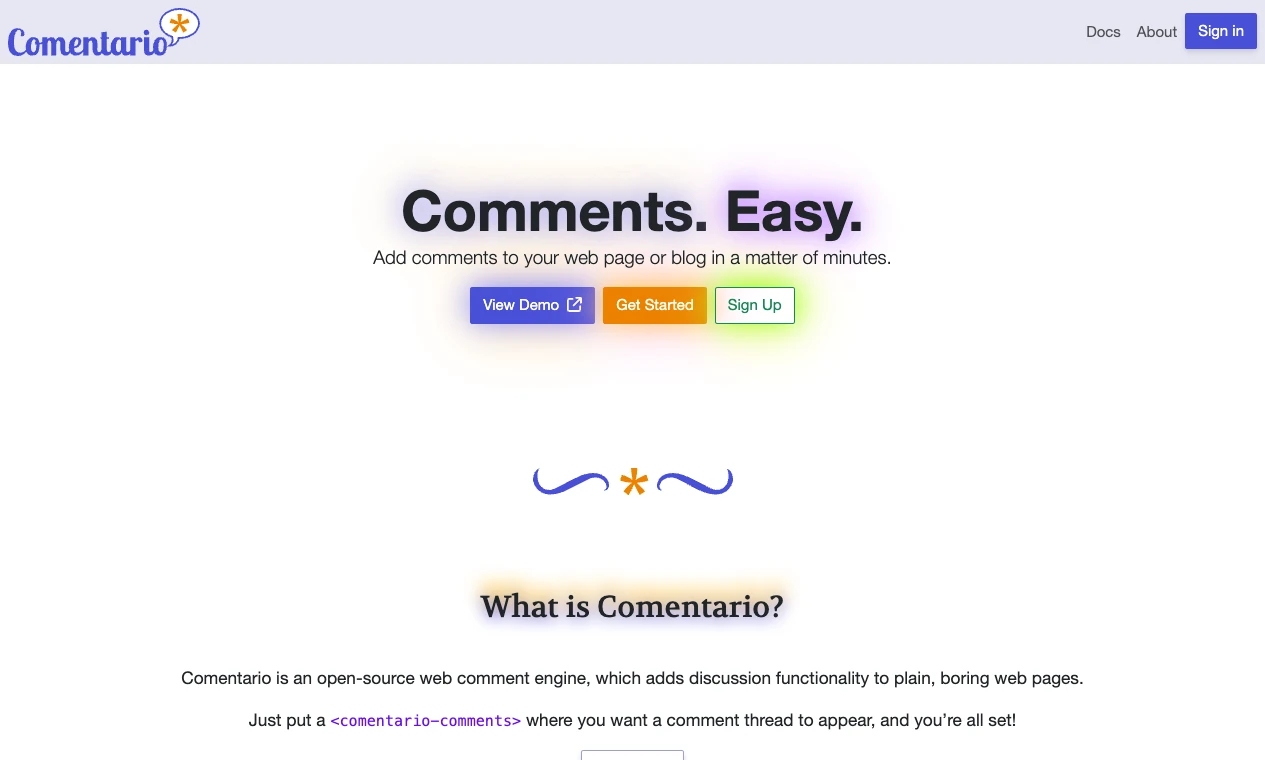
Comentario is an open-source commenting platform with nested discussions, authentication options, moderation roles, and email notifications. It can run on infrastructure you control, and its getting-started documentation also lists cloud options for teams that prefer a hosted service.
Unlike a conventional plugin that only changes the native WordPress form, Comentario operates as a separate application whose comment widget is embedded in the website. Self-hosting gives technical teams greater control over hosting and data, but also makes them responsible for deployment, security updates, backups, availability, and outbound email.
Its self-hosted option is most appropriate for organizations that specifically want control over comment infrastructure and have the technical resources to maintain it. The documentation lists WordPress comment import and JSON export; test the embedding, migration, and recovery process before replacing an established comment system.

GraphComment provides a hosted, community-oriented discussion interface built around threaded conversations. Its WordPress integration includes moderation, notifications, customization, sign-in features, and community profiles.
The official plugin supports importing existing discussions and copying GraphComment comments back into the WordPress database. Enable and verify synchronization before relying on that local copy: after deactivation, native WordPress displays the comments that were successfully synchronized. Test threading, authors, timestamps, and formatting on a staging site, and review plan limits for other features.
GraphComment may suit publishers that want their comment sections to behave more like ongoing communities. As with any hosted platform, review external scripts, consent requirements, pricing, export options, and the effect of a service interruption before deployment.
The WordPress discussion settings already support threaded comments, moderation queues, manual approval, comment-status controls, avatars, and restrictions on who can participate. For a small site with occasional discussion, those functions may be sufficient.
WordPress core does not provide every engagement feature or an advanced automated anti-spam service by itself. Anti-spam filtering generally requires a plugin, service, firewall, or a combination of moderation controls. Native comments can also become cumbersome when editors need voting, badges, richer notifications, custom forms, or detailed workflows.
Use a plugin when it solves a documented problem. Avoid replacing the native system solely because another interface has more features. Every added plugin or external service introduces maintenance, compatibility, privacy, and performance considerations.

Look for rate controls, link limits, blocklists, reputation checks, CAPTCHA alternatives, or integrations with established anti-spam services. No filter is perfect, so administrators still need a process for reviewing false positives and persistent abuse.
Comment protection should be part of a wider plan to secure your WordPress website, including software updates, protected administrator accounts, monitoring, and restorable backups.
Approval queues, bulk actions, keyword filters, moderator roles, user blocking, and reader reports become more valuable as comment volume increases. Confirm that moderators can see the context of a reported comment and record why an action was taken.
Nested replies make long conversations easier to follow, but deep nesting can become difficult to read on mobile screens. Check whether the plugin lets you limit reply depth and whether long usernames, quotations, and links break the layout.
Reply notifications can bring readers back to a discussion. Commenters should be able to confirm subscriptions, choose which messages they receive, and unsubscribe without contacting an administrator. These controls also matter for privacy and email compliance.
Social authentication may reduce friction, but it creates a dependency on an external identity provider. Confirm which providers are currently supported and provide another participation method in case an integration changes or becomes unavailable.
Likes, upvotes, and reactions allow lightweight participation and can highlight useful contributions. They also require abuse controls because coordinated voting or automated requests can distort rankings.
Check whether comments remain in the WordPress database, can be exported in a documented format, and can be restored after the plugin is removed. This is especially important when evaluating a hosted platform.
The comment form should work with keyboards and assistive technology, display clear labels and validation messages, and remain readable on small screens. Visual customization should not come at the expense of focus indicators, contrast, or form usability.
A comment system can add database queries, PHP processing, JavaScript, stylesheets, API calls, and external network requests. The impact depends on the plugin, enabled features, theme, traffic, and number of comments displayed on each page.
Hosted platforms may move some processing away from WordPress, but their external scripts can still delay rendering or increase page weight. Native-data plugins avoid some third-party requests, although large comment tables and inefficient queries can increase database work.
For sites that need shared hosting, the SiteValley Small Business plan is listed at $8.95 per month or $95.99 per year and includes up to 50 websites, unlimited databases, unmetered web space and traffic, a dedicated IP, free SSL, and daily backups with 60 recovery points. Hosting resources do not eliminate plugin overhead, so active discussions should still be tested under realistic traffic and database conditions.
Test representative articles with comments, replies, avatars, and notifications enabled. Examine mobile performance and logged-out pages, then repeat the test after plugin or theme updates. A suitable WordPress cache plugin may improve cacheable page delivery, but dynamic submissions, notification requests, and moderation actions still need independent testing.
Start by listing the shortcomings of your current system. For example, editors may be spending too much time handling spam, readers may be missing replies, or long discussions may be difficult to follow. Choose the smallest solution that addresses those specific problems.
Next, decide between three models:
If the site already has comments, create a staging copy and test imports, exports, user attribution, timestamps, threading, and formatting. Also test what remains after deactivating the plugin. A visually successful migration can still fail if reply relationships or subscriber data are lost.
Check compatibility with your WordPress version, theme, caching setup, consent tools, anti-spam service, and email provider. Review the plugin’s update history and support documentation rather than relying only on its feature list.

Choose whether to allow guests, registered users, or both. Registration can improve accountability but may reduce participation. Guest comments lower the barrier to entry but often require stronger moderation and spam controls.
Define which comments require approval, how many links are allowed, which terms trigger review, and how repeat offenders are handled. Avoid overly broad filters that routinely block legitimate contributions.
Request only the information needed to publish and manage a comment. Explain whether an email address will be displayed, stored, or used for notifications, and link to the applicable privacy information.
Test confirmation, reply, moderation, and unsubscribe messages. Verify that messages are delivered reliably and do not expose one commenter’s address to another recipient.
State which contributions are welcome and what may be removed. Clear policies help moderators make consistent decisions and let readers understand the boundaries before participating.
Create several levels of replies and test long comments, links, quotations, avatars, and validation errors. Confirm that readers can submit, edit where supported, report, and navigate comments using both a keyboard and touch controls.
Track pending, reported, spammed, and unanswered comments. If moderators cannot keep up, simplify the workflow or reduce features that encourage low-value activity instead of adding more engagement tools.
The best WordPress comment plugin is the one that fixes a clear discussion or moderation problem without imposing unnecessary operational costs. wpDiscuz is suited to sites that want to expand native comments, while Thrive Comments emphasizes engagement and editorial workflows. Jetpack Comments offers a simpler option for sites already connected to Jetpack, and Disqus provides an externally hosted discussion system.
Comentario gives technical teams a self-hosted alternative, while GraphComment targets sites seeking a more community-oriented hosted interface. The key decision is not which plugin has the longest feature list, but whether you want comments stored in WordPress, managed by an external provider, or operated through separate self-hosted infrastructure.
Before deploying any option, test it on a staging site with real comment data. Confirm performance, mobile usability, privacy requirements, moderation workflows, migration paths, and what happens if you later remove the plugin. That process will help you improve discussions without locking the site into a system that is difficult to maintain or replace.
What is the best WordPress comment plugin?
Do I need a comment plugin for WordPress?
Can a comment plugin slow down WordPress?
Can I move comments to another plugin later?
Are hosted comment systems better than self-hosted systems?
Can I disable comments without installing a plugin?
What privacy issues should I review before enabling comments?

Quick Customer care response, accurate and broad assistance, easy to use client area.....
I am very happy with the service. I am with site valley for many years and at the present usimg 2 hosting packages. Their service is excellent and super fast. Thanks & Greatly Appreciated
I've been hosting my websites with Sitevalley for more than 6 years. Very satisfied with the services and reliability they provide, competitive prices, almost no downtime, fast and knowledgeable customer support.
I have been using side valley for a couple of years now and have to say I am very happy with the service they offer.I use many Hosting services but site valley stands out in front. Reliable service, great support.I don't normally leave reviews but felt I wanted to for this service as it has been fantastic
I didn't want to review so soon on into taking out hosting with site valley but I feel obliged because their customer service is outstanding, second to none, every time I had an issue it was sorted immediately. I would highly recommend Site Valley.
I have been with Sitevalley for over a year and it's the best hosting I have EVER used. And I have been through a lot of them.
The support staff are amazing, and it's clear that they have a passion for hosting websites. I've rather enjoyed this webhosting company and it's stability for the price is bar-none, amazing.
My collegue adviced me to use SiteValley as a reliable hosting provider with great prices, professional and fast Customer Service. My experience with SiteValley was exactly the way I was promised.
I have been with SiteValley for many years, and plan to stay with them for many more. Customer support is very responsive and knowledgeable.
SiteValley.com is rated 4.8 / 5 based on 329 Reviews »

© 2001 – 2026 SiteValley.com. All Rights Reserved.
