

This guide explains which plugins best suit various site types, details the essential features for SEO in 2026, and demonstrates how to configure them for cleaner SEO and faster site performance. A capable WordPress SEO plugin is essential for maximizing your site’s potential.
Most site owners will end up choosing between Yoast SEO, Rank Math SEO, and All in One SEO. Other plugins are best suited for niche requirements such as schema-heavy content, automated internal linking, broken-link cleanup, or local SEO for a business with a physical address and defined service area.
Below is a comparison table that helps narrow the field:
| Plugin Name | Free vs Paid | Active Installs | Last Update | Compatibility | Key Use Case | Winner for [use case] |
|---|---|---|---|---|---|---|
| Yoast SEO | Free; Premium from ~$99/year | 10+ million | Recently updated on WordPress.org | Typically supports current WP release and modern PHP | Solid all-round SEO for content sites | Winner for beginners |
| Rank Math SEO | Free; Pro from ~$95.88/year | 3+ million | Recently updated on WordPress.org | Supports current WP; feature-rich setup | Feature-heavy SEO with advanced features | Winner for all-in-one value |
| All in One SEO (AIOSEO) | Free; Pro from ~$49.60/year | 3+ million | Recently updated on WordPress.org | Compatible with current WP release; popular with page builders | Balance of usability and advanced controls | Winner for SMB sites |
| SEOPress | Free; Pro from ~$49/year | 300,000+ | Recently updated on WordPress.org | Compatible with current WP versions; minimal interface | Lightweight SEO with fewer upsells | Winner for agencies |
| The SEO Framework | Free; Paid extensions from ~$7/month | 100,000+ | Recently updated on WordPress.org | Good fit for current WP installs; minimal interface | Fast, low-clutter SEO management | Winner for minimalism |
| Slim SEO | Free; Pro add-ons available | 100,000+ | Recently updated on WordPress.org | Built for recent WP versions; very low-config approach | Automatic SEO defaults with almost no setup | Winner for hands-off setup |
| Squirrly SEO | Free; Paid from ~$29.99/month | 100,000+ | Recently updated on WordPress.org | Compatible with current WP versions; content workflow focus | AI-guided optimization and content suggestions | Winner for AI suggestions |
| Schema Pro | Paid only from ~$67/year | Premium only | Vendor-maintained | Works alongside major SEO plugins; schema-focused | Rich snippets and custom schema mapping | Winner for rich snippets |
| WP Meta SEO | Free; Pro from ~$49/year | 20,000+ | Recently updated on WordPress.org | Compatible with current WP versions; bulk edit focus | Bulk metadata and image SEO cleanup | Winner for bulk meta editing |
| Broken Link Checker | Free cloud version; paid tiers available | 700,000+ | Recently updated on WordPress.org | Current WP compatibility varies | Finds and fixes broken links | Winner for link maintenance |
The takeaway is clear: while Yoast SEO, Rank Math SEO, and AIOSEO dominate for general purposes, the other plugins serve as specialists for specific needs.
A few practical considerations include:
Select your SEO plugin in the same way you’d choose a page builder or backup system: evaluate it against your site’s actual workload, not merely its feature list. A plugin loaded with unnecessary modules may cause interface clutter, duplicate schema outputs, or force unused features. The best plugin manages your SEO basics cleanly, provides the necessary controls, and remains unobtrusive.
Consider these eight criteria when assessing any plugin:
In short, blogs should focus on simplicity and affordability, stores should prioritize advanced schema and technical controls, and agencies should aim for streamlined workflow and maintenance with robust features. A reliable hosting infrastructure further enhances the efficacy of any SEO plugin.
An SEO plugin can highlight issues like slow pages, weak Core Web Vitals, or sitemap errors, but it cannot fix a sluggish server. For instance, if a host takes 800ms to respond, the plugin’s recommendations may seem less effective even if titles, meta tags, and sitemaps are flawless. This is due to the importance of TTFB (Time to First Byte), which influences key performance metrics such as LCP and INP.
A practical example: two sites using the same theme, SEO plugin, cache, and content can perform very differently if one server responds within 180–250ms compared to another taking 700–900ms. In such cases, even perfect SEO elements cannot compensate for the delay in page delivery, leading to a diminished user experience and lower SEO audit scores.
For instance, SiteValley shared hosting plans, such as the Small Business package starting at $8.95/mo (or $95.99/yr), offer low TTFB with daily backups, free SSL, and other essential features to support fast page delivery.
Additionally, uptime and DNS speed are critical. Slow DNS resolution causes crawlers to wait longer for your site, and frequent downtime may result in incomplete XML sitemaps with errors. The true solution is a well-configured hosting environment that delivers low server response times, fast DNS, and consistent uptime.
When your hosting is optimized, the choice of SEO plugin can markedly improve your workflow. Yoast SEO remains a top pick for editorial teams, Rank Math SEO impresses with an extensive set of built-in features, and AIOSEO excels for business sites requiring refined schema and efficient redirect management.
The differences among these plugins are not about whether they can optimize for SEO but about the native range of features, the degree of guidance provided, and the potential for interface complexity.
| Feature | Yoast SEO | Rank Math SEO | AIOSEO | Winner for [feature] |
|---|---|---|---|---|
| Schema Support | Strong defaults for Article, FAQ, HowTo, Organization, Person, Breadcrumbs with advanced types available via add-ons | Broad schema library including article, product, FAQ, how-to, course, recipe, and more | Visual schema generator with flexible page-level control and custom options | AIOSEO |
| AI Suggestions | Limited to analysis with minimal AI-assisted writing workflow | Built-in AI content, title, and SEO suggestions via Content AI; for more, see our insights on WordPress AI plugins | Offers AI writing assistance, though less central than Rank Math | Rank Math SEO |
| Redirect Management | Available in Premium; reliable for common 301/302 redirections | Integrated redirect manager with flexible options | Excellent redirection tools and logging | AIOSEO |
| Content Analysis | Known for its traffic-light scoring system, readability checks, and on-page guidance | Provides detailed scoring with recommendations and multi-keyword focus | Reliable, though less iconic than Yoast | Yoast SEO |
| Pricing | Free version is solid; Premium starts around $99/year, with add-ons for local, news, and video SEO | Generous free tier; Pro starts around $95.88/year including numerous bundled features | Lower entry cost starting at ~$49.60/year, with advanced options in higher-tier plans | Tie for entry cost and bundled value |
| Integrations | Integrates with tools like Semrush, Wincher, and Elementor, and offers dedicated add-ons for News, Video, Local, and WooCommerce SEO | Works with Google tools, analytics platforms, page builders, WooCommerce, and more | Well-integrated with WooCommerce and local business setups, also offering social previews | Depends on use case |
The conclusion is straightforward: Yoast SEO provides an intuitive editing experience; Rank Math SEO offers an extensive feature set; and AIOSEO balances advanced schema controls with a streamlined interface.
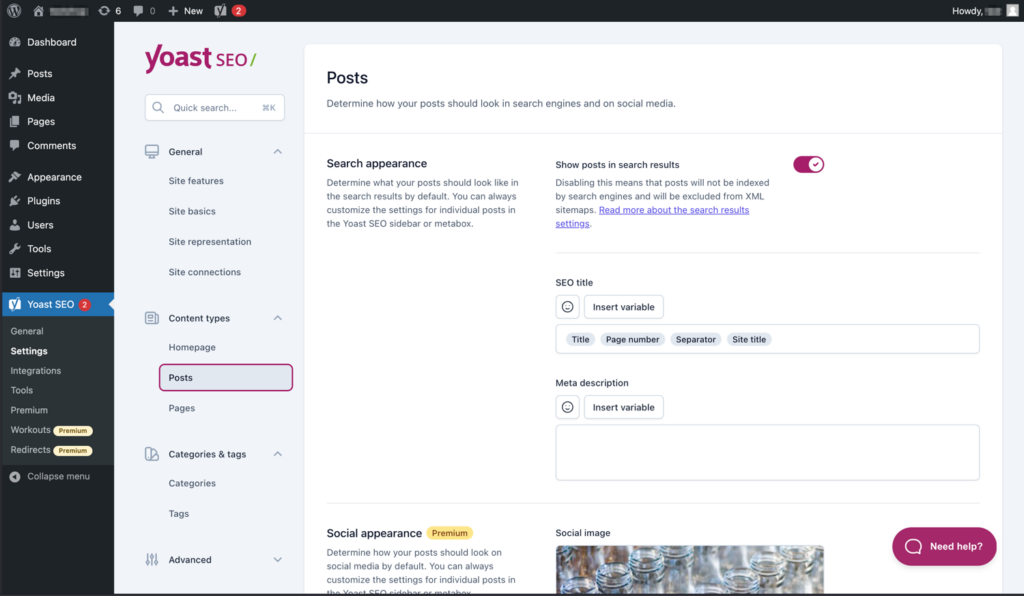
Yoast SEO remains user-friendly for writers and clients, ensuring that each post meets essential SEO criteria without excessive configuration. Its signature traffic-light analysis tool provides visual feedback on title length, keyphrase usage, internal linking, image alt text, and readability, making it ideal for teams with multiple authors. The plugin also integrates with tools like Semrush and Wincher for more comprehensive keyword analysis, though premium add-ons for local, video, and news SEO can raise costs.
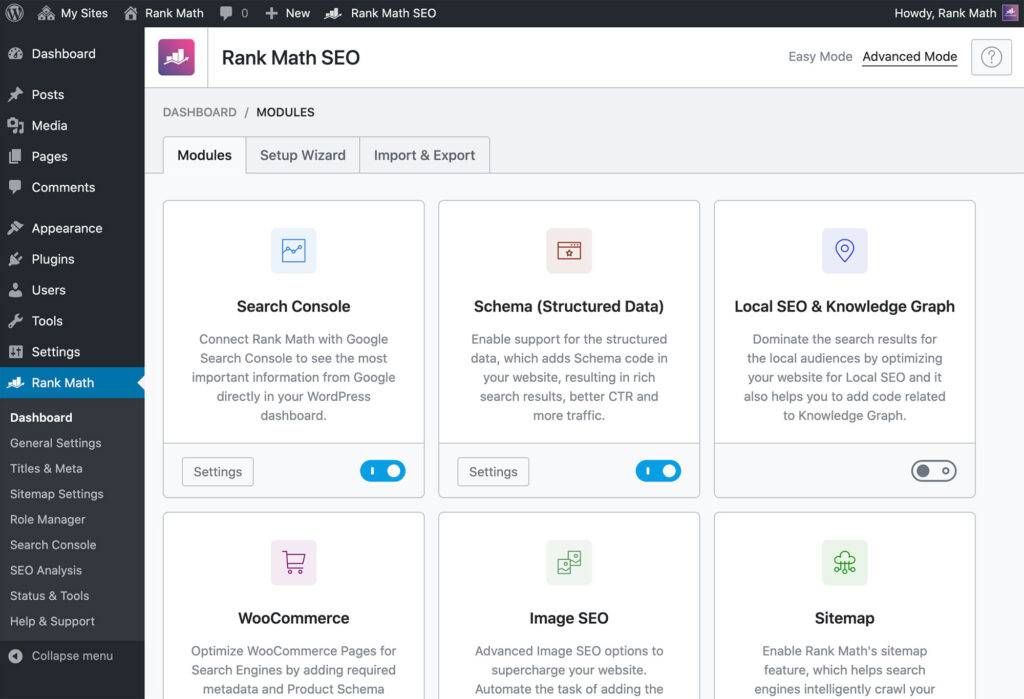
Rank Math SEO delivers a wide range of features suited for power users and budget-conscious site owners alike. It includes advanced schema options, role management, analytics integration, and redirection tools, with additional support for multiple keyword optimization. A standout feature is its AI-assisted Content AI, which offers suggestions directly within the post editor. However, the extensive feature set may be overwhelming for users who prefer a simpler interface.
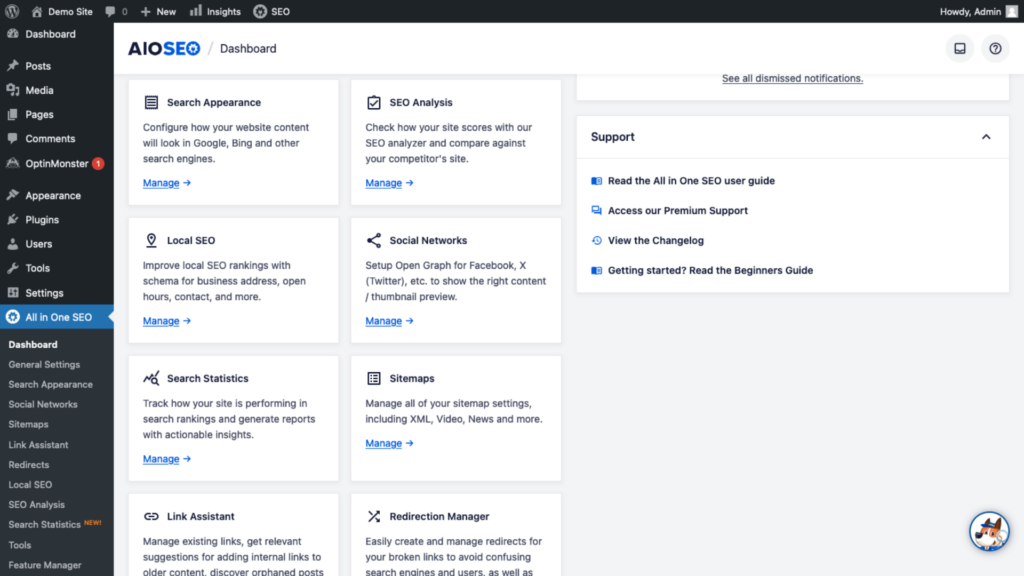
AIOSEO strikes a balance by offering advanced features without unnecessary complexity. Its guided schema generator simplifies the process of assigning structured data to various content types, making it a strong choice for business, local, and e-commerce websites. Additionally, its redirect manager and detailed XML sitemap options are beneficial for handling site changes effectively. AIOSEO is ideal if you require advanced controls presented in a clean, navigable interface.
If none of the top three plugins perfectly matches your requirements, consider these specialized alternatives. They cater to specific needs, from minimizing dashboard clutter to providing focused SEO solutions for issues like broken links or detailed schema markup.
| Plugin Name | Free vs Paid | Last Update | Active Installs | Ideal Use Case |
|---|---|---|---|---|
| SEOPress | Free; Pro available | Check WordPress.org for latest update | 300,000+ | Budget-friendly SEO for blogs, local sites, and small agencies |
| The SEO Framework | Free; Paid extensions available | Check WordPress.org for latest update | 100,000+ | Performance-sensitive sites needing a clean interface |
| Squirrly SEO | Free; paid plans available | Check WordPress.org for latest update | 100,000+ | For non-technical marketers who appreciate live, in-editor SEO guidance |
| Slim SEO | Free; paid add-ons available | Check WordPress.org for latest update | 100,000+ | Brochure sites and simple blogs that prefer a nearly zero-setup approach |
| Schema Pro | Paid only | Refer to vendor release page | N/A | Websites requiring advanced schema for reviews, courses, recipes, and more |
| Broken Link Checker | Free cloud version; paid tiers available | Check WordPress.org for latest update | 700,000+ | Large, content-heavy sites needing ongoing link monitoring and cleanup |
| All in One Schema Rich Snippets | Free; premium support/add-ons may vary | Check WordPress.org for latest update | 90,000+ | Publishers wanting pre-built structured data templates for common content formats |
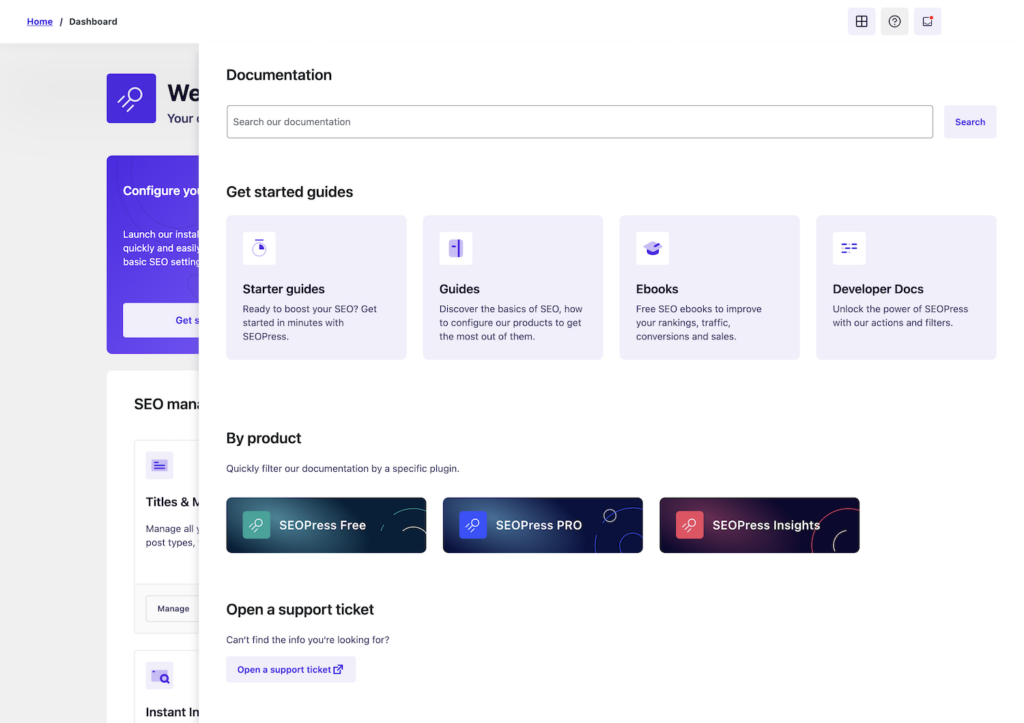
SEOPress offers excellent value for those seeking comprehensive SEO features without premium pricing. It manages core SEO tasks effectively, and its pro tier adds enhancements like one-click redirections and local SEO modules, making it a strong choice for scaling blogs and small sites.
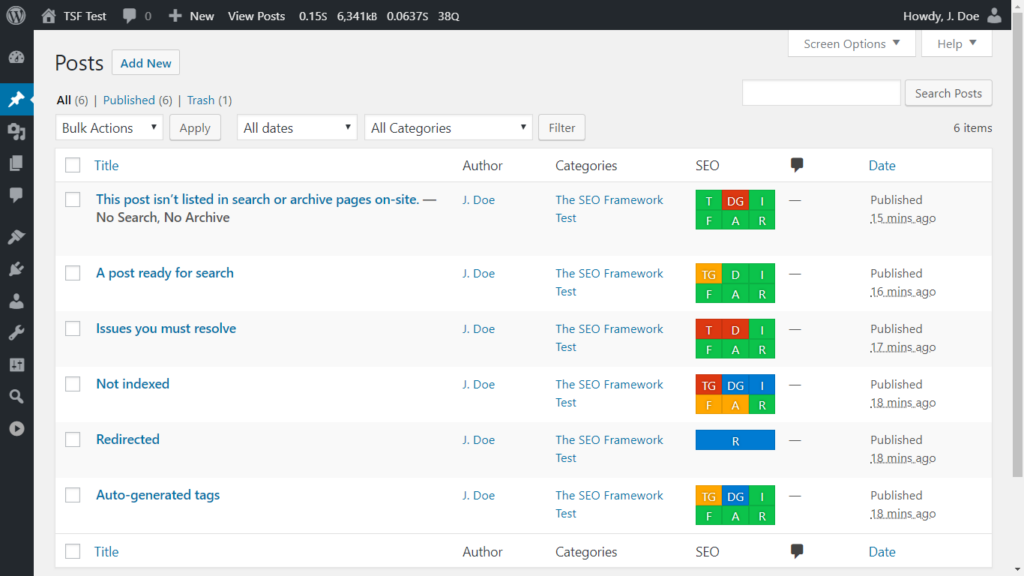
The SEO Framework provides a lightweight, ad-free experience suited for performance-sensitive or membership sites. Its minimalistic interface keeps the focus on core SEO settings, ideal for agency-managed projects where a clean admin area is prioritized.
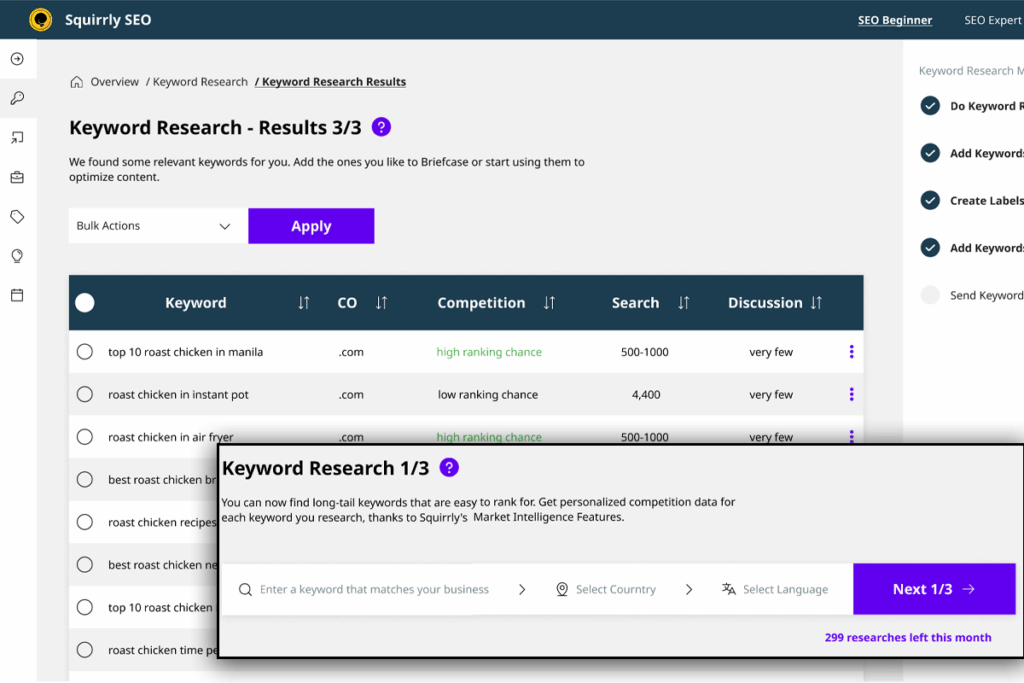
Squirrly SEO is designed for non-technical site owners who benefit from real-time SEO guidance during content creation. Its in-editor prompts offer actionable advice, though the plugin’s opinionated style may not appeal to everyone.
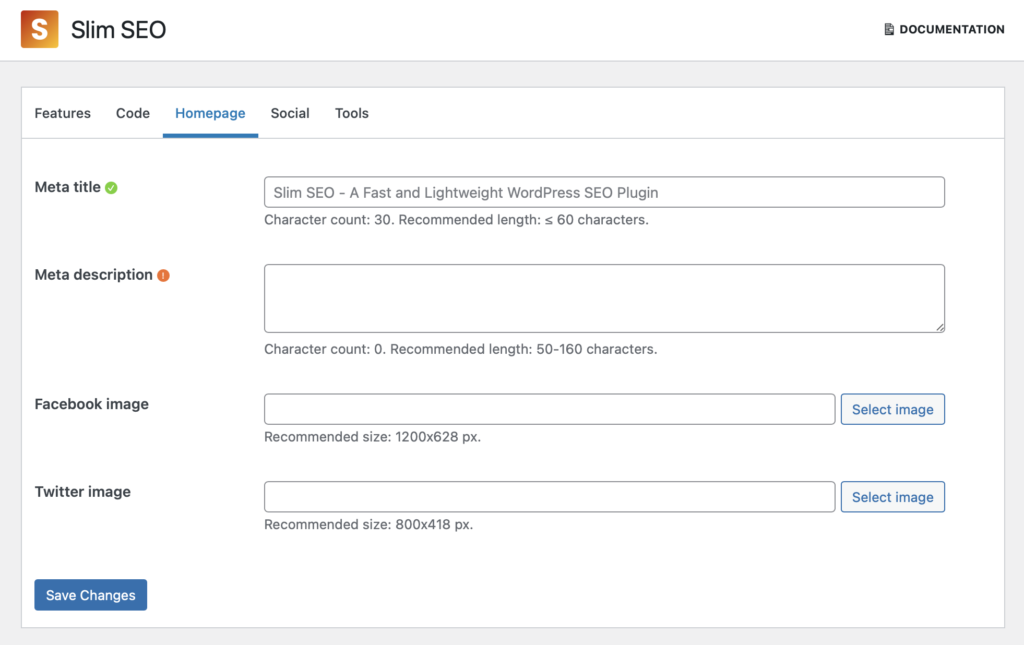
Slim SEO automates essential SEO tasks with minimal setup, ensuring that your meta tags, XML sitemaps, and Open Graph settings work correctly without added complexity. This makes it an attractive option for brochure websites and low-maintenance blogs.
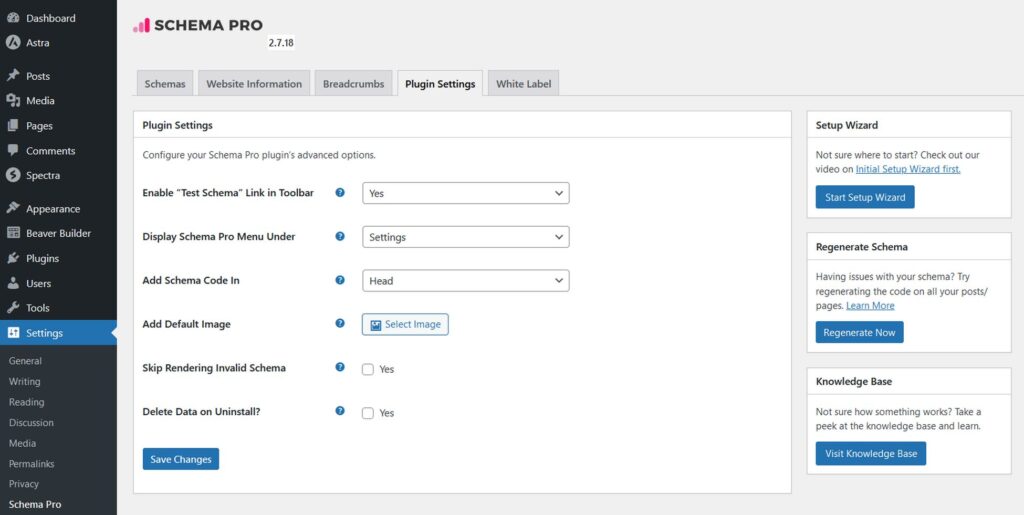
Schema Pro is targeted at websites that need advanced schema markup. It enhances existing SEO plugins by adding rich snippet capabilities for reviews, recipes, courses, and more, without complicating your primary SEO setup.
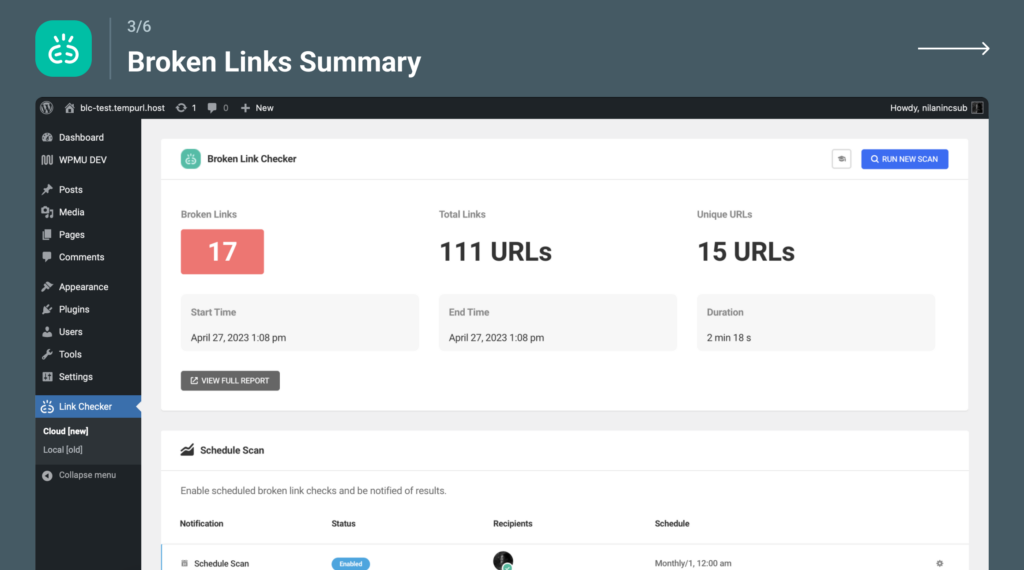
Broken Link Checker continuously scans your site for broken internal and external links that can negatively impact both user experience and crawl budgets. It’s particularly useful for large, legacy websites with extensive archived content.
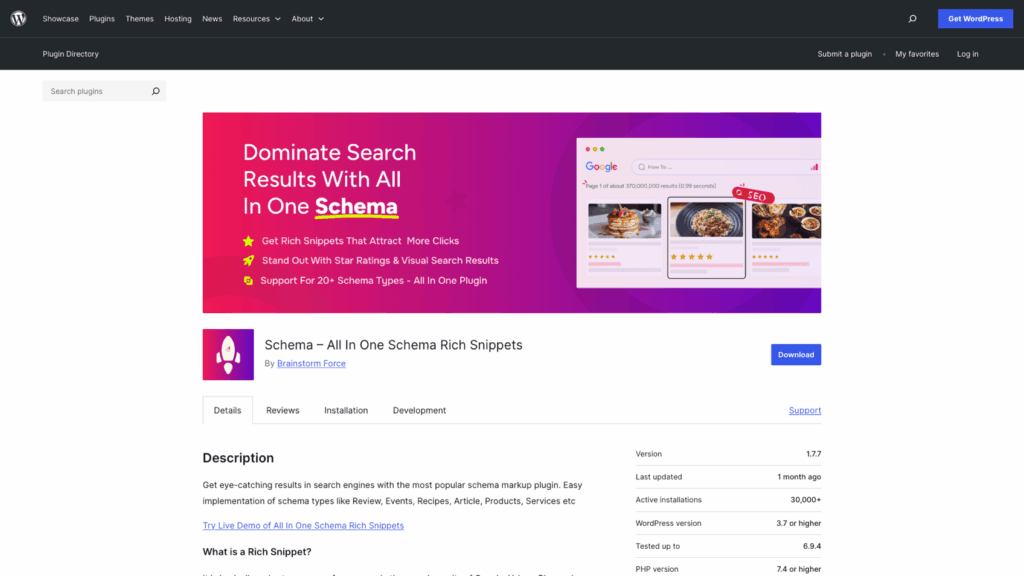
All in One Schema Rich Snippets offers a straightforward method of implementing structured data with pre-built templates. It suits publishers who want to enhance search result displays without the complexity of a full-featured schema engine.
Choosing a WordPress SEO plugin is a low-leverage decision once you stay within the top options like Yoast SEO, Rank Math, or All in One SEO. They all handle the fundamentals well, and none will improve rankings on their own.
What actually matters is how cleanly you use the tool: correct titles, consistent schema, solid internal linking, and no technical conflicts. Just as important, your hosting and performance set the ceiling—something Google continues to reinforce through Core Web Vitals.
Keep it simple: pick one plugin, configure it properly, avoid overlap, and focus your effort on content quality and site speed. That’s where the real gains are.
What is a WordPress SEO plugin?
Are paid SEO plugins worth the investment?
How do I choose the best WordPress SEO plugin for my site?
How does hosting affect SEO plugin performance?

Quick Customer care response, accurate and broad assistance, easy to use client area.....
I am very happy with the service. I am with site valley for many years and at the present usimg 2 hosting packages. Their service is excellent and super fast. Thanks & Greatly Appreciated
I've been hosting my websites with Sitevalley for more than 6 years. Very satisfied with the services and reliability they provide, competitive prices, almost no downtime, fast and knowledgeable customer support.
I have been using side valley for a couple of years now and have to say I am very happy with the service they offer.I use many Hosting services but site valley stands out in front. Reliable service, great support.I don't normally leave reviews but felt I wanted to for this service as it has been fantastic
I didn't want to review so soon on into taking out hosting with site valley but I feel obliged because their customer service is outstanding, second to none, every time I had an issue it was sorted immediately. I would highly recommend Site Valley.
I have been with Sitevalley for over a year and it's the best hosting I have EVER used. And I have been through a lot of them.
The support staff are amazing, and it's clear that they have a passion for hosting websites. I've rather enjoyed this webhosting company and it's stability for the price is bar-none, amazing.
My collegue adviced me to use SiteValley as a reliable hosting provider with great prices, professional and fast Customer Service. My experience with SiteValley was exactly the way I was promised.
I have been with SiteValley for many years, and plan to stay with them for many more. Customer support is very responsive and knowledgeable.
SiteValley.com is rated 4.8 / 5 based on 329 Reviews »

© 2001 – 2026 SiteValley.com. All Rights Reserved.
