

A WooCommerce store needs hosting that can keep taking orders when the catalogue, customer sessions and background jobs are busy. A quick cached homepage tells you little about a slow cart or a failed payment callback. Start with the work your store actually performs, then compare the cost and responsibilities of shared hosting, a VPS and dedicated infrastructure.
This guide compares those options and the published SiteValley services you can shortlist in 2026. It does not rank providers using synthetic benchmark results: plan specifications help you narrow the choice, while a controlled trial of your own store establishes whether the capacity is sufficient.
Give your WordPress site NVMe hosting, daily backups for recovery and a 24/7 support team when you need help.
Monthly visits and order totals are useful context, but they do not determine a universal hosting tier. A modest store with complex product filters or subscriptions can demand more resources per request than a larger, mostly cached catalogue. Include peak simultaneous activity, extension behaviour and the time available for administration in your decision.
| Hosting model | Good reason to consider it | Check before buying |
|---|---|---|
| Shared web hosting | A small store needs a modest bill and a provider-operated server. | Account CPU, memory, entry-process and database limits; store-specific support scope. |
| Managed WooCommerce hosting | You want the provider to handle an explicitly defined WordPress or store workload. | What “managed” includes: updates, staging, cache exclusions, incident work and backup recovery. |
| Cloud VPS | You need more control over the software stack and a measurable resource allocation. | Whether administration is included, CPU sharing rules, upgrade downtime and backup costs. |
| Dedicated server or multi-node architecture | A measured workload justifies a larger dedicated machine or a designed availability setup. | Operational ownership, database design, recovery and failover; one dedicated server is still one server. |
Choose the simplest model that meets your measured needs and recovery requirements. Moving to a VPS adds control, but it can also add work. “Cloud” alone does not promise automatic scaling, managed WooCommerce support or uninterrupted operation after a failure.

Use a protected staging copy with representative products, extensions and configuration. Disable live payments, outgoing customer messages and integrations that could create real orders or fulfilment. Agree any load testing with the hosting provider. The purpose is to test the store safely under comparable conditions.
| Journey | What to observe | Useful evidence |
|---|---|---|
| Anonymous product browsing | Cold and warm page-cache behaviour, images and filtering. | Repeated results from the same location and device/network settings. |
| Add to cart and change quantity | Correct prices, stock and session state. | Successful responses and consistent cart contents in separate test sessions. |
| Checkout in payment test mode | Shipping/tax recalculation, order submission and the gateway’s return path. | Test orders, error logs and response times at agreed concurrency. |
| Account and background work | Login, order history, scheduled tasks and catalogue imports. | Whether customer requests degrade while other work runs. |
Measure time to first byte (TTFB), but also the whole interaction and its error rate. Google’s TTFB guidance gives 0.8 seconds as a rough target; TTFB is not itself a Core Web Vital or a checkout completion target. Avoid treating a single result, a different test location or a cache hit as a provider-wide speed guarantee.
If checkout stalls, distinguish slow hosting from an extension error, blocked request or payment-service issue. WooCommerce’s checkout troubleshooting guide explains how request responses and logs can narrow the cause.
PHP concurrency matters because many store requests need application work. On PHP-FPM, the pm.max_children limit caps simultaneous requests handled by the pool. Once its processes are occupied, additional work can queue. Providers may use other server models or account limits, so ask how their advertised allowance is enforced.
There is no defensible rule that every growing store needs eight workers, or that a particular monthly order count requires a VPS. Request duration, CPU time, memory, database queries and third-party calls all affect capacity. Adding processes without enough memory or CPU can worsen contention rather than fix it.
Ask the host to correlate the slow period with CPU/memory use, database activity and application errors. Where PHP-FPM is used, its status metrics include the listen queue and whether the process limit was reached. Have an administrator inspect these privately. Change the demonstrated bottleneck, then repeat the same test.
For predictable promotions, pre-scale and rehearse with enough time to roll back. If automatic scaling is offered, establish its trigger, maximum capacity, delay and cost. Scaling the web tier does not automatically scale the database, preserve shared sessions or remove a slow payment dependency.
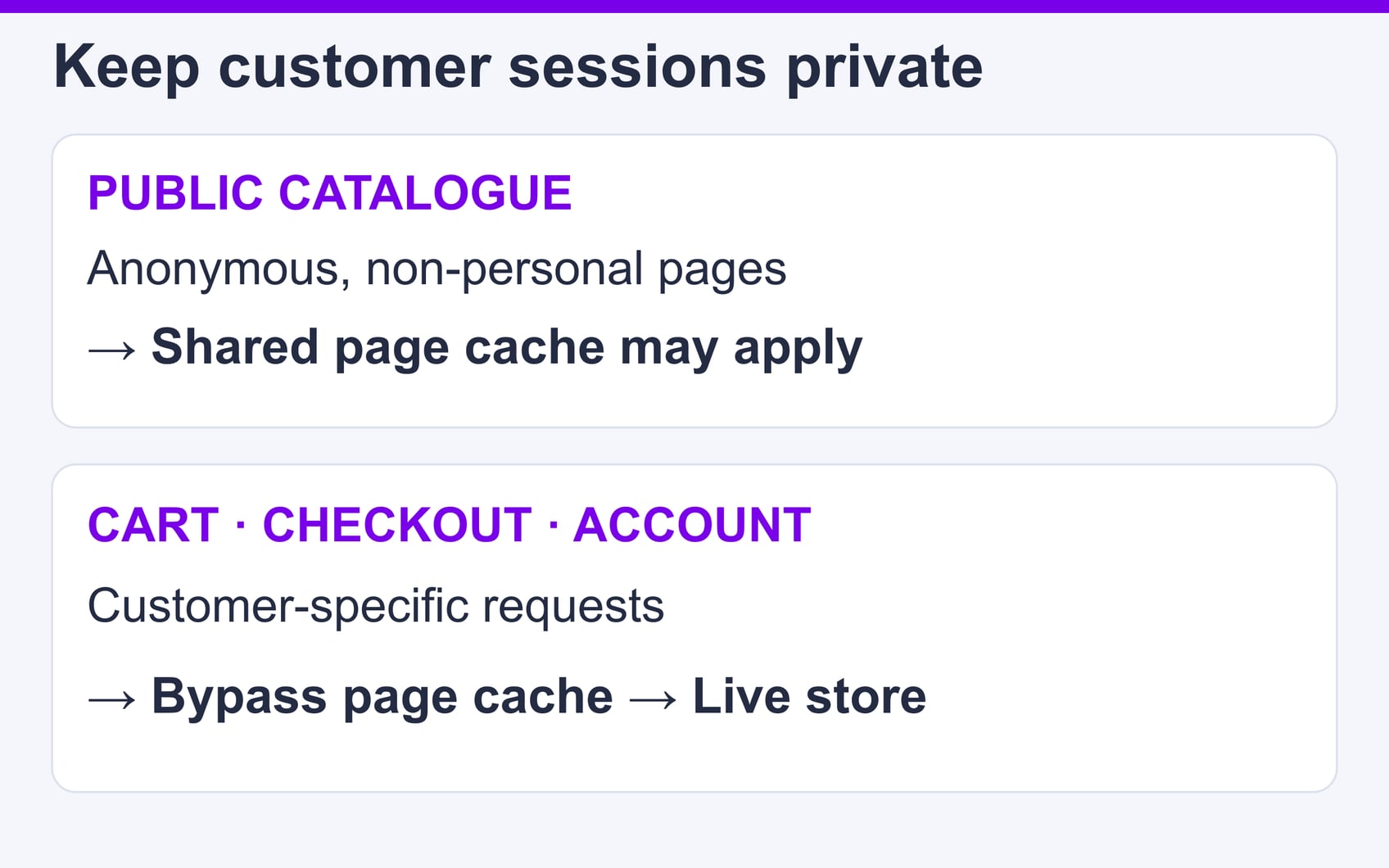
Full-page caching can serve reusable public catalogue pages without regenerating them for each visitor. Customer-specific content needs different treatment. WooCommerce advises excluding the actual Cart, Checkout and My Account pages from shared page or edge caching, and passing its AJAX and Store API requests through without replaying stored responses. Check your configured page paths rather than assuming the default slugs.
Apply compatible session and cookie exclusions at every active layer, including a CDN or reverse proxy. Verify with two separate test customers: one customer’s cart, account details or checkout state must never appear in the other session. Test prices, stock and personalised content after changes as well as after a purge.
A persistent object cache can reduce repeated application/database work, but it does not turn private pages into safely cacheable public HTML. A CDN can deliver reusable assets closer to visitors; its presence does not establish dynamic checkout capacity. Ask which layers are actually supported and who maintains their exclusions. These are configuration questions, not features to infer from the word “WordPress”.
Recovery frequency and retention answer different questions. Keeping two months of daily backups offers older recovery points, but a daily interval may still leave orders created since the last backup exposed. Decide how much recent order data you can afford to lose and how quickly service must return; then choose and test a recovery process that meets those needs.
| Cost or safeguard | Question for the provider |
|---|---|
| Renewal and add-ons | What is the full recurring price after promotions, including management, licences, backups and overages? |
| Backups | Which files and database tables are covered, how often, where are copies kept, and who performs a restore? |
| Order preservation | How are orders taken after the selected restore point retained or reconciled? |
| Support | Which server and WooCommerce problems are included, and what response commitments are contractual? |
| Scaling | How much notice or downtime is required, and what happens when a resource limit is reached? |
WooCommerce’s backup guidance covers both site files and the database. A WordPress content export alone is not a complete store backup. Verify a restore in isolation and reconcile orders before replacing live data. Likewise, 24/7 support availability does not by itself guarantee a particular response or resolution time.
The following are published service options, checked on 28 October 2026, rather than measured winners. Confirm the exact order terms and your store’s requirements before selecting a plan.
SiteValley Web Hosting is a starting point for a smaller store whose workload fits shared-account limits. Pro is advertised at $59.40 per year; Small Business at $8.95 per month or $95.99 per year. Published benefits include NVMe storage, free SSL, cPanel and daily backups with 60 recovery points.
The listed monthly visit estimates are not guarantees of simultaneous checkout capacity. Ask about CPU/PHP/database limits, cache compatibility and recovery of recent orders. The page does not establish that Redis, LiteSpeed or automatic scaling is included. Match the plan to a trial of your store rather than the storage allowance alone.
SiteValley Cloud VPS offers a configurable infrastructure route. The displayed entry KVM1 offer starts at $9.99 per month with one CPU core, promotional 2 GB RAM and 20 GB NVMe storage. Its advertised 1 Gbps port is subject to the stated transfer policy: after 5 TB, the rate is capped at 100 Mbit/s.
Those specifications describe resources, not how many checkouts the store can complete. Confirm the chosen location, current offer, management scope, backup service and upgrade procedure. Do not assume a VPS includes automatic scaling, dedicated CPU time, a preconfigured WooCommerce stack or a high-availability database.
SiteValley Dedicated Hosting lists configurations by location, CPU, memory and storage. Shortlist an exact current configuration when measurements justify its capacity or isolation. Obtain a quote that includes the required administration, backup and software costs instead of reusing an old starting price.
A dedicated machine does not supply failover by itself. If an outage would materially interrupt sales, define the recovery or redundancy design and test it. The right choice depends on sustained workload and operational ownership, not an arbitrary order-volume threshold.

A store keeps changing after its first migration copy. Orders, stock, accounts and payment callbacks can diverge if both installations remain writable. Agree the cutover method with the people responsible for the store and hosting.
For the broader infrastructure trade-offs, see our ecommerce hosting guide for small businesses and Cloud VPS hosting guide. Keep the migration checklist tied to your actual integrations and provider procedures.
Shortlist hosting by responsibility, demonstrated capacity and recoverability. Compare the full recurring cost, test the complete shopping journey, and establish a migration plan that protects orders. Choose shared hosting, a VPS or dedicated infrastructure because it fits that evidence—not because a marketing label or an unverified benchmark promises a faster store.
Related service: Web hosting plans

Quick Customer care response, accurate and broad assistance, easy to use client area.....
I am very happy with the service. I am with site valley for many years and at the present usimg 2 hosting packages. Their service is excellent and super fast. Thanks & Greatly Appreciated
I've been hosting my websites with Sitevalley for more than 6 years. Very satisfied with the services and reliability they provide, competitive prices, almost no downtime, fast and knowledgeable customer support.
I have been using side valley for a couple of years now and have to say I am very happy with the service they offer.I use many Hosting services but site valley stands out in front. Reliable service, great support.I don't normally leave reviews but felt I wanted to for this service as it has been fantastic
I didn't want to review so soon on into taking out hosting with site valley but I feel obliged because their customer service is outstanding, second to none, every time I had an issue it was sorted immediately. I would highly recommend Site Valley.
I have been with Sitevalley for over a year and it's the best hosting I have EVER used. And I have been through a lot of them.
The support staff are amazing, and it's clear that they have a passion for hosting websites. I've rather enjoyed this webhosting company and it's stability for the price is bar-none, amazing.
My collegue adviced me to use SiteValley as a reliable hosting provider with great prices, professional and fast Customer Service. My experience with SiteValley was exactly the way I was promised.
I have been with SiteValley for many years, and plan to stay with them for many more. Customer support is very responsive and knowledgeable.
SiteValley.com is rated 4.8 / 5 based on 329 Reviews »

© 2001 – 2026 SiteValley.com. All Rights Reserved.
