

Advanced WordPress security starts with a practical question: if a plugin is exploited or an administrator account is stolen, what else can the attacker reach? A security plugin helps, but the hosting account, PHP processes, file permissions, backups and administrative access also need protection.
This guide explains the controls to verify with a shared-hosting provider and the extra responsibilities you take on with a VPS. It draws on official documentation, not a hands-on benchmark of the products mentioned. Keep a working recovery path before changing permissions, firewall rules or PHP settings.
The distinction is more precise than “plugins act after WordPress, servers act before it.” Wordfence in Basic Protection loads as a regular plugin; its Extended Protection mode configures PHP to load its firewall before WordPress and other directly accessed PHP scripts. That is still PHP-based protection, not an operating-system isolation boundary.
| Layer | Useful controls | What remains outside its scope |
|---|---|---|
| WordPress and administrator accounts | Updates, least-privilege roles, multifactor authentication, activity logs and application firewall rules | A compromised hosting panel, writable sibling sites or vulnerable system packages |
| Hosting account and server | File ownership, separate PHP users, supported PHP, host WAF, malware scanning and controlled management access | Stolen application credentials and vulnerabilities the controls do not detect |
| Network and edge | Traffic filtering, rate limits and upstream DDoS protection | Requests that bypass the proxy, compromised files already on disk and unsafe server permissions |
These layers overlap. A WAF may reject a request before the application runs; file permissions constrain what an already-running process can do; backups support recovery after prevention fails. Identify who owns each control and who receives its alerts.
Permission numbers are meaningful only alongside file ownership, groups and the PHP execution model. WordPress hardening guidance uses 755 for directories and 644 for files as common baselines. A tighter setting can be appropriate, but blindly changing every directory to 750 may stop the web server from reading the site.
| Item | Starting point to discuss with the host | Check before tightening it |
|---|---|---|
| Ordinary files | 644 is a common baseline | Which user owns them and which processes can write them? |
| Directories | 755 is common; 750 requires the right group or access rules | Can PHP and the web server traverse every required parent directory? |
wp-config.php |
Restrict access as far as the hosting model permits; 600 or 640 may be suitable | Can the required PHP user still read it, without exposing credentials to unrelated accounts? |
| Uploads and cache directories | Writable only by the processes that need them | Can the site upload media and refresh caches without world-writable permissions? |
| Permission “fixes” | Do not use 777 as a routine workaround | Correct ownership or the required access rule instead |
Test uploads, updates, scheduled jobs and page delivery after a bounded change. Recheck permissions after deployment: a script can undo a carefully chosen policy.
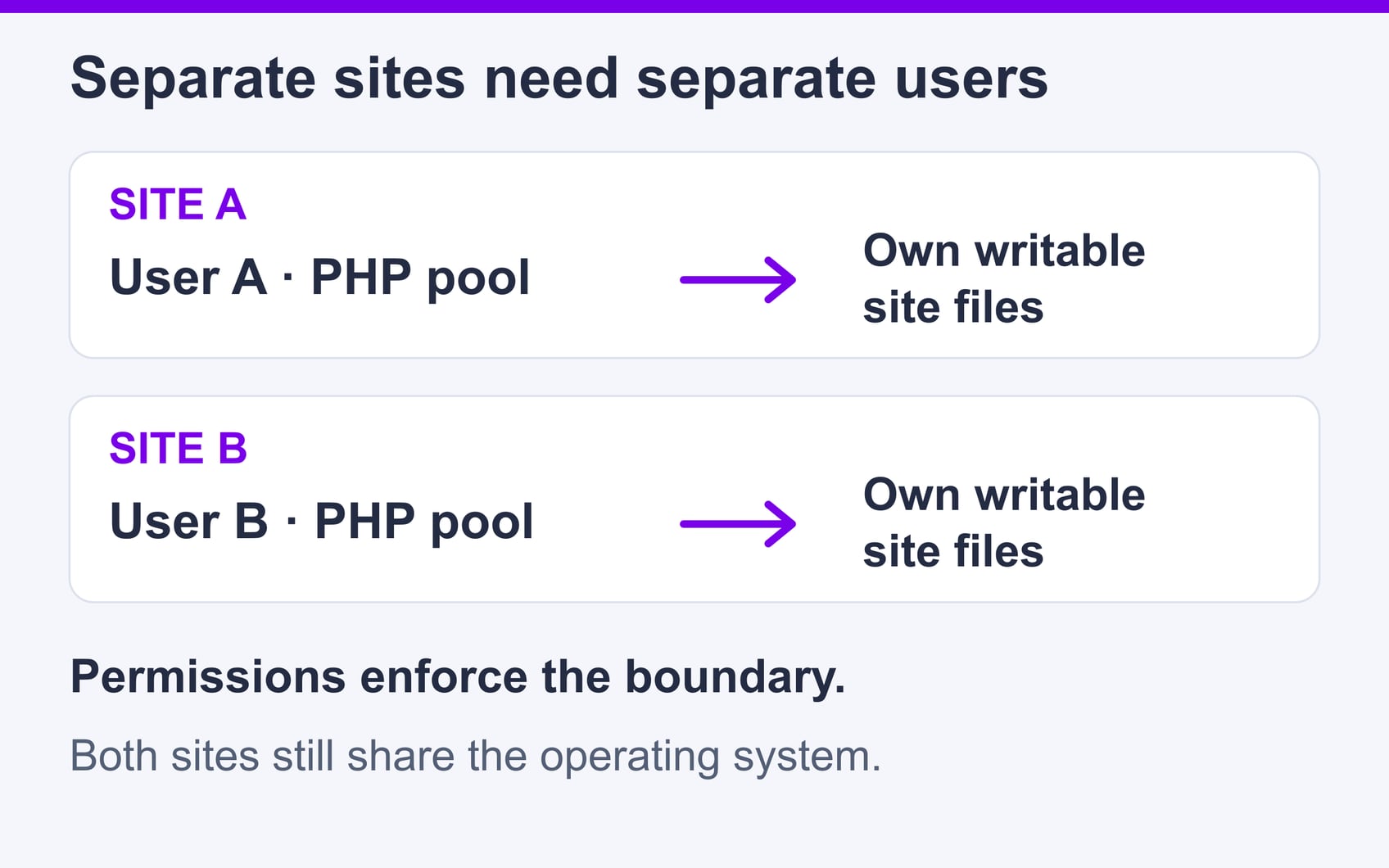
On a VPS, configure a separate Unix user and PHP-FPM pool for each site where practical, with distinct writable directories and database credentials. The PHP-FPM configuration reference defines the pool user, group, socket permissions and worker limits. Two pools running as the same user do not create the intended file-access separation. Separate pools also share the operating system; they are not equivalent to separate virtual machines.
On shared hosting, ask what is actually enabled. CloudLinux LVE limits resource consumption; CageFS restricts the filesystem view. Per-domain isolation is a separate capability with prerequisites, so several domains inside one account are not automatically isolated from one another. Resource limits do not mean that dedicated CPU or memory has been reserved.
Use a supported PHP release and patch the operating system and hosting panel. Restrict public access to management services, use SSH keys where supported, and enable multifactor authentication for hosting, DNS and registrar accounts as well as WordPress. A stolen panel login can bypass protections in the WordPress dashboard.
Ask the administrator to prevent PHP execution in upload locations without breaking required application routes, and to restrict PHP-FPM sockets to the intended web-server processes. Do not expose a PHP-FPM listener directly to the Internet. Treat lists of disabled PHP functions as an extra constraint, not a substitute for permissions and isolation. Changes to .htaccess apply only where the server supports and permits them; Nginx needs its own server configuration.
Abusive requests can consume PHP workers, database connections and CPU that legitimate visitors need. Filtering earlier may reduce that load, but inspection and logging also use resources. There is no universal TTFB or LCP improvement from adding a WAF, and a security setting does not guarantee a ranking improvement.
| Observed problem | Evidence to collect | Control to evaluate |
|---|---|---|
| Bursts of login requests | Request volume, response codes and PHP-worker saturation | Targeted rate limits and administrator authentication |
| Expensive automated requests | Slow paths, database activity and verified client identities | Route-specific filtering, caching where safe and application fixes |
| Customers blocked after a rule change | Rule IDs, timestamps and the affected action | A narrow rule exclusion with checkout, login and webhook checks |
Compare like-for-like traffic and user journeys before and after a change. For broader hosting capacity choices, see the high-traffic WordPress hosting guide.
Choose filtering based on the traffic you face and the person who will maintain it. Combining edge and origin controls can help, but two rule sets also mean two places to investigate false positives.
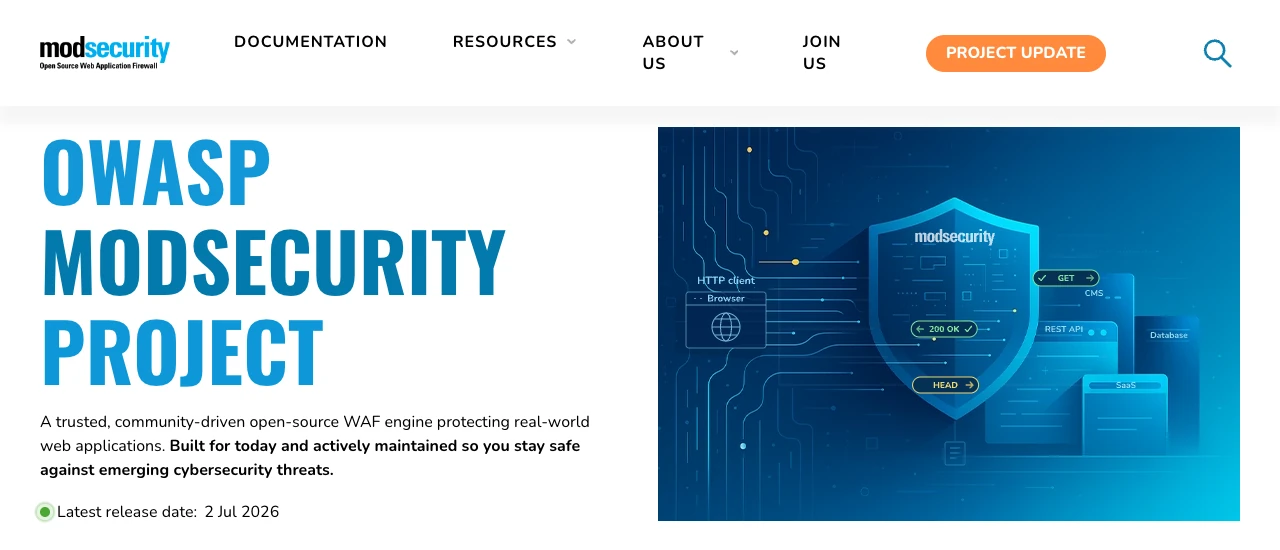
OWASP ModSecurity is a WAF engine used with web-server integrations and a rule set such as OWASP CRS. Its protection depends on the installed connector, enabled rules and maintenance; a specific version or negligible latency should not be assumed.
The cPanel ModSecurity interface can enable or disable protection for domains when the provider exposes it. Detailed rule tuning generally belongs to the server administrator. Record the blocked action, timestamp and rule ID; follow the CRS rule-exclusion approach for the smallest justified exception. Check login, checkout, editor saves and integrations after tuning.

Cloudflare WAF inspects web requests at its edge, with managed rules, custom rules and rate-limiting features subject to plan availability. DDoS mitigation and bot controls are related services, not interchangeable names for the WAF. Cloud rules can also be application-specific; they are not inherently less detailed than host rules.
For a proxied website, protect the origin against direct bypass and configure trusted proxy/client-IP handling carefully. Apply restrictions through the host so that monitoring, certificate renewal and necessary integrations still work. An edge policy cannot clean infected files already on the server.
| Approach | Primary benefit | Operational tradeoff |
|---|---|---|
| Origin WAF | Filtering close to the application and server logs | Uses origin resources; provider controls may limit tuning |
| Cloud WAF | Filters proxied requests before they reach the origin | Requires correct proxy/origin configuration and suitable plan features |
| Both | Complementary edge and origin controls | Requires coordinated exceptions, logging and functional checks |
Decide who will investigate an alert and how quickly before enabling more automated actions. Keep useful access, error and authentication logs outside the affected account where possible, with appropriate access controls and retention. A compromised system may alter its own logs, so one source is not complete forensic evidence.

Imunify360 combines host-side security features, including malware detection and cleanup. The current interface documentation distinguishes detection, queued cleanup, cleaned files and removed content. Available controls depend on provider configuration and account permissions; do not assume every customer can quarantine files or manage server-wide responses.
If an alert follows an update, preserve the event details and compare the affected file with a trusted release. Ask support to investigate before adding a broad ignore rule or restoring the suspect file. Automatic cleanup does not prove that the entry point, stolen credentials or persistence mechanism has been removed.
| Monitoring approach | Example | Responsibility to plan |
|---|---|---|
| Managed malware detection and cleanup | Imunify360 | Confirm enabled features, review actions and test the affected site |
| Host log analysis and integrity checks | OSSEC | Maintain rules and alert delivery; active response needs deliberate configuration |
| File and directory integrity comparison | AIDE | Protect the baseline, schedule checks and investigate changes; it is not automatic cleanup |
OSSEC and AIDE are examples of different monitoring approaches here, not tested product recommendations. A legitimate update also changes files: detection needs release context and a responder.

Write a short response plan while the site is healthy, then rehearse recovery in an isolated environment. The current NIST incident-response guidance integrates response with cybersecurity risk management. The sequence below is a practical WordPress adaptation, not a claim that NIST mandates six named phases or a fixed recovery time.
A stored backup still needs a verified clean restore before it can support recovery. Use the WordPress migration-plugin guide when choosing a transfer mechanism, but treat restore testing as a separate requirement.
| Role | Decision or action |
|---|---|
| Incident lead | Approve downtime, coordinate people and keep an event record |
| Technical responder | Preserve evidence, contain the incident and validate recovery |
| Communications owner | Give accurate updates and coordinate any required notifications |
| Hosting contact | Escalate account, infrastructure, backup and log-access questions |
Prioritize a control you can operate and verify. Start with supported software, strong administrator access and a tested recovery path; add filtering and monitoring to address the actual exposure. Buying another tool does not fill an ownership gap.
| Question | Evidence to request |
|---|---|
| Can one compromised site write to another? | Execution users, account boundaries and a documented isolation model |
| Can we recover independently of the affected account? | Backup scope, retention, access and the latest restore rehearsal |
| Who handles blocked customers or malware alerts? | Named responsibility, escalation route and relevant logs |
| What happens when traffic exceeds capacity? | Resource limits, monitoring and a tested mitigation plan |
| What work remains ours? | Written patching, configuration, cleanup and recovery responsibilities |
For a small team, a maintained shared-hosting environment may be more manageable than a VPS that nobody patches. Choose additional control only when someone can maintain it.
The official SiteValley Web Hosting page lists daily backups and Imunify360 protection. The Small Business plan displays $8.95 monthly or $95.99 annually and a dedicated IP. These are advertised features checked for this review, not a security audit. Confirm restore access, isolation boundaries and incident-support scope before choosing a plan. A dedicated IP does not itself isolate site files or PHP processes.
SiteValley Cloud VPS Hosting advertises KVM virtualization and root access. That provides control to configure separate site users and PHP pools inside the VM; it does not prove those controls are preconfigured. Confirm who patches the operating system, configures the firewall and maintains off-server backups. Do not assume shared-hosting security features or backup terms also apply to every VPS plan.
Start by documenting access, execution users, writable paths and recovery ownership. Then verify filtering and alert handling against real website functions. Layered controls reduce exposure and limit damage, but none replaces updates, careful administration or a rehearsed restore. The useful outcome is a site you can operate and recover with known responsibilities.

Quick Customer care response, accurate and broad assistance, easy to use client area.....
I am very happy with the service. I am with site valley for many years and at the present usimg 2 hosting packages. Their service is excellent and super fast. Thanks & Greatly Appreciated
I've been hosting my websites with Sitevalley for more than 6 years. Very satisfied with the services and reliability they provide, competitive prices, almost no downtime, fast and knowledgeable customer support.
I have been using side valley for a couple of years now and have to say I am very happy with the service they offer.I use many Hosting services but site valley stands out in front. Reliable service, great support.I don't normally leave reviews but felt I wanted to for this service as it has been fantastic
I didn't want to review so soon on into taking out hosting with site valley but I feel obliged because their customer service is outstanding, second to none, every time I had an issue it was sorted immediately. I would highly recommend Site Valley.
I have been with Sitevalley for over a year and it's the best hosting I have EVER used. And I have been through a lot of them.
The support staff are amazing, and it's clear that they have a passion for hosting websites. I've rather enjoyed this webhosting company and it's stability for the price is bar-none, amazing.
My collegue adviced me to use SiteValley as a reliable hosting provider with great prices, professional and fast Customer Service. My experience with SiteValley was exactly the way I was promised.
I have been with SiteValley for many years, and plan to stay with them for many more. Customer support is very responsive and knowledgeable.
SiteValley.com is rated 4.8 / 5 based on 329 Reviews »

© 2001 – 2026 SiteValley.com. All Rights Reserved.
