

Backing up a WordPress site with a reliable website backup plugin is not just a precaution—it’s a core part of managing an online presence. Updates can break things, plugins might conflict, and attacks or server failures can occur without warning.
A WordPress backup plugin automates the process of saving your files and database so you can restore your site when issues arise. The best backup plugin for WordPress depends on how frequently your site changes and how quickly you need to recover. Ultimately, the difference between a good and poor plugin comes down to reliability, performance, and ease of recovery under pressure.
Person using a smartphone and laptop with a digital data transfer icon overlay, symbolizing wireless communication.
Choosing a backup plugin is more about consistency and dependability than having a long list of features. When evaluating backup plugins, real-world reliability is paramount. Many options share similar features on the surface, but small differences can have a big impact during an emergency.
A backup plugin should run smoothly without constant oversight. Scheduled backups ensure your site is regularly saved, which is especially important for sites that update often. Manual backups increase the chance of oversight and can lead to issues later on.
Restoring your site should be straightforward without manual database imports or FTP uploads. An effective plugin lets you roll back to a working version quickly—a critical feature when downtime occurs.
Storing backups on the same server does not provide true protection. In the event of a server crash or compromise, those backups would be lost. Integration with external storage such as cloud drives or remote servers is essential.
Instead of copying everything each time, incremental backups capture only what has changed. This reduces resource usage and allows backups to run more frequently without affecting site performance.
A complex interface increases the likelihood of misconfiguration. The best backup plugin for WordPress should be simple enough for quick setup while offering flexibility for adjustments when needed.
Backup processes can be resource-intensive. Poorly optimized plugins may spike CPU usage, slow down your site, or trigger shared hosting limits. For instance, understanding how your WordPress Cache Plugins work can help mitigate performance issues.</p>
Efficiency often outweighs a multitude of features in practical use.

Not all backups are created equal. Understanding the differences helps in choosing the best option for protecting your site.
A full backup includes all elements of your WordPress installation—files, themes, plugins, uploads, and the database. This method is the safest option, though it is resource-intensive.
Incremental backups only save changes made since the last backup. This method is faster and less taxing on server resources, making it ideal for frequently updated websites.
Real-time backups capture changes almost immediately as they occur. This approach is crucial for ecommerce sites where losing even a few minutes of data can have significant consequences.
While manual backups can be useful for one-time tasks such as migrations or updates, relying on them for regular use increases risk. Automated backups provide consistency and reduce the chance of human error.
Several backup plugins are available, but only a few consistently deliver reliability for various use cases—from simple blogs to complex business websites. Here are some popular solutions:
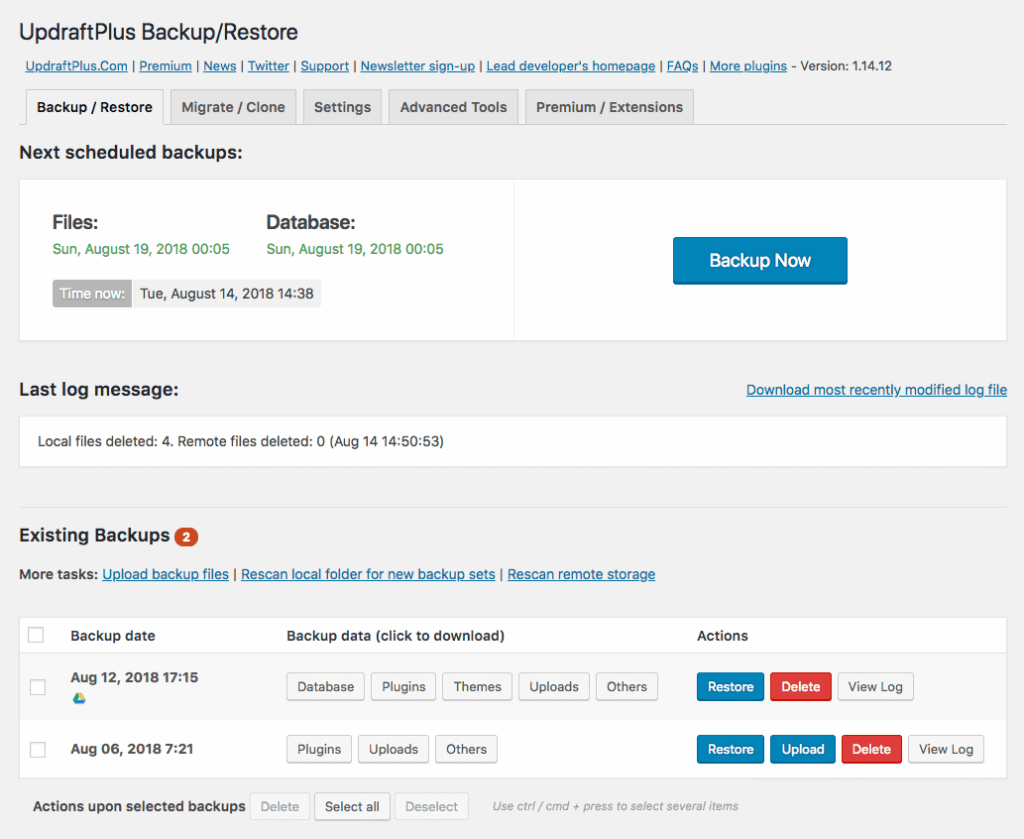
UpdraftPlus is widely recognized as a leading backup plugin in the WordPress ecosystem. It is often considered the best free backup plugin for users who want extensive functionality without an immediate upgrade. With options to schedule backups, select specific content, and restore directly from the dashboard, it offers both free and premium features.
Pros: Easy to use, strong free version, wide storage support
Cons: Advanced features require an upgrade
Best for: Beginners and general use

BlogVault is a premium backup solution focusing on reliability and performance. It offloads the backup process from your server to its own infrastructure, reducing load and enabling incremental backups without affecting performance. It also includes staging and migration features, making it a favored choice among developers.
Pros: Incremental backups, offsite processing, staging included
Cons: No free version
Best for: Agencies and mission-critical sites
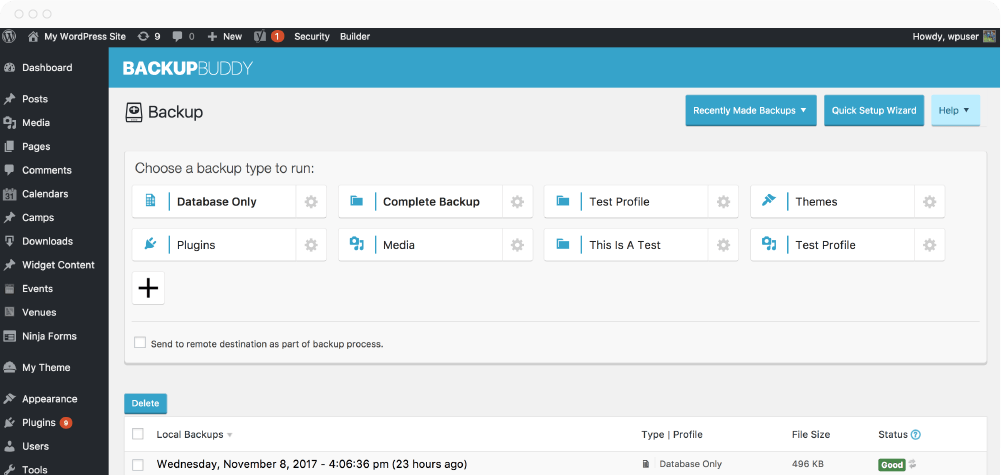
BackupBuddy is known for its focus on full-site backups and migrations. As a paid-only solution, it offers straightforward features that are particularly effective for users needing reliable backups alongside migration tools, despite its somewhat outdated interface.
Pros: Full-site backups, migration support
Cons: Dated interface, no free plan
Best for: Developers managing multiple sites
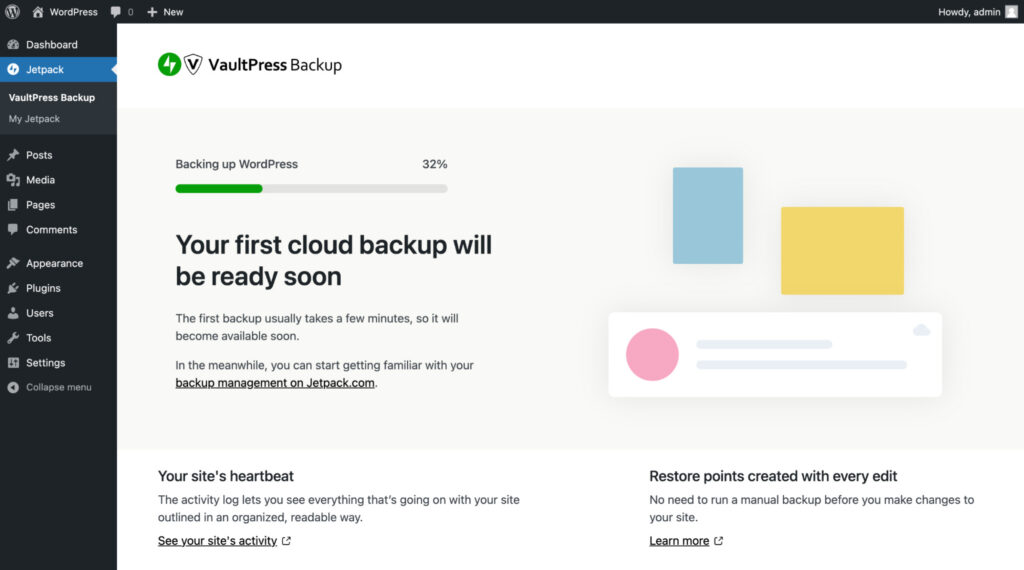
Jetpack VaultPress Backup, developed by Automattic, is praised for its real-time backup capabilities and tight integration with WordPress. Its integration allows quick restores even during complete site outages, making it a strong choice for ecommerce and content-heavy websites.
Pros: Real-time backups, tight integration
Cons: Requires Jetpack, subscription-based
Best for: Ecommerce and high-activity sites
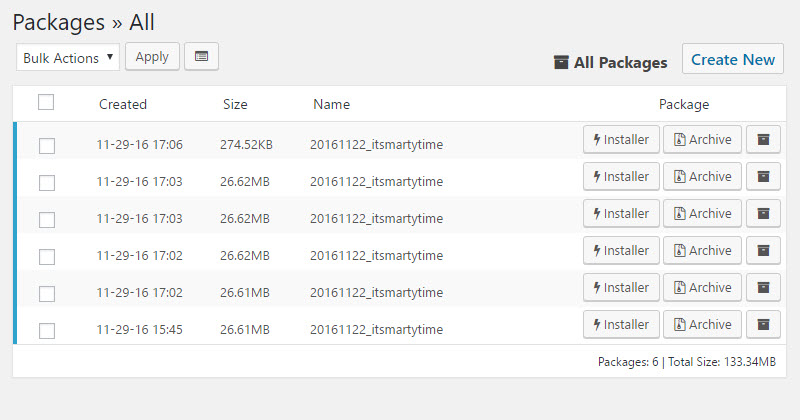
Primarily known as a migration tool, Duplicator can also be configured to handle backups. It provides granular control over backup creation and storage, although the free version is less automated. This makes it better suited for users comfortable with manual backup procedures.
Pros: Flexible with strong migration features
Cons: Limited automation in the free version
Best for: Developers and advanced users
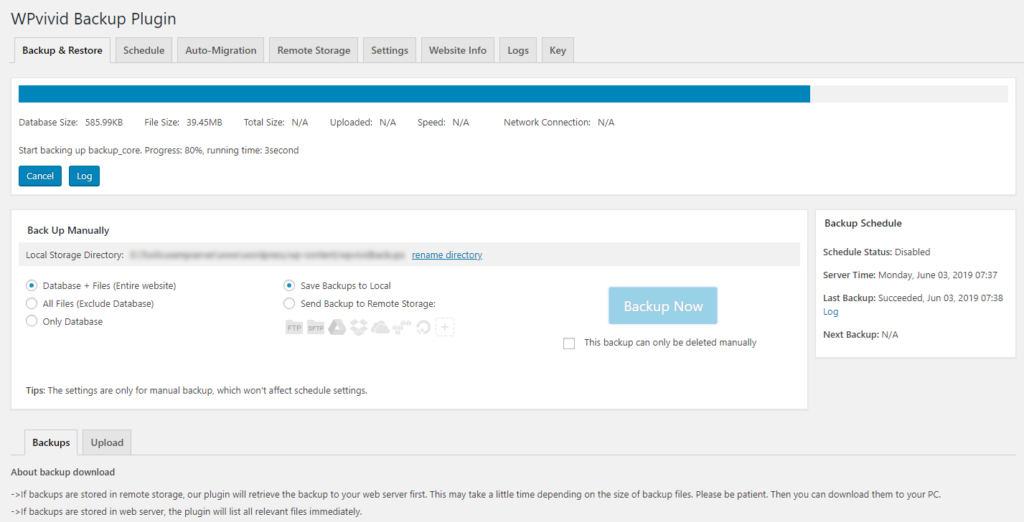
WPvivid offers a surprisingly comprehensive feature set even in its free version. It stands out among free backup plugins for WordPress by including scheduling, migration, and cloud storage options that are often reserved for premium tiers in other solutions.
Pros: Comprehensive free version, flexible
Cons: Interface may feel crowded
Best for: Budget-conscious users
The decision between free and paid backup plugins depends on your site’s needs. For personal projects or low-traffic blogs, a free plugin may provide sufficient automation and storage capabilities. Many free backup plugins deliver essential features like scheduling, manual restores, and basic storage options. However, they might lack advanced functions and dedicated support.
Paid plugins are often necessary when your site generates revenue or handles critical data. Advanced features such as incremental backups, real-time syncing, and priority support significantly reduce downtime and risk.
No single solution fits every scenario. The best backup plugin for WordPress depends on your expertise level and the nature of your website.
Even with a good plugin, misconfiguration can lead to data loss.
Most backup plugins follow a similar setup process. To ensure your plugin operates automatically and reliably:
A comprehensive backup strategy extends beyond installing a plugin. Key practices include:
Backups are one of the simplest yet most effective measures to protect your WordPress site. The right plugin depends on your individual needs, but the fundamentals remain consistent. Automate your backups, store them offsite, and test your restore process on a regular basis to ensure reliable site recovery.
At SiteValley, we offer VPS hosting that can handle resource-intensive tasks like WordPress backups without performance drops. Backup plugins rely heavily on CPU, disk speed, and stable I/O. Running them on underpowered hosting can lead to incomplete or unreliable backups. For example, our KVM2-EU Cloud VPS plan includes 2 CPU cores, 4GB DDR5 RAM, 40GB NVMe storage, and a 1 Gbps unmetered port—providing the dedicated resources your WordPress site needs for scheduled or incremental backups.
What is the best backup plugin for WordPress?
How do automated backups protect my WordPress site?
How often should I test my backups?
What backup strategy is best for high-traffic sites?

Quick Customer care response, accurate and broad assistance, easy to use client area.....
I am very happy with the service. I am with site valley for many years and at the present usimg 2 hosting packages. Their service is excellent and super fast. Thanks & Greatly Appreciated
I've been hosting my websites with Sitevalley for more than 6 years. Very satisfied with the services and reliability they provide, competitive prices, almost no downtime, fast and knowledgeable customer support.
I have been using side valley for a couple of years now and have to say I am very happy with the service they offer.I use many Hosting services but site valley stands out in front. Reliable service, great support.I don't normally leave reviews but felt I wanted to for this service as it has been fantastic
I didn't want to review so soon on into taking out hosting with site valley but I feel obliged because their customer service is outstanding, second to none, every time I had an issue it was sorted immediately. I would highly recommend Site Valley.
I have been with Sitevalley for over a year and it's the best hosting I have EVER used. And I have been through a lot of them.
The support staff are amazing, and it's clear that they have a passion for hosting websites. I've rather enjoyed this webhosting company and it's stability for the price is bar-none, amazing.
My collegue adviced me to use SiteValley as a reliable hosting provider with great prices, professional and fast Customer Service. My experience with SiteValley was exactly the way I was promised.
I have been with SiteValley for many years, and plan to stay with them for many more. Customer support is very responsive and knowledgeable.
SiteValley.com is rated 4.8 / 5 based on 329 Reviews »

© 2001 – 2026 SiteValley.com. All Rights Reserved.
