
🎯 TL;DR — Best Offline Website Builders 2025
🏆 Best for Beginners: Mobirise — Free, drag-and-drop, Bootstrap-based
🏆 Best for Pros: Pinegrow — $99/year, Tailwind + WordPress support
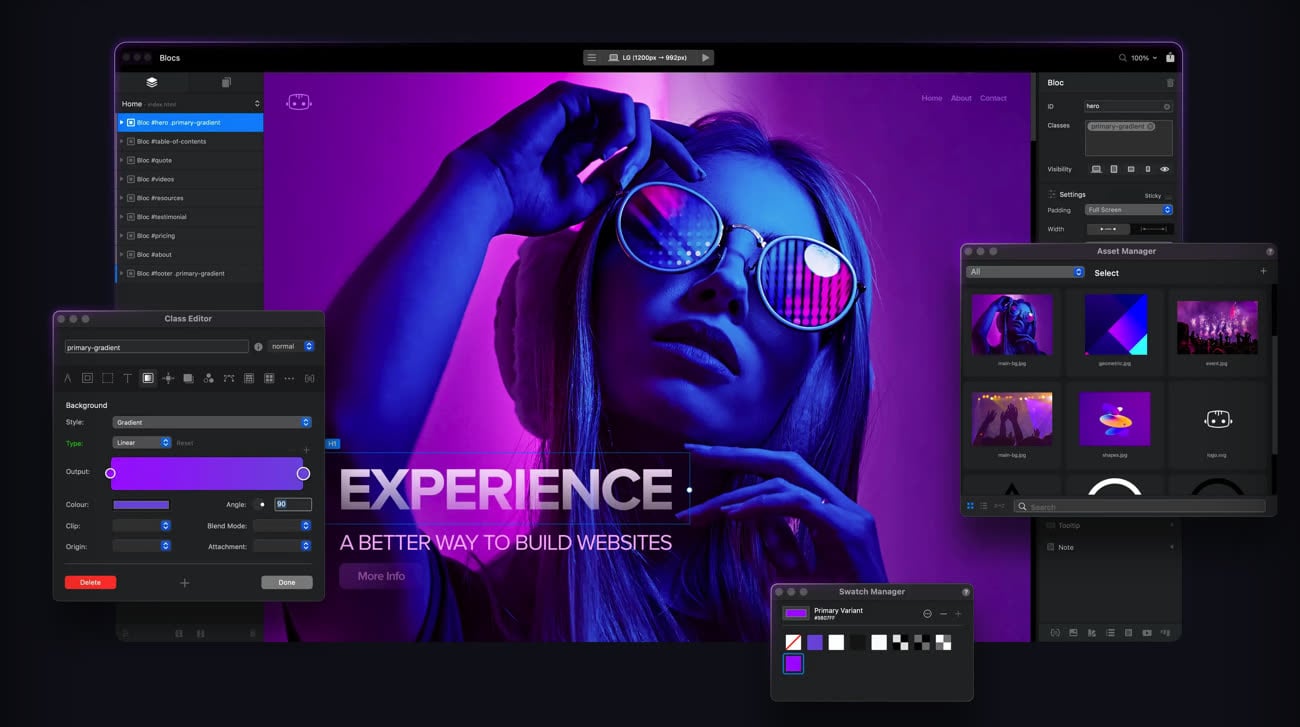
🏆 Best for Mac Designers: Blocs — $99 one-time, visual builder
🏆 Best Free Option: VS Code + Hugo/Eleventy — Full control, zero cost
Offline website builders let you create and edit websites entirely from your local machine—no internet connection required. Whether you’re a developer who needs complete control over code, someone working in areas with limited connectivity, or a business that prefers not to rely on third-party cloud platforms, these tools give you the power to work independently and publish only when you’re ready.
We tested each tool listed below on both Windows 11 and macOS Sonoma, evaluating interface usability, export quality, and real-world publishing workflows. This guide reflects our hands-on experience building client sites, portfolios, and landing pages with these offline builders.
Here’s the decision in one view — the most common offline builders side by side, including how each one actually gets your site online. Note the last column: it’s the step most “best builder” lists skip, and it’s the part that determines whether launch day takes ten minutes or all afternoon.
| Tool | Platform | Price | Best For | Publish Workflow |
|---|---|---|---|---|
| WordPress + LocalWP | Win, Mac, Linux | Free | Building a full WordPress site offline before going live | Build locally in LocalWP, then push/migrate to WordPress hosting (1-click install + migration plugin) |
| Mobirise | Win, Mac | Free (kits from $149) | Non-coders, landing pages, portfolios | Export static HTML/CSS, upload via FTP or cPanel File Manager |
| Pinegrow | Win, Mac, Linux | $99/yr (one-time option) | Agencies, Tailwind & WordPress theme builds | Export static files or a WordPress theme; upload theme to WordPress hosting |
| Publii | Win, Mac, Linux | Free (open-source) | Bloggers, small business static sites | One-click export; upload via built-in FTP/S3/GitHub or cPanel |
| CoffeeCup HTML Editor | Win (Mac tools vary) | Free tier; Pro ~$29 | Freelancers building responsive pages fast | Built-in FTP publishing, or export and upload to any host |
| Bluefish | Win, Mac, Linux | Free (open-source) | Hand-coders who want a fast, light editor | Hand-built HTML/CSS uploaded via FTP/SFTP or cPanel |
| Brackets | Win, Mac, Linux | Free (open-source) | Learning front-end code with live preview | Export and upload static files via FTP or cPanel |
One pattern jumps out of that last column: every offline builder, no matter how different, ends the same way — you upload clean files (or a WordPress theme) to a web host. The builder is where you create; the host is where the world finally sees it. Choosing the right host up front is what turns “I built a site on my laptop” into “my site is live.” For a deeper look at the tools that get files onto a server, see our guide to picking the best FTP client.
Offline website building software is especially useful for users who prefer to work locally without relying on browser-based tools or subscriptions. Here’s why they’re worth considering:
Choosing the right offline website builder depends on your goals, technical skill, and project complexity. Prioritize these features:
| Feature | Why It Matters | Who Needs It Most |
|---|---|---|
| Drag-and-Drop UI | Reduces learning curve, faster builds | Beginners, small businesses |
| Code Editor | Full control for custom functionality | Developers, agencies |
| Responsive Preview | Test mobile/tablet before publishing | Everyone |
| Clean HTML Export | Faster sites, easier maintenance | Performance-focused users |
| Built-in FTP | Publish directly without extra tools | Freelancers, solo builders |
| Framework Support | Bootstrap, Tailwind, Foundation | Pros who use CSS frameworks |
We tested each of these builders with real projects. Here’s what we found:
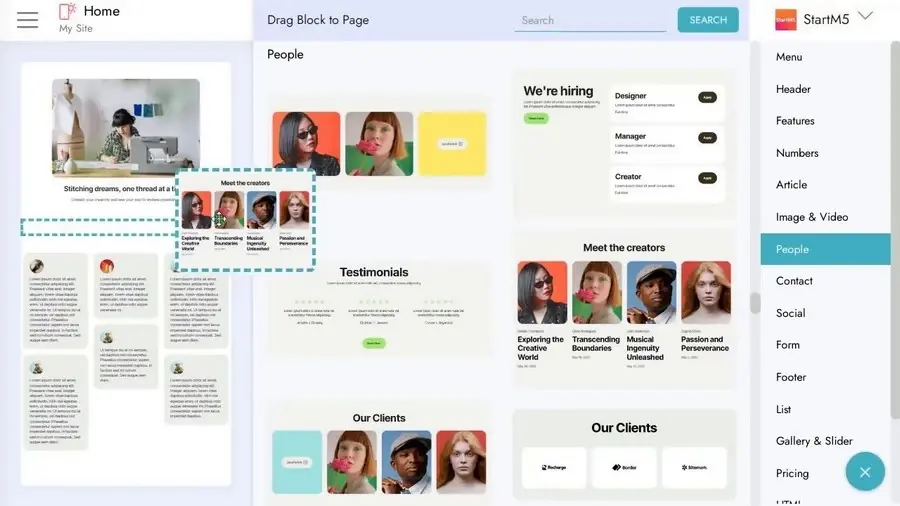
Mobirise is a free offline builder designed for non-coders and small business owners. Its interface is fully visual, with drag-and-drop blocks based on the Bootstrap framework. Sites export as lightweight, mobile-optimized HTML.
| Price | Free (Premium Kit: $149 one-time) |
| Platforms | Windows, macOS |
| Best For | Landing pages, portfolios, small business sites |
| Standout Feature | AI-powered templates, PayPal eCommerce blocks |
Our take: Mobirise is the fastest way to go from zero to a working website without writing any code. The free version is genuinely usable—we built a complete portfolio site in under 2 hours.
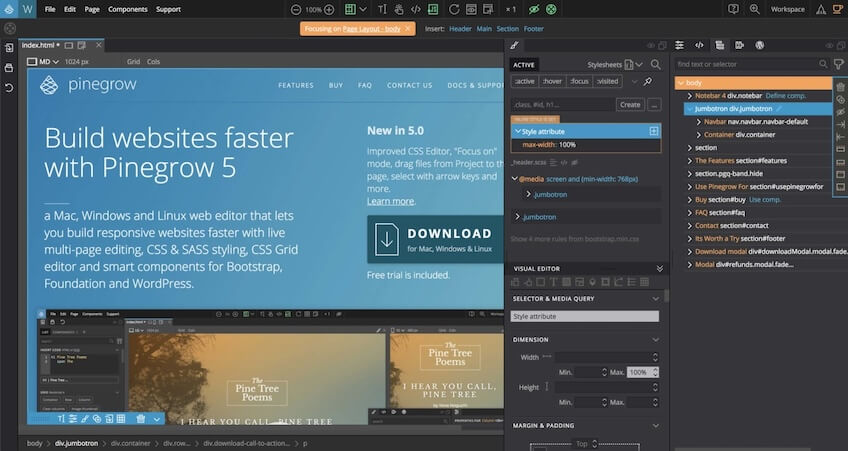
Pinegrow is a desktop app built for professional web designers and developers. It supports major frameworks like Bootstrap 5 and Tailwind CSS, with synchronized code and visual editing. You can also create WordPress themes directly.
| Price | $99/year (one-time option available) |
| Platforms | Windows, macOS, Linux |
| Best For | Agencies, WordPress theme development, Tailwind projects |
| Standout Feature | Live multi-device preview, reusable components |
Our take: If you’re building client sites professionally, Pinegrow pays for itself quickly. The Tailwind CSS integration is excellent, and the WordPress theme builder saves hours compared to hand-coding.
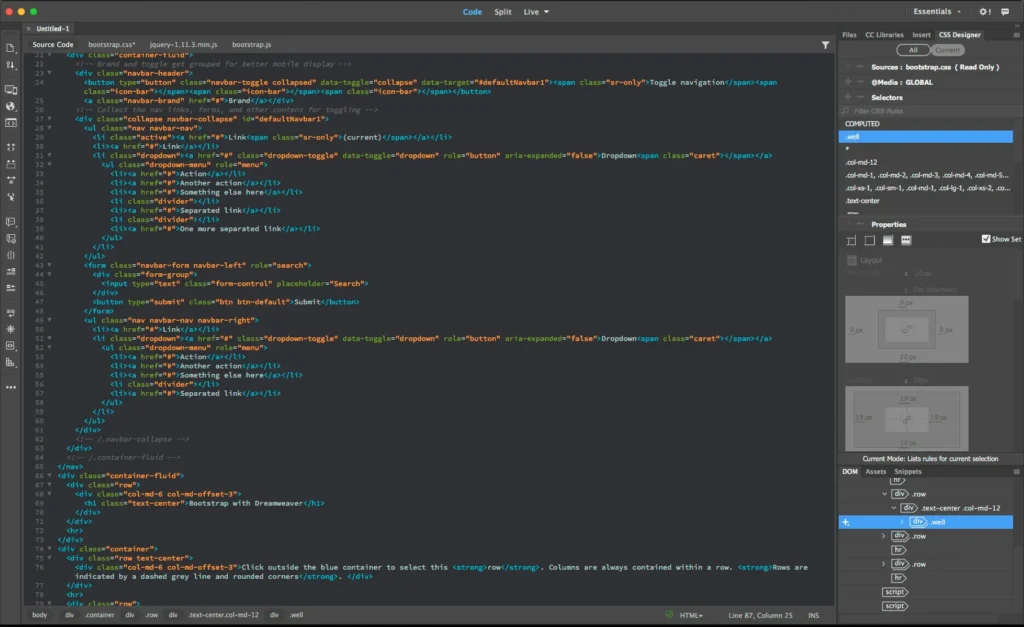
Adobe Dreamweaver combines a WYSIWYG interface with full code editing. It supports HTML, CSS, JavaScript, and PHP. Though it’s part of Adobe Creative Cloud, it works fully offline once installed.
| Price | $22.99/mo (annual) or $34.49/mo (monthly) |
| Platforms | Windows, macOS |
| Best For | Developers who want IDE + design flexibility |
| Standout Feature | Built-in Git support, server-side scripting (PHP) |
Our take: Dreamweaver is powerful but expensive. If you’re already paying for Creative Cloud, it’s a solid choice. Otherwise, VS Code + extensions offers similar functionality for free.
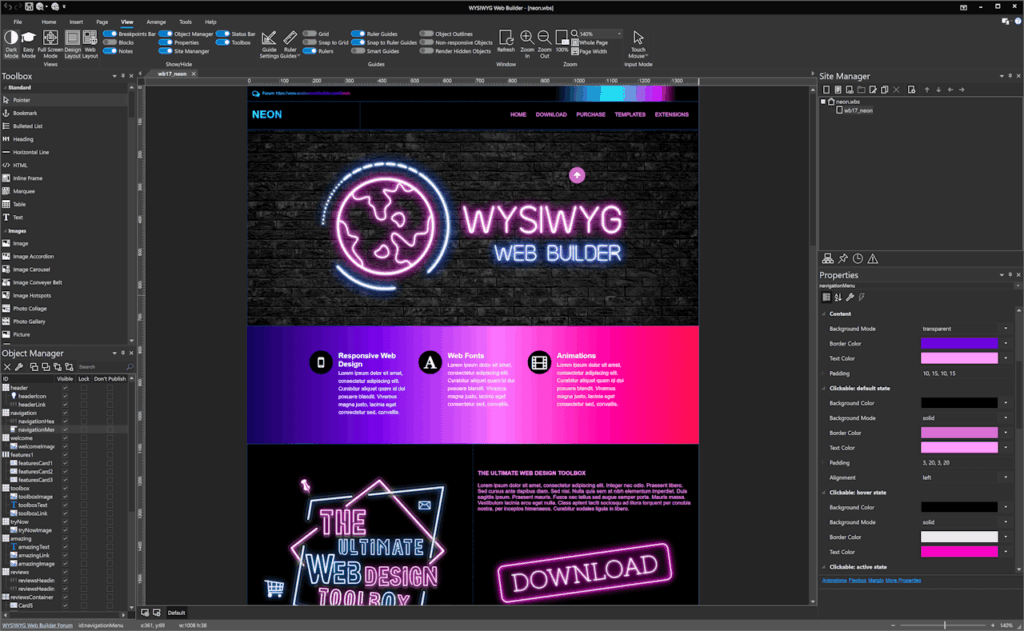
WYSIWYG Web Builder is a lightweight, budget-friendly tool for building simple sites fast. It includes 200+ extensions, built-in FTP publishing, and AI image generation via Stability AI integration.
| Price | $59.95 one-time (Extensions Pack: $99.95) |
| Platforms | Windows only |
| Best For | Freelancers, quick landing pages, small projects |
| Standout Feature | Built-in FTP, AI image generation, 200+ extensions |
Our take: The best value for Windows users who want a one-time purchase. The interface feels dated, but the functionality is solid and the extension ecosystem is surprisingly rich.
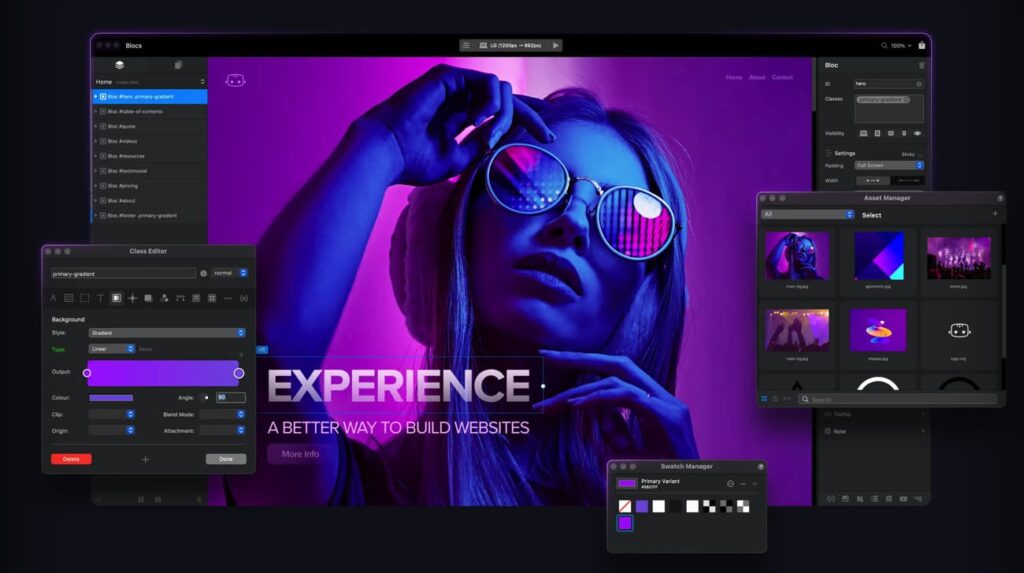
Blocs is a macOS-exclusive visual builder focused on speed and design clarity. Stack content blocks, adjust responsive breakpoints, and export clean code without any vendor dependencies.
| Price | $99 one-time (Plus: $149) |
| Platforms | macOS only |
| Best For | Designers who want control without code |
| Standout Feature | Native Mac experience, Google Fonts, CMS export |
Our take: If you’re on a Mac and want the cleanest visual building experience, Blocs is hard to beat. It feels like a native Apple app—polished and intuitive.
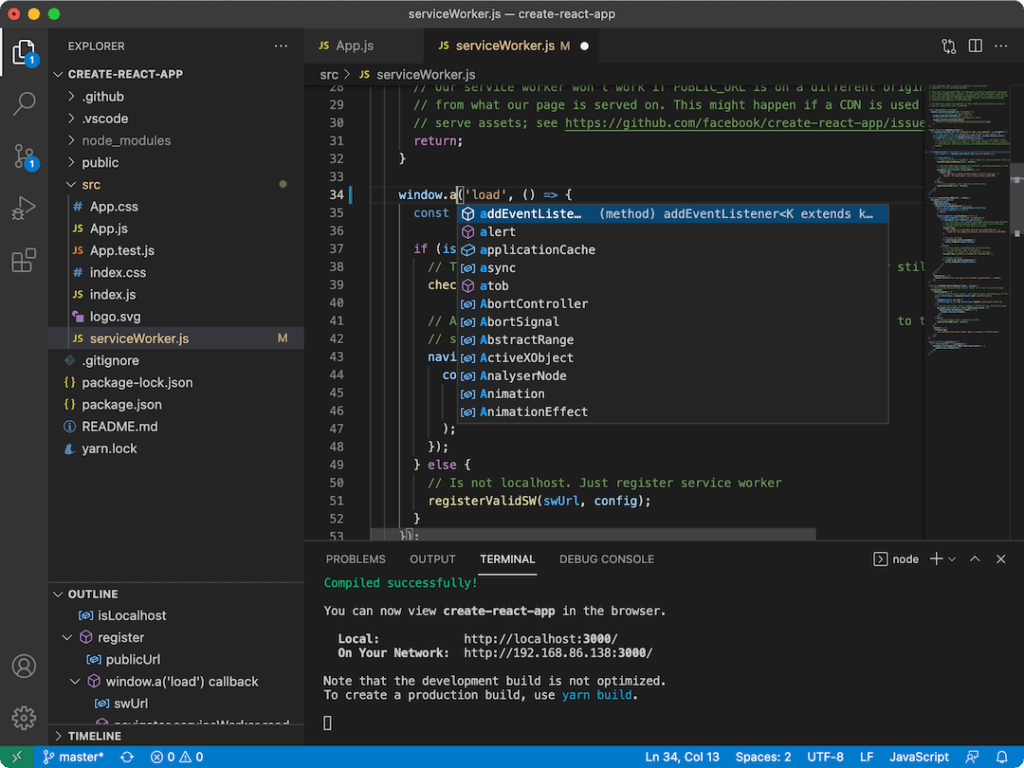
Visual Studio Code combined with a static site generator like Hugo, Jekyll, or Eleventy offers total control. This setup supports templated content, Markdown, and Git versioning—ideal for blogs, documentation, and developer portfolios.
| Price | Free (VS Code + SSGs are open source) |
| Platforms | Windows, macOS, Linux |
| Best For | Developers, technical blogs, documentation sites |
| Standout Feature | Git-native workflow, blazing fast output, infinite flexibility |
Our take: The most powerful option if you’re comfortable with code. Hugo builds sites in milliseconds, and the output is as fast as it gets. Perfect for developers who want complete control.
Use this decision tree to find your best match:
| Your Situation | Best Choice |
|---|---|
| I don’t know code and want something free | Mobirise |
| I build client sites professionally | Pinegrow |
| I already pay for Adobe Creative Cloud | Dreamweaver |
| I’m on Windows and want best value | WYSIWYG Web Builder |
| I’m on Mac and prioritize design | Blocs |
| I’m a developer who loves control | VS Code + Hugo/Eleventy |
Once you’ve built your site offline, here’s how to get it online:
public_html.Pro tip: If your builder has built-in FTP (like WYSIWYG Web Builder), you can publish directly without a separate FTP client.
| Aspect | Offline Builders | Online Builders (Wix, Squarespace) |
|---|---|---|
| Internet Required | No | Yes (always) |
| File Ownership | Full control | Limited/locked |
| Hosting Flexibility | Host anywhere | Platform-only |
| Monthly Fees | Usually one-time | $12-50/month |
| Collaboration | Manual (Git/shared folders) | Built-in |
| Analytics/SEO Tools | Add separately | Integrated |
| Learning Curve | Varies by tool | Usually easier |
Bottom line: Offline builders are ideal when you want ownership, flexibility, and lower long-term costs. Online builders are better for quick launches with built-in collaboration—but you’ll pay monthly forever.
Mobirise is the simplest path from “I need a website” to “I have a website” without touching a line of code or requiring an internet connection. The drag-and-drop interface uses pre-built blocks (headers, features, galleries, contact forms) based on Bootstrap, so everything is mobile-responsive by default.
The free version includes basic blocks and themes. Paid extensions ($49-99 each) add features like ecommerce, forms, and premium templates. It’s genuinely free for simple sites — the paid upsell is for extras, not core functionality.
The trade-off: The exported code is clean but block-based. If you need to customize beyond what the visual editor offers, you’ll be editing Bootstrap HTML — which is fine if you know basic HTML, but frustrating if you don’t.
Pinegrow is the tool professional developers actually use. It’s a desktop app that synchronizes between a visual editor and the actual code — edit in either view and the other updates in real-time. Support for Bootstrap 5 and Tailwind CSS means you’re building with production-ready frameworks, not proprietary markup.
The $149 one-time price (no subscription) pays for itself within two client projects. WordPress theme builder is included, so you can design themes visually and export them as fully functional WordPress themes — a workflow that replaces both Elementor and a local staging setup.
The trade-off: Steeper learning curve than Mobirise or NicePage. You’ll spend 2-3 hours getting comfortable with the interface. Worth it for anyone doing web development professionally.
Mac users have a quieter, cleaner set of offline builders than the Windows crowd — and a few that simply don’t exist anywhere else. If you’re designing on macOS Sonoma or Sequoia and want to work entirely on your own machine, these are the tools worth your time, ranked by who they actually fit.
Our honest take for Mac: if you don’t code, start with Blocs — it’s a one-time purchase that feels native and exports clean files. If you build sites for clients, Pinegrow pays for itself in two projects. The one trade-off to know going in: Mac-exclusive tools like Blocs and Sparkle lock you to macOS, so if you ever switch to Windows you’ll be re-learning a builder. For a cross-platform safety net, Pinegrow or VS Code travel with you.
“Free” and “open-source” aren’t the same thing, and the difference matters. A free tool costs nothing today but can change its terms tomorrow. An open-source tool gives you the source code, so the project can’t be taken away from you and the export is yours forever. If you care about owning your workflow as much as your files, start here.
If you want free and visual, Silex or Publii are the standouts — both give non-coders a real interface without a subscription. If you’re a developer, a static site generator plus a code editor is unbeatable on cost and speed. The honest downside of the open-source route: you trade polish and hand-holding for control, and you’ll lean on documentation and community forums rather than a support line. For most people that’s a fair trade — right up until you need somewhere reliable to publish, which is where a managed host earns its keep.
The biggest shift in 2026 is AI integration arriving in offline builders. AI website generators are primarily cloud-based right now, but the offline space is catching up:
Mobirise has added AI-assisted content generation — describe what you want and it generates section text, though you still need to review and edit. Silex (open-source) is developing a desktop app with local-first AI integration, meaning the AI runs on your machine without sending data to external servers. NicePage added AI-generated layout suggestions based on your content type.
For now, the most practical AI workflow is hybrid: use a cloud AI tool to generate initial content and structure, then import into an offline builder for refinement and customization. This gives you AI speed without giving up offline control.
An offline builder gets you 90% of the way there — a finished site sitting on your hard drive. The last 10% is the part people underestimate: getting it online without breaking image paths, forms, or your nerves. Here’s the workflow we’d hand a client, whether they built a static site in Mobirise or a full WordPress site in LocalWP.
Matching the host to what you built keeps this painless. For a simple static site of 10–20 pages, SiteValley’s Newbie plan at $30/year gives you 1 GB storage, free SSL, and daily backups — enough to go live in minutes. For a WordPress site (or several projects), the Pro Hosting plan at $59.40/year includes 1-click WordPress installation, 10 hosted domains, unmetered NVMe storage, and a global CDN, so your offline-built site loads fast everywhere. Building for clients and need root-level control over the stack? A Cloud VPS from $9.99/month lets you deploy, stage, and hand off — all on infrastructure you control. If you’re weighing the trade-offs, our guide on how to choose the right hosting walks through it in plain language.
Offline website builders offer a powerful alternative to cloud-based platforms. Whether you’re a beginner who needs drag-and-drop simplicity (Mobirise) or a developer who wants full-stack flexibility (Pinegrow, VS Code), there’s a tool that fits your workflow.
The key advantages: you own your files, you can host anywhere, and you avoid recurring subscription traps. Once your site is ready, pair it with reliable hosting for fast, secure performance online.
Can I build a WordPress site with an offline website builder?
Are offline website builders free?
Which offline builder exports the cleanest code?
Do I need hosting for an offline-built website?

Quick Customer care response, accurate and broad assistance, easy to use client area.....
I am very happy with the service. I am with site valley for many years and at the present usimg 2 hosting packages. Their service is excellent and super fast. Thanks & Greatly Appreciated
I've been hosting my websites with Sitevalley for more than 6 years. Very satisfied with the services and reliability they provide, competitive prices, almost no downtime, fast and knowledgeable customer support.
I have been using side valley for a couple of years now and have to say I am very happy with the service they offer.I use many Hosting services but site valley stands out in front. Reliable service, great support.I don't normally leave reviews but felt I wanted to for this service as it has been fantastic
I didn't want to review so soon on into taking out hosting with site valley but I feel obliged because their customer service is outstanding, second to none, every time I had an issue it was sorted immediately. I would highly recommend Site Valley.
I have been with Sitevalley for over a year and it's the best hosting I have EVER used. And I have been through a lot of them.
The support staff are amazing, and it's clear that they have a passion for hosting websites. I've rather enjoyed this webhosting company and it's stability for the price is bar-none, amazing.
My collegue adviced me to use SiteValley as a reliable hosting provider with great prices, professional and fast Customer Service. My experience with SiteValley was exactly the way I was promised.
I have been with SiteValley for many years, and plan to stay with them for many more. Customer support is very responsive and knowledgeable.
SiteValley.com is rated 4.8 / 5 based on 329 Reviews »

© 2001 – 2026 SiteValley.com. All Rights Reserved.
