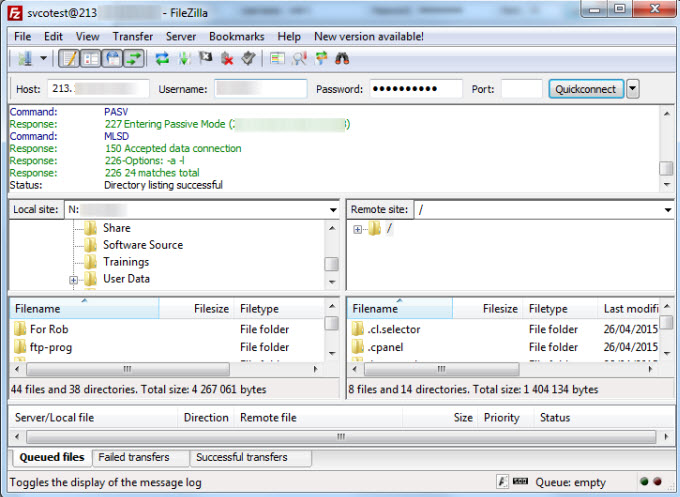

FTP client named FileZilla allows to connect to a server via FTP and SFTP protocols. The last one is the default protocol through which files can be uploaded to any VPS or a cheap dedicated server host you ordered with us.
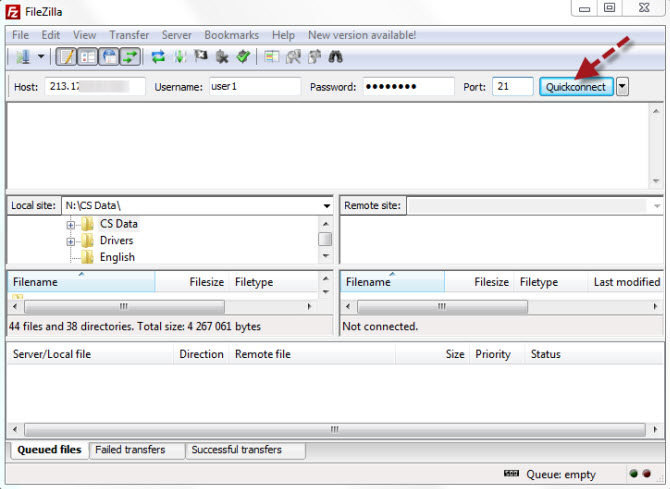
In order to connect to the server where your hosting account was created, you shoud use the following details:
- Hostname/IP of the server;
- Username;
- Password;
- Connection port (FTP - 21, SFTP - 22).
Enter your cPanel login credentials to establish the connection. VPS can be accessed the same way, but you should use SSH login credentials in that case.
After inputting access details into FileZilla window press "Quickconnect" button.
If the entered access details are correct you will see the files and folders located at the remote site on the right, and the files and folders of your computer on the left.