
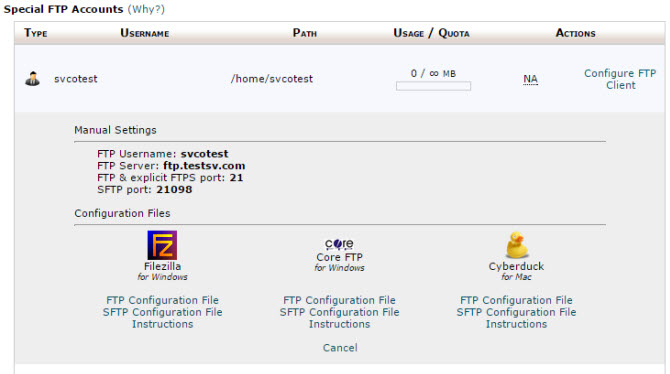
Each hosting account created on the server contains one default FTP account. In order to connect to it, use the following details: ftp.yourdomain.com, where yourdomain.com is a name of your domain the hosting account was activated for; relevant login credentials you usually use for cPanel authorization; 21 port number. You can find cPanel access details in the "New account information" email which was sent to you after the service activation.
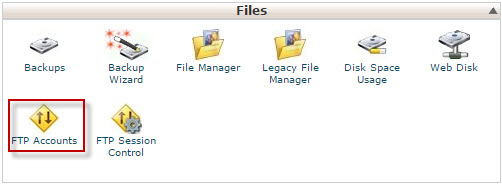
You can download configuration files for the preferable FTP client, create additional FTP accounts, and manage them at "Files" > "FTP accounts".
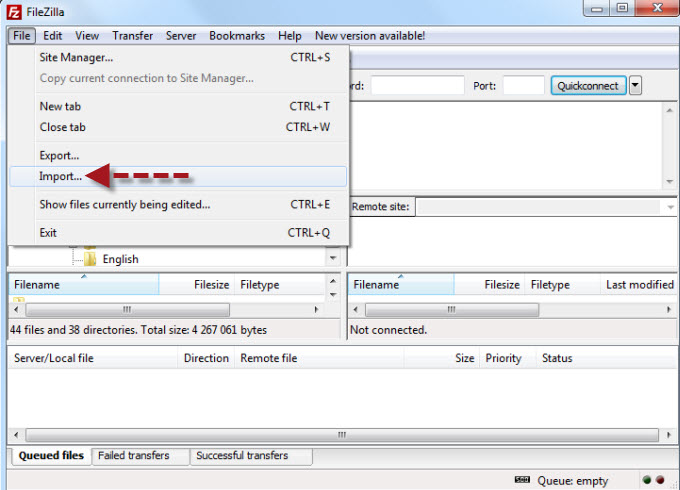
If the required configuration file was downloaded to your computer, you can easily import it to your FTP client as it is shown on the picture below.