

Artificial intelligence has transformed how websites are created. What once took hours of manual design, layout work, and content writing can now be handled by AI systems that automate these steps in minutes. Most of the tools marketed as the best AI website generators operate in the cloud, meaning you depend on external infrastructure and third-party services to manage your data and output.
For developers and businesses that prefer control and privacy, self-hosted AI website generators offer the perfect solution. Running these tools on your own server ensures that every aspect of the process, data, models, and configurations, remains entirely yours. This article explores what these generators are, the benefits of hosting them yourself, and the best AI to create a website on your own server.
An AI website generator is software that uses AI to automatically create websites. It takes user input such as prompts, business descriptions, or design preferences and generates full web pages with layout, text, and media. Unlike traditional builders, which rely heavily on manual input, AI tools can produce functional prototypes or even complete sites based on simple descriptions.
These systems rely on a mix of advanced technologies:
This allows the software to understand your prompts in plain language. For example, when you type “create a landing page for a travel blog,” NLP models analyze intent and generate appropriate headlines, sections, and copy. The result feels more like collaborating with a creative assistant than coding from scratch.
These algorithms study design patterns, usability metrics, and prior layouts to predict what looks and performs best. The model learns from existing websites and adapts its output to reflect modern design trends.
This component helps analyze visual harmony, suggest matching color palettes, and automatically resize or crop images for layout balance. It ensures that generated designs look professional and cohesive.
A self-hosted AI generator, or the best AI website generator setup for privacy-conscious users, runs these processes locally on your server. That means no data leaves your system, ensuring privacy and compliance.

Running your own AI website generator gives you complete control over data, privacy, and functionality. It’s the ideal choice for professionals and organizations seeking independence from third-party systems.
These advantages make self-hosting a smart investment for developers and agencies that value flexibility and security.
Self-hosting comes with its own technical requirements. Before deploying an AI website generator, it’s important to evaluate your infrastructure and the level of expertise available.
Running AI models can be resource-intensive. Lightweight tools may run fine on a 4-core CPU and 8 GB RAM, but advanced models often need dedicated GPUs or high-memory servers. For production use, prioritize SSD storage or NVMe drives for fast data retrieval and reduced latency.
Some generators rely on external APIs such as OpenAI, Anthropic, or Hugging Face. While convenient, this sends data to external servers. If privacy is your goal, use self-hosted inference tools like LocalAI or Ollama, which let you run models locally without internet access.
Look for tools that support Docker images, one-click installers, or prebuilt deployment scripts. These simplify installation and make it easier to replicate your setup across multiple environments. Manual setups offer flexibility but require more technical skill to maintain.
Treat your AI platform as production software from day one. Configure HTTPS, enable firewalls, and use secure credentials to prevent unauthorized access. Regularly audit who has access to admin panels and log files.
Open-source tools thrive on active communities. A well-maintained project with regular updates, documentation, and user forums will save you significant time when troubleshooting or scaling your system.
Once your environment is ready, you can explore the best self-hosted AI website generators that combine privacy, flexibility, and ease of use.
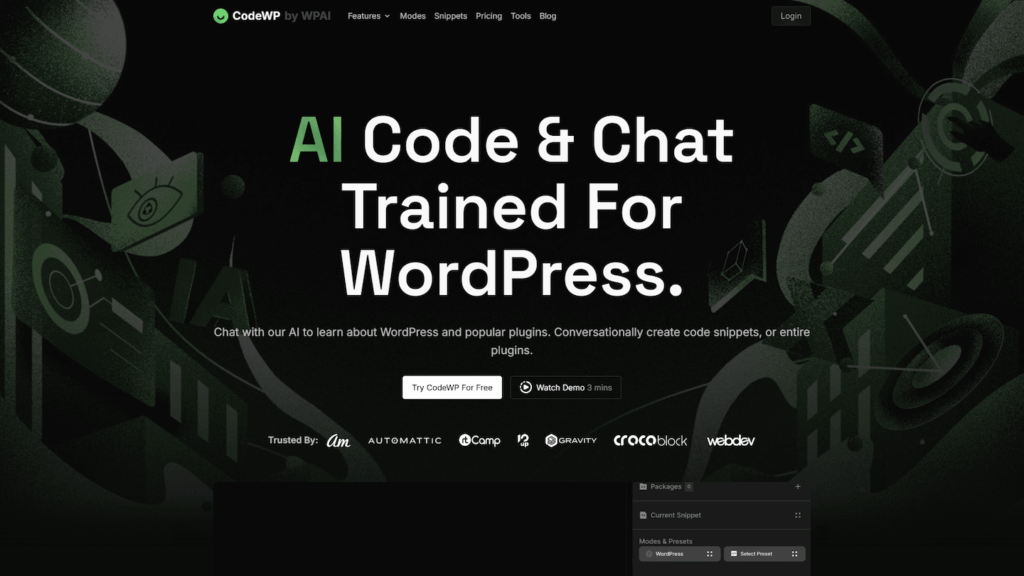
Here are the most effective options for the best AI website generator that can be fully deployed and managed on your own infrastructure. Each provides different levels of AI integration and privacy depending on your goals and technical background.
WordPress is already the most widely used self-hosted CMS and often considered the most user-friendly AI website builder when paired with the right plugins. With plugins like AI Engine, it transforms into an AI-powered assistant for web creation. You can automatically generate articles, meta descriptions, or even draft landing pages based on prompts. The plugin primarily connects to external APIs but can be adapted to use local backends such as LocalAI through API compatibility layers. The combination of WordPress’s extensibility and AI Engine’s automation makes this an excellent balance of power and simplicity.
Drupal is built for scalability and flexibility, and its open-source nature makes it perfect for AI integration. Using extensions like the LocalAI Provider module, you can connect Drupal to a self-hosted inference engine and generate structured content directly inside your CMS. This setup is ideal for organizations that handle regulated data or internal documentation. The entire system runs on your servers, allowing complete control over every element. The LocalAI Provider module is community-developed, offering flexible configuration but requiring some technical setup.
For developers who prefer simplicity and speed, pairing a static site generator such as Hugo or Jekyll with an AI website code generator powered by a locally hosted LLM is an efficient solution. You can use scripts or prompts to generate markdown files, which are then compiled into static HTML. This approach usually involves custom scripting or workflow automation since there is no native AI interface built into Hugo or Jekyll. This approach eliminates databases and server-side dependencies while keeping your workflow lightweight and private. It’s a favorite among developers who value transparency and performance.
Strapi is a self-hosted headless CMS that can be customized for AI content creation through middleware or plugins. Developers can build their own integration layer that connects Strapi to a local AI model for text or layout generation. This setup works well for content teams that want structured data management alongside AI automation. Because Strapi is fully open-source, it allows deep control over both the backend logic and AI configuration.
Each of these self-hosted options offers varying levels of automation, customization, and privacy. Whether you’re running a local AI model for complete isolation or connecting to external APIs for convenience, these setups ensure your data and creative process remain under your control.

Hosting a self-managed AI website generator requires a few setup steps, but the process is straightforward once you understand the key steps.
A methodical setup process helps prevent issues later and simplifies scaling.

Keeping your system optimized ensures your AI generator performs efficiently over time.
With consistent monitoring and maintenance, a self-hosted AI website generator can stay stable and secure for years.
Self-hosting has many advantages, but it’s not always the right choice for everyone.
If you lack technical expertise or time for maintenance, cloud-based AI builders can offer faster results with zero configuration. Similarly, if your projects demand GPU-heavy workloads or rapid scaling, managed cloud environments may be more cost-effective. Small businesses that need quick turnaround or don’t handle sensitive data may also benefit from SaaS solutions.
However, for developers, agencies, and organizations that value independence, privacy, and flexibility, self-hosting remains the superior long-term approach. Once deployed, it provides consistent performance, full control, and freedom from external service dependencies.
The best AI website generators and the best AI to create a website are redefining web development by combining creativity with automation. Self-hosting takes this power one step further, giving you total control over data, models, and output. Whether you’re using WordPress with AI Engine, Drupal with LocalAI, or a custom Hugo setup, you can blend AI efficiency with privacy and ownership.
By running even the most user-friendly AI website builder on your own server, you not only avoid recurring fees but also maintain complete authority over how your websites are built and managed. This approach ensures longevity, adaptability, and peace of mind for any serious developer or business.
At SiteValley, we specialise in providing high-performance Cloud VPS hosting, which is ideal for AI, development stacks and automation workloads. Our infrastructure fully supports Docker, Node.js, Python and custom AI setups.
For starting your self-hosted AI website generator we recommend the KVM1-US plan: 1 CPU Core, 2 GB DDR5 RAM, 20 GB SSD NVMe, 1 Gbps port speed, unmetered transfer.
Host your AI website generator on SiteValley and gain complete control, enterprise performance, and dependable support, all from a provider built for serious developers.

Quick Customer care response, accurate and broad assistance, easy to use client area.....
I am very happy with the service. I am with site valley for many years and at the present usimg 2 hosting packages. Their service is excellent and super fast. Thanks & Greatly Appreciated
I've been hosting my websites with Sitevalley for more than 6 years. Very satisfied with the services and reliability they provide, competitive prices, almost no downtime, fast and knowledgeable customer support.
I have been using side valley for a couple of years now and have to say I am very happy with the service they offer.I use many Hosting services but site valley stands out in front. Reliable service, great support.I don't normally leave reviews but felt I wanted to for this service as it has been fantastic
I didn't want to review so soon on into taking out hosting with site valley but I feel obliged because their customer service is outstanding, second to none, every time I had an issue it was sorted immediately. I would highly recommend Site Valley.
I have been with Sitevalley for over a year and it's the best hosting I have EVER used. And I have been through a lot of them.
The support staff are amazing, and it's clear that they have a passion for hosting websites. I've rather enjoyed this webhosting company and it's stability for the price is bar-none, amazing.
My collegue adviced me to use SiteValley as a reliable hosting provider with great prices, professional and fast Customer Service. My experience with SiteValley was exactly the way I was promised.
I have been with SiteValley for many years, and plan to stay with them for many more. Customer support is very responsive and knowledgeable.
SiteValley.com is rated 4.8 / 5 based on 329 Reviews »

© 2001 – 2026 SiteValley.com. All Rights Reserved.
