

Customer relationship management systems are not auxiliary tools that teams check occasionally. They are operational backbones used continuously by sales, customer support, marketing, and management to track interactions, manage pipelines, and coordinate work across departments. Every action inside a CRM triggers database queries, background logic, or communication with external systems, which places steady and predictable load on the hosting environment.
Because CRM systems are so tightly integrated into daily workflows, performance issues are amplified. A slow CRM does not just feel inconvenient, it actively disrupts work, delays decisions, and reduces confidence in the data. Hosting that cannot keep up with real CRM usage patterns eventually undermines the value of the entire system, regardless of how good the software itself is. Web hosting for CRM must account for sustained database activity, background processing, and multiple concurrent users rather than occasional traffic spikes.
CRM platforms behave like always-on business applications rather than traditional request-driven websites. Their infrastructure requirements are shaped by continuous usage, complex data relationships, and automation that runs whether users are active or not. This is why web hosting for CRM needs predictable resource allocation instead of shared or burst-based environments.
CRM systems constantly execute inserts, updates, joins, aggregations, and indexed searches across customer records, activities, notes, and historical interactions. As data volume grows, insufficient RAM or slow storage leads to longer query times that affect every part of the interface. Over time, this results in sluggish searches, delayed saves, and reporting that becomes painful to use.
Sales teams, support agents, and managers often work in the CRM simultaneously, sometimes on the same datasets or records. This creates parallel database connections and competing application requests that must be handled smoothly. Hosting with inconsistent CPU availability causes slowdowns during peak hours, which is when teams rely on the CRM the most.
Automation rules, scheduled reports, workflow engines, data imports, and email synchronization run continuously in the background. These tasks consume CPU and memory even when no one is actively using the interface. If hosting does not reserve enough resources for background processing, automation becomes delayed or unreliable.
Modern CRM deployments exchange data with email platforms, accounting systems, marketing tools, and internal services. Each integration introduces additional API calls and processing overhead that increase baseline server load. Poorly sized hosting often results in delayed syncs or failed integrations that silently break workflows.
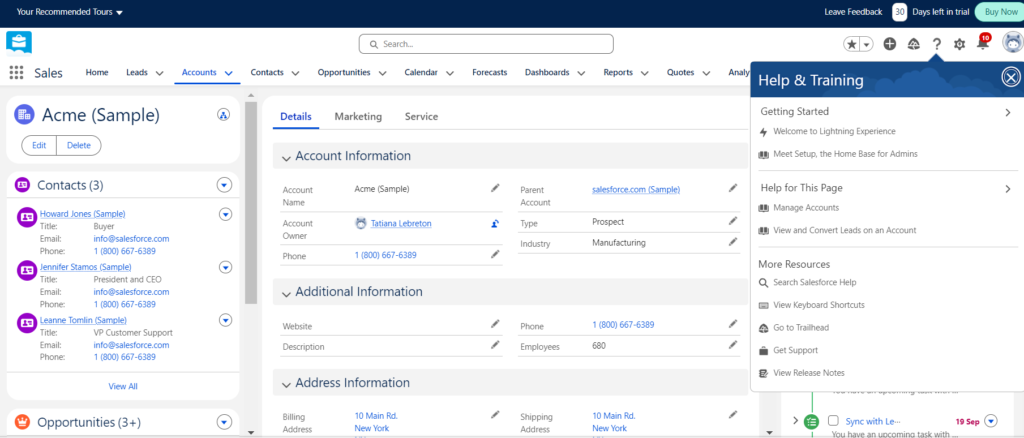
How a CRM system is deployed determines who controls performance, scalability, and security decisions.
Not all hosting models are designed to handle sustained, database-driven workloads, which is a key consideration when choosing web hosting for CRM systems. CRM hosting services should be evaluated based on how well they support databases, background tasks, and consistent performance under load.
Shared environments divide CPU, memory, and disk I/O between many unrelated tenants. CRM systems running on shared hosting often experience unpredictable performance, especially during peak hours. Background jobs are frequently throttled or delayed, making automation unreliable.
Virtual private servers provide guaranteed allocations of CPU, RAM, and storage to each instance. This isolation allows CRM applications to run consistently regardless of activity from other customers. VPS hosting is often the first option that feels stable for real-world CRM usage.
Dedicated hardware offers full isolation and maximum performance but comes with higher cost and management overhead. This option is usually justified only for very large CRM installations or environments with strict regulatory requirements. For smaller teams, it is often excessive.
Managed platforms abstract much of the infrastructure management and reduce operational burden. However, they often restrict low-level tuning and optimization. This can be limiting for CRM systems that require database-level or OS-level adjustments.

For most small to mid-sized organizations, VPS hosting offers the best balance between performance, control, and cost. Among available CRM hosting services, VPS solutions provide the flexibility needed without introducing unnecessary operational complexity.
Dedicated CPU cores and reserved memory ensure CRM performance is not affected by other tenants. This isolation is critical during business hours when usage peaks across teams. It also makes performance more predictable and easier to troubleshoot.
VPS environments allow administrators to configure database memory buffers, caching behavior, and connection limits based on actual usage patterns. These changes directly improve responsiveness and reduce query latency. Proper tuning becomes increasingly important as the CRM database grows.
VPS plans typically support vertical scaling by adding CPU or RAM without rebuilding the environment. This allows infrastructure to grow alongside the business with minimal disruption. It also avoids risky migrations during periods of heavy CRM usage.
Full root access enables custom firewall rules, monitoring tools, backup strategies, and security hardening. This level of control is essential for maintaining a reliable and secure CRM environment over time. It becomes especially important for teams that host a CRM themselves and need infrastructure behavior to align with internal processes.
CRM performance depends on sustained balance rather than headline specifications, particularly when hosting CRM software in production environments.
CRM systems store sensitive customer data and internal business information, making protection and uptime non-negotiable.

CRM systems rarely remain static once teams start relying on them for daily work.
Increasing RAM or CPU is often the fastest way to support more users and more complex workflows. VPS hosting allows this without major architectural changes. This flexibility is critical as CRM usage grows organically.
Customer records, activity logs, attachments, and historical data accumulate steadily over time. Storage needs increase predictably but must be planned for in advance. Running out of disk space on a CRM system is disruptive and avoidable.
Adding marketing platforms, analytics tools, or internal services increases processing demand and API traffic. Hosting must absorb this additional load without instability. Each new integration compounds baseline resource usage.
Choosing flexible hosting early reduces the likelihood of disruptive migrations later. CRM migrations are complex, risky, and often business-critical. Avoiding them saves time, money, and stress.
CRM systems are mission-critical platforms that require infrastructure designed for continuous activity, database intensity, and concurrent usage. Selecting appropriate web hosting for CRM determines whether those systems remain responsive and reliable as daily usage increases. Underpowered or unstable hosting quickly turns a CRM into a source of frustration rather than productivity. Performance issues ripple outward, affecting sales efficiency, customer satisfaction, and decision-making.
By aligning hosting choices with real CRM workloads, organizations protect the long-term value of their CRM investment. Proper infrastructure ensures consistent performance, reliable automation, and room to grow without constant firefighting. In practice, good CRM hosting is not about overengineering, but about choosing predictable, scalable resources that support how teams actually work.
For organizations running a self-hosted CRM and needing dependable infrastructure, SiteValley’s Cloud VPS platform offers a strong foundation for database-driven applications. This makes it well suited for hosting CRM solutions that rely on continuous database activity, automation, and system integrations. Their VPS environment provides dedicated CPU resources, DDR5 RAM, NVMe storage, and full root access, allowing precise tuning of databases, automation processes, and security controls. A practical starting point for most CRM deployments is SiteValley’s VPS KVM4 plan with 4 CPU cores, 8 GB of RAM, and NVMe storage, which comfortably supports multiple concurrent users, background workflows, and steady data growth. This configuration delivers consistent performance today while remaining flexible enough to scale as CRM usage expands

Quick Customer care response, accurate and broad assistance, easy to use client area.....
I am very happy with the service. I am with site valley for many years and at the present usimg 2 hosting packages. Their service is excellent and super fast. Thanks & Greatly Appreciated
I've been hosting my websites with Sitevalley for more than 6 years. Very satisfied with the services and reliability they provide, competitive prices, almost no downtime, fast and knowledgeable customer support.
I have been using side valley for a couple of years now and have to say I am very happy with the service they offer.I use many Hosting services but site valley stands out in front. Reliable service, great support.I don't normally leave reviews but felt I wanted to for this service as it has been fantastic
I didn't want to review so soon on into taking out hosting with site valley but I feel obliged because their customer service is outstanding, second to none, every time I had an issue it was sorted immediately. I would highly recommend Site Valley.
I have been with Sitevalley for over a year and it's the best hosting I have EVER used. And I have been through a lot of them.
The support staff are amazing, and it's clear that they have a passion for hosting websites. I've rather enjoyed this webhosting company and it's stability for the price is bar-none, amazing.
My collegue adviced me to use SiteValley as a reliable hosting provider with great prices, professional and fast Customer Service. My experience with SiteValley was exactly the way I was promised.
I have been with SiteValley for many years, and plan to stay with them for many more. Customer support is very responsive and knowledgeable.
SiteValley.com is rated 4.8 / 5 based on 329 Reviews »

© 2001 – 2026 SiteValley.com. All Rights Reserved.
