

WordPress generates pages dynamically. Each time a visitor loads a page, the server processes PHP, queries the database, and assembles the content before sending it to the browser. This flexibility makes WordPress powerful, but it also introduces performance overhead.
As traffic grows, repeated database queries and PHP execution increase server load. Without caching, this can lead to slower response times, higher hosting resource usage, and degraded Core Web Vitals. Caching reduces this strain by storing pre-generated versions of pages and serving them instantly.
For blogs, ecommerce stores, and content-heavy websites, caching is not optional. It is one of the most effective ways to improve speed and scalability. Choosing among the best WordPress cache plugins is often the first step in building a reliable performance strategy.
Caching works by reducing the amount of dynamic processing required for each request. Instead of generating a page from scratch every time, the system serves a stored version.
There are several layers of caching involved in a typical WordPress setup.
Page caching stores a fully rendered HTML version of a page. When a visitor requests the page, the server delivers the static file instead of running WordPress logic again. This significantly reduces Time To First Byte and server load.
Browser caching instructs the visitor’s browser to store static assets such as images, CSS, and JavaScript files. On repeat visits, the browser loads these resources locally instead of requesting them again, reducing load time and bandwidth usage.
Object caching stores database query results in memory. Instead of repeatedly querying the database for the same information, WordPress retrieves it from a memory store such as Redis or Memcached. This improves performance for dynamic or logged-in sessions.
Server-level caching operates at the web server layer and often provides better efficiency. Plugin-based caching works within WordPress itself and is easier to deploy on shared hosting. The best results often come from combining proper hosting configuration with a well-configured WordPress caching plugin.
Not all caching plugins are built the same. Some focus strictly on page caching, while others function as full performance optimization suites.
These plugins focus primarily on generating static HTML versions of pages. They are easier to configure and are suitable for blogs and brochure-style websites.
Some caching plugins include additional features such as file minification, preload systems, lazy loading, and database cleanup. These tools centralize performance optimization in one interface.
Certain plugins integrate with external object caching systems such as Redis. These are more relevant for higher-traffic sites or VPS environments.
Plugins like LiteSpeed Cache integrate directly with compatible server software. When paired with supported hosting environments, they can deliver strong performance improvements through server-level coordination.
Choosing the right plugin depends on your website’s structure and traffic patterns. However, several features consistently improve performance.
Several tools consistently appear in discussions about the best WordPress cache plugins. Each has strengths depending on hosting environment and user experience level.
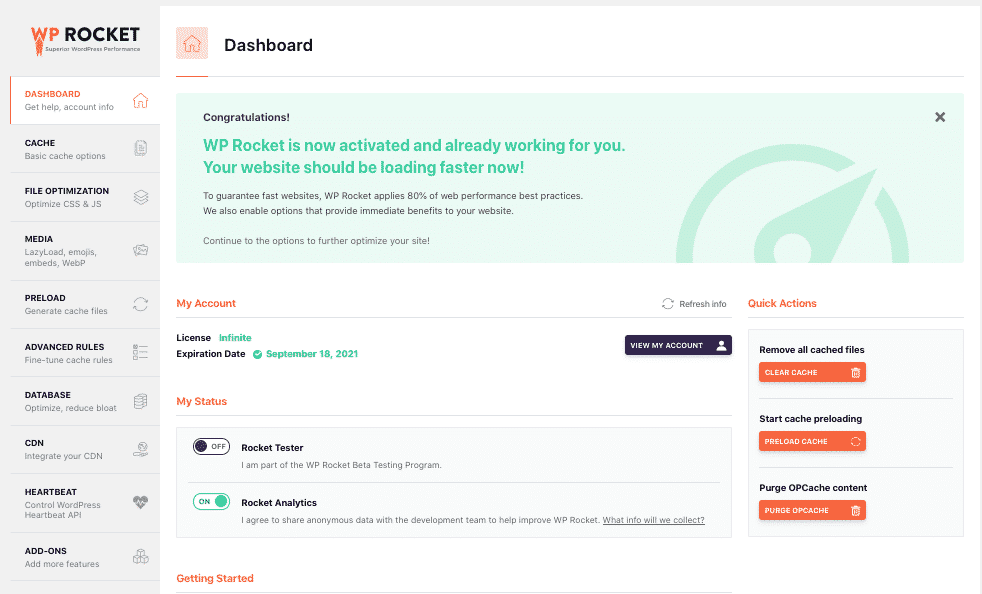
WP Rocket is a premium caching plugin known for ease of use. It offers page caching, preload functionality, file optimization, and database cleanup in a streamlined interface. It is particularly popular among non-technical users because it requires minimal configuration.
The trade-off is cost, and advanced users may prefer more granular control in complex environments.
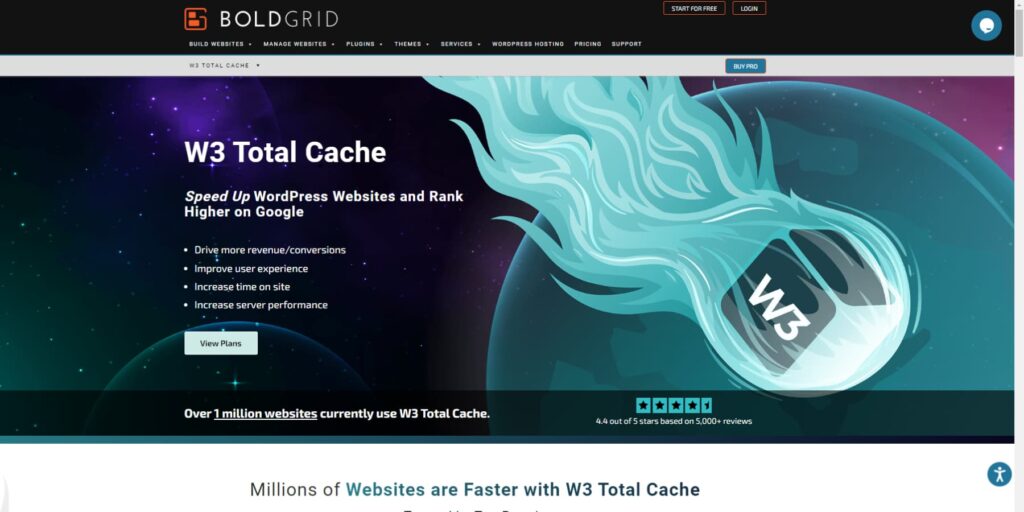
W3 Total Cache offers extensive configuration options, including page caching, object caching, database caching, and CDN support. It is powerful but requires careful setup to avoid conflicts.
It is better suited for users comfortable with performance tuning and server integration.
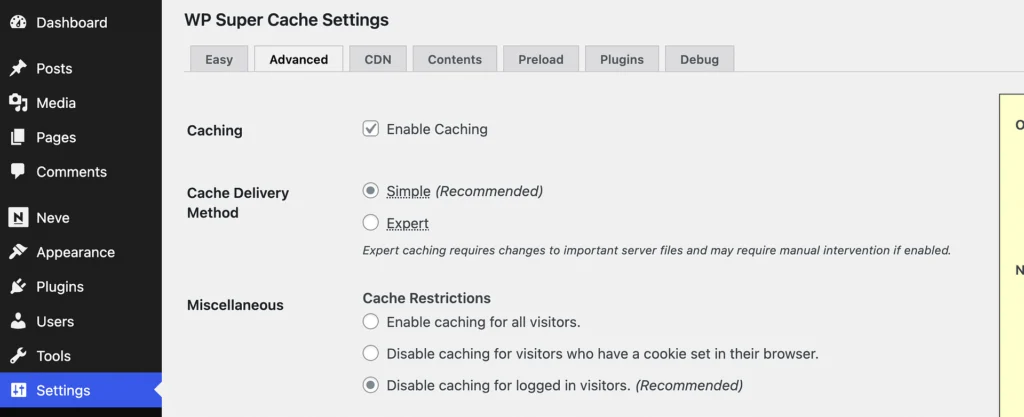
WP Super Cache is a lightweight, reliable solution. It focuses primarily on static page generation and is relatively simple to configure.
It works well for basic sites but lacks advanced optimization features found in premium alternatives.
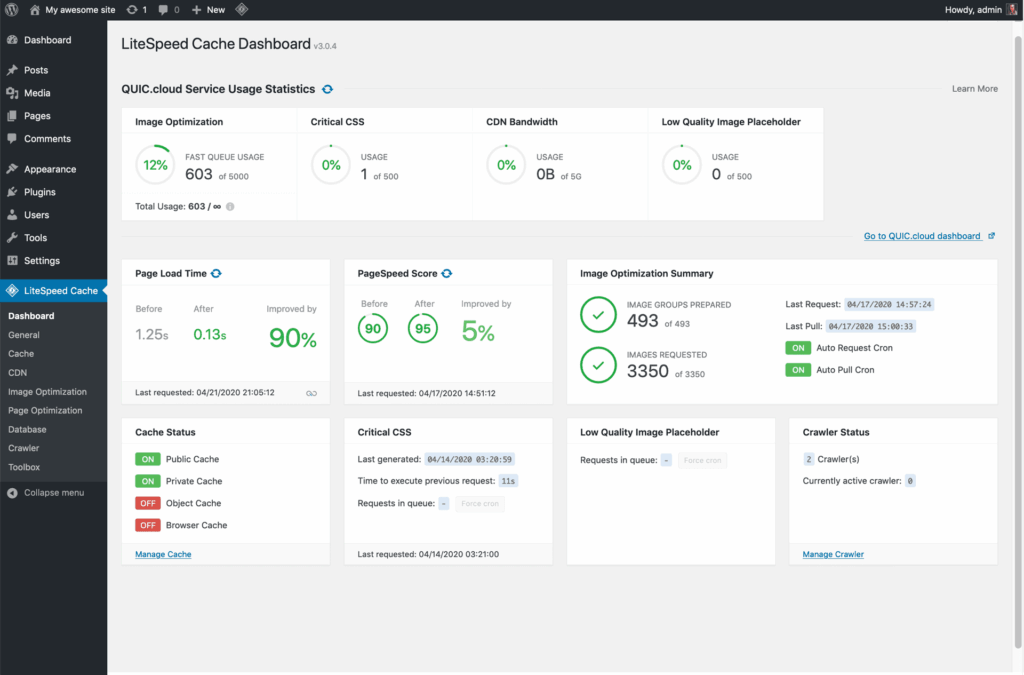
LiteSpeed Cache integrates directly with LiteSpeed server software. When used on compatible hosting, it leverages server-level caching for strong performance.
It includes image optimization, database tools, and CDN integration, making it a comprehensive solution for supported environments.
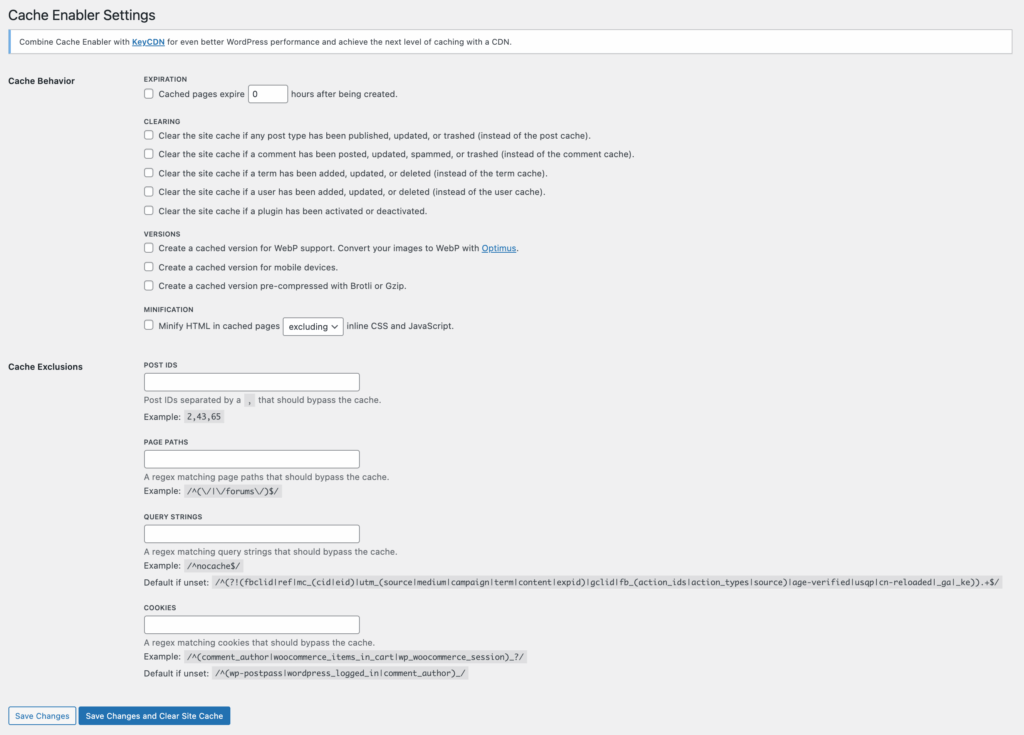
Cache Enabler is a minimalist plugin focused on simplicity. It generates static HTML files and offers a clean interface without excessive features.
It is ideal for smaller websites that require straightforward caching without advanced configuration.
The best cache plugin for WordPress depends on your hosting environment and website complexity.
For beginners, ease of configuration is often more important than granular control. Plugins like WP Rocket or WP Super Cache reduce setup friction.
For WooCommerce stores, compatibility with dynamic cart and checkout pages is critical. Advanced exclusion rules and object caching support become more important.
For VPS or dedicated servers, combining a caching plugin with Redis object caching or server-level caching provides better scalability.
Shared hosting users typically benefit from lightweight plugins that do not require deep server configuration. Evaluating the best WordPress cache plugins in the context of your hosting environment ensures you select a solution that matches your technical constraints.
Caching improves performance, but incorrect configuration can introduce unexpected issues. Conflicts typically occur when multiple optimization layers overlap or when dynamic content is cached improperly. Understanding the most common problem areas helps prevent instability.
Careful staging and incremental activation of features are the safest way to implement caching on production sites.
While caching plugins significantly improve WordPress performance, server-level caching operates earlier in the request lifecycle and can deliver additional efficiency. The difference lies in where caching occurs and how much processing is avoided.
NGINX FastCGI caching stores generated responses at the web server level before WordPress executes. This reduces PHP processing and database queries more aggressively than plugin-level caching alone.
It is particularly effective for high-traffic sites because it lowers server resource consumption. However, configuration requires access to server settings and is typically unavailable on shared hosting.
LiteSpeed servers include built-in caching mechanisms that integrate directly with LiteSpeed Cache plugin. This coordination allows for efficient page caching and advanced features such as edge-side includes for dynamic content.
When used in a compatible hosting environment, LiteSpeed caching can outperform standard plugin-only setups.

Object caching systems such as Redis and Memcached store database query results in memory. This improves performance for dynamic or logged-in sessions where full page caching cannot be applied.
Object caching is especially useful for WooCommerce stores or content-heavy websites with frequent database calls.
Plugin-based caching works within WordPress and is accessible to most users. It is easier to deploy and manage without server access.
For many small to medium sites, a properly configured caching plugin provides sufficient performance improvements without requiring server-level adjustments.
The optimal setup often combines plugin caching with server-level enhancements when hosting infrastructure allows it.
Enabling a WordPress caching plugin should always be followed by testing. Measuring before and after results ensures that changes produce real improvements.
Tools such as Google PageSpeed Insights and GTmetrix provide metrics like Time To First Byte, Largest Contentful Paint, and overall load time. Focus on consistent improvements rather than chasing perfect scores.
Benchmarking should be done under similar conditions. Testing once immediately after enabling cache may not reflect real-world performance, especially if preload functions are still running.
Caching improves performance only when configured responsibly.
Avoid installing multiple caching plugins simultaneously. Overlapping features can create conflicts and unpredictable behavior.
Clear cache after significant updates, but avoid purging unnecessarily. Excessive cache clearing eliminates performance benefits.
Exclude dynamic and user-specific pages carefully. Monitor site behavior after enabling new optimization features.
Caching is one layer of performance optimization. Hosting quality, image optimization, and clean theme development also play major roles.
There is no single best WordPress cache plugin for every website. What works as the best cache plugin for WordPress in one environment may not perform the same way in another. The right choice depends on your hosting environment, traffic volume, and technical comfort level.
Effective caching reduces server load, improves page speed, and supports scalability. When paired with proper hosting and performance monitoring, a well-configured cache plugin becomes one of the most impactful tools in a WordPress performance strategy.
If you are serious about WordPress performance and want to combine a strong cache plugin with reliable infrastructure, we recommend our KVM2-US VPS at SiteValley. It includes 2 CPU cores, 4 GB DDR5 RAM, and 40 GB NVMe SSD storage, giving you the resources needed to handle dynamic WordPress workloads, object caching, and traffic spikes without performance degradation.
With full root access, KVM virtualization, and scalable resources, we provide the flexibility required for advanced caching setups, Redis integration, and performance tuning beyond basic shared hosting limits. Choose SiteValley KVM2-US VPS if you want a stable foundation that complements your caching strategy and supports long-term WordPress growth.

Quick Customer care response, accurate and broad assistance, easy to use client area.....
I am very happy with the service. I am with site valley for many years and at the present usimg 2 hosting packages. Their service is excellent and super fast. Thanks & Greatly Appreciated
I've been hosting my websites with Sitevalley for more than 6 years. Very satisfied with the services and reliability they provide, competitive prices, almost no downtime, fast and knowledgeable customer support.
I have been using side valley for a couple of years now and have to say I am very happy with the service they offer.I use many Hosting services but site valley stands out in front. Reliable service, great support.I don't normally leave reviews but felt I wanted to for this service as it has been fantastic
I didn't want to review so soon on into taking out hosting with site valley but I feel obliged because their customer service is outstanding, second to none, every time I had an issue it was sorted immediately. I would highly recommend Site Valley.
I have been with Sitevalley for over a year and it's the best hosting I have EVER used. And I have been through a lot of them.
The support staff are amazing, and it's clear that they have a passion for hosting websites. I've rather enjoyed this webhosting company and it's stability for the price is bar-none, amazing.
My collegue adviced me to use SiteValley as a reliable hosting provider with great prices, professional and fast Customer Service. My experience with SiteValley was exactly the way I was promised.
I have been with SiteValley for many years, and plan to stay with them for many more. Customer support is very responsive and knowledgeable.
SiteValley.com is rated 4.8 / 5 based on 329 Reviews »

© 2001 – 2026 SiteValley.com. All Rights Reserved.
