

Creating a website to sell your products is one of the fastest ways to build an independent income stream. If you’re wondering how to create a website to sell products without relying on third-party marketplaces, building your own store gives you full control over the look, feel, and functionality of your business. Whether you’re selling handmade items, digital downloads, or dropshipped products, having your own website puts you in charge of your customer relationships, pricing, and future growth. However, you don’t need to be a developer to make it happen. This guide is designed to walk you through how to create a website for selling products, even if you’re starting from scratch.
The first step in building your store is deciding where you’ll build it. When considering how to create a website to sell products, your first major decision is choosing the right platform.
There are two main types of platforms:
Shopify and BigCommerce are built specifically for eCommerce, while Squarespace is a general website builder with optional eCommerce features. All three include hosting, security, updates, and support. These are ideal for beginners who want to avoid technical maintenance and launch quickly, though they come with monthly fees and limited backend control.
WordPress with WooCommerce, OpenCart, or PrestaShop give you full flexibility. You’ll manage hosting and updates yourself, but this gives you full ownership of your store, no transaction fees, and unlimited customization options.
If you’re comfortable with a bit more setup and want to avoid growing costs, self-hosted options are often the smarter long-term choice.

Once you’ve chosen your platform, you’ll need a domain name and a hosting plan. Your domain is your online identity, so think of it as your store’s street address. It should be:
If the perfect .com isn’t available, try using .shop, .store, or something region-specific. Whether you want to launch a full eCommerce brand or just create a website to sell stuff on the side, your domain name still matters.
For self-hosted platforms, choose hosting that supports your store’s growth. VPS hosting is ideal because it offers:
Look for providers that support eCommerce tools like WooCommerce out of the box.

With your domain and hosting ready, it’s time to dive into how to create a website to sell products using the platform you’ve chosen.
Create an account and follow the onboarding wizard to set up your theme, products, and checkout. Most platforms guide you step by step, so you don’t need technical skills to get started.
Install WordPress (many hosts offer one-click installers), then add WooCommerce or another store plugin. WooCommerce is free and integrates directly into WordPress, though you may want to add premium extensions later for advanced functionality. This combination transforms your site into a full-featured online store that’s completely under your control.
Pick a theme designed for online stores. Customize the following to match your branding:
These are the first visual elements customers see. Your logo defines your brand identity, and a matching favicon gives your site a polished, professional feel in browser tabs.
Use consistent colors and fonts that reflect your brand’s personality. Avoid overuse of bright or clashing combinations.
Design a clean, intuitive layout that makes navigation easy. Highlight your top products or categories on the homepage.
Organize your menu so customers can find products and key pages quickly. Avoid overloading it with too many links.
Make sure your theme is mobile-friendly as most visitors will shop from their phones, and a poor mobile layout can cost you sales.
Your product pages are the core of your store. Each one should clearly communicate value and make buying easy. For each product, include:
Organize products using:
Consistency in formatting, image style, and tone makes your store look more professional, which is essential if you’re learning how to create a website for selling products that builds trust.
Your checkout flow needs to be fast, clear, and trustworthy. Start by enabling one or more secure payment options:
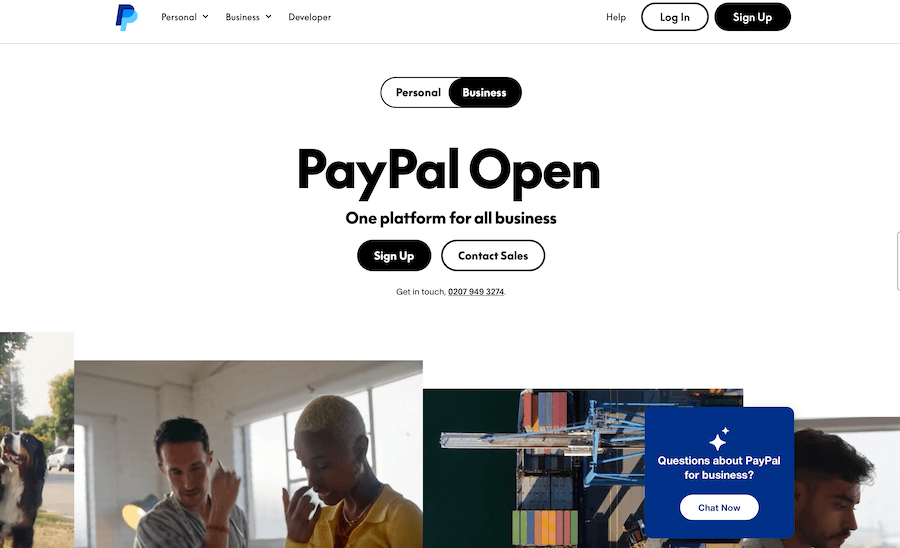
Easy to set up and widely recognized, especially for international buyers. Offers fast and secure checkout, often without requiring the buyer to create an account, though this can depend on the country or device.

Handles credit and debit card payments directly on your site. It integrates well with most platforms and offers a clean checkout experience.
Use regional payment providers if your target market prefers them. This increases trust and completion rates in specific countries.
For shipping, consider:
These shipping and payment setups work whether you’re building a large online store or just want to create a website to sell stuff casually. If you sell digital products, set up automatic file delivery. Minimize the number of steps at checkout, as less friction means more completed purchases.
To establish trust and meet legal requirements, your site should include several non-product pages. These help inform visitors and protect your business.
Add the following:
Place links to these pages in your site’s footer or menu so customers can easily find them when needed.
Before you finish creating a website to sell products and make it live, make sure your store works as expected across all devices and browsers. Run through this checklist:
Once everything checks out, publish your site and share it with your first customers.
Building a website to sell products isn’t something reserved for tech pros or big businesses. With today’s tools, anyone can learn how to create a website to sell products with just a bit of planning and effort. The key is to start with the basics: choose a platform, get hosting, design your store, add products, and launch. Don’t wait until everything is perfect. The sooner you publish, the sooner you can learn from real customers and start refining your site for growth. It’s your store, run it your way. That’s it for our guide on creating a website to sell products.
If you’re building your eCommerce website on WordPress, PrestaShop, or OpenCart, you don’t need a VPS to get started. Our Shared Hosting plans are optimized for small to medium online stores.
With one-click installers for WooCommerce and other platforms, free SSL certificates, daily backups, and email accounts included, you can set up your shop in minutes—without touching a single line of code.
You’ll also get a free domain on annual billing, 24/7 support, and hosting on SSD servers that keep your store fast and reliable, even as traffic grows.
Launch your store today with hosting that’s affordable, simple, and built for eCommerce.

Quick Customer care response, accurate and broad assistance, easy to use client area.....
I am very happy with the service. I am with site valley for many years and at the present usimg 2 hosting packages. Their service is excellent and super fast. Thanks & Greatly Appreciated
I've been hosting my websites with Sitevalley for more than 6 years. Very satisfied with the services and reliability they provide, competitive prices, almost no downtime, fast and knowledgeable customer support.
I have been using side valley for a couple of years now and have to say I am very happy with the service they offer.I use many Hosting services but site valley stands out in front. Reliable service, great support.I don't normally leave reviews but felt I wanted to for this service as it has been fantastic
I didn't want to review so soon on into taking out hosting with site valley but I feel obliged because their customer service is outstanding, second to none, every time I had an issue it was sorted immediately. I would highly recommend Site Valley.
I have been with Sitevalley for over a year and it's the best hosting I have EVER used. And I have been through a lot of them.
The support staff are amazing, and it's clear that they have a passion for hosting websites. I've rather enjoyed this webhosting company and it's stability for the price is bar-none, amazing.
My collegue adviced me to use SiteValley as a reliable hosting provider with great prices, professional and fast Customer Service. My experience with SiteValley was exactly the way I was promised.
I have been with SiteValley for many years, and plan to stay with them for many more. Customer support is very responsive and knowledgeable.
SiteValley.com is rated 4.8 / 5 based on 329 Reviews »

© 2001 – 2026 SiteValley.com. All Rights Reserved.
