

Creating a website for a business is no longer a luxury, it’s a necessity. Today’s customers expect every company to have an online presence where they can quickly find information, compare options, and decide whether to engage. Without one, you risk losing potential clients to competitors who are more visible online.
Creating a website for a business does more than display your services. It acts as a marketing tool, a credibility booster, and a sales platform available 24/7. Whether you’re a small local shop or a growing international brand, building the right website can set the foundation for long-term success.
Before you create a website for a business, you must first know what you want it to achieve. A website without a purpose can quickly become cluttered and ineffective.
Ask yourself these questions:
Once you know the primary goal, you can align your design, features, and content accordingly.
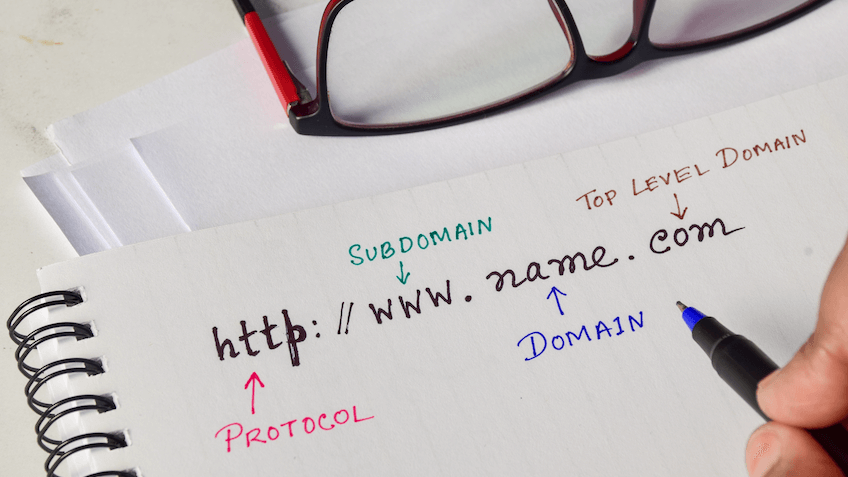
When you create a website for a business, your domain name becomes the digital doorway to your brand. It should be simple, professional, and easy to recall. A confusing or overly complex domain can drive potential customers away so here are some tips for selecting a strong domain:
Long or complicated names are easy to mistype and hard to remember. A concise domain name ensures people can recall and share it without hesitation.
Ideally, your domain should include your business name or something closely tied to your brand. This creates consistency across all marketing channels and builds brand recognition.
While .com is most common, alternatives like .net, .biz, or country-specific domains can be useful. Picking the right extension depends on your industry, location, and target audience.
While they might make a domain unique, they usually confuse people. Visitors may forget where to place hyphens or whether numbers should be spelled out, leading to lost traffic.
After selecting your domain, register it through a trusted registrar and ensure ownership details are secure.

Even the best website design can fail if your hosting isn’t dependable. Hosting determines how fast your site loads, how secure it is, and how often it’s available to visitors. Here are the types of hosting to consider:
This is the most affordable option and works well for very small businesses just starting out. However, because resources are shared with other websites, performance can be inconsistent.
A Virtual Private Server provides more dedicated resources, which translates to better speed and reliability. It’s an excellent choice for businesses that are growing and need flexibility.
With this option, you get an entire server for your business alone. It offers maximum performance and control but comes at a higher price, making it best for larger enterprises.
A host with 99.9% uptime ensures your site remains accessible nearly all the time. Frequent downtime can damage your reputation and cause you to lose customers.
Having 24/7 technical support means help is always available when issues arise. This is especially important for businesses that rely heavily on their websites.
As your company grows, your hosting should grow with you. The ability to upgrade resources easily ensures your site can handle increased traffic.
Look for providers that offer firewalls, SSL certificates, malware scans, and automated backups. These safeguards protect both your business and your customers’ data.
The structure of your website is like the blueprint of a building. It guides visitors through your content and determines how easy it is for them to find what they need. These are must-have pages for business websites:
When creating a website for a business, a strong structure keeps visitors engaged and increases the chances of conversion.
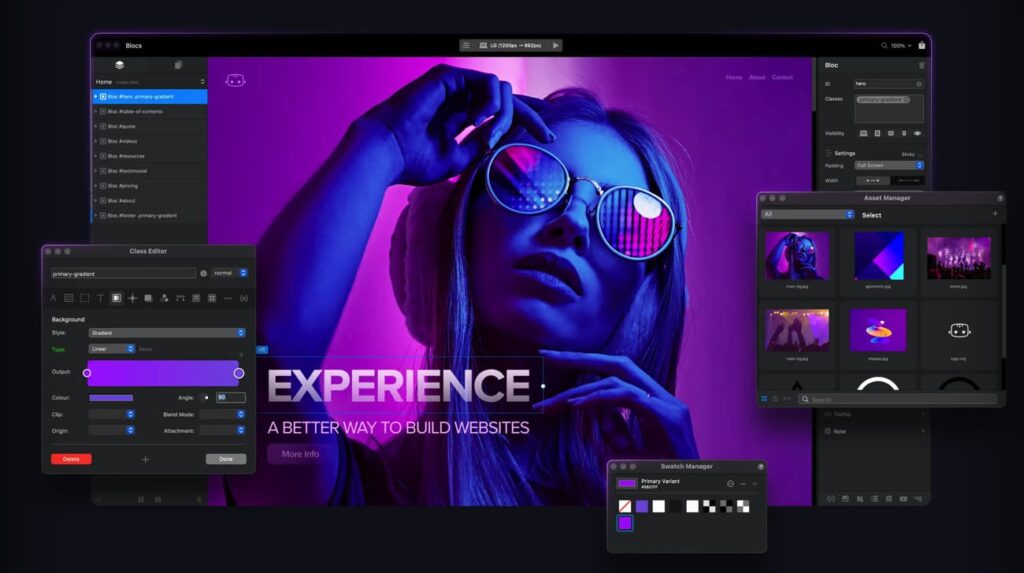
Good website design for a small business goes beyond aesthetics, it shapes how users experience the brand. A site that looks appealing but is hard to navigate can drive people away, so it is important to follow the key design principles:
With mobile devices generating most web traffic, your site must adapt to all screen sizes. A mobile-friendly design ensures a seamless experience for every visitor.
Visitors should be able to find information quickly without getting lost. Clear menus, call-to-action buttons, and minimal clutter make navigation smooth.
A unified look across fonts, colors, and imagery reinforces your identity. Consistency makes your business more recognizable and trustworthy.
High-quality images and videos capture attention and communicate professionalism. Strong visuals also help break up text and make your site more engaging.
Depending on your budget, you can use pre-designed templates, hire a developer, or opt for a custom design. Each option balances cost, customization, and time differently.
The right website design for a small business ensures features transform a simple site into a powerful business tool. Without them, your website may fail to meet customer expectations.

Your content is what convinces visitors to stay, trust, and eventually convert into customers. A good strategy ensures your message is clear and effective.
Every page should guide visitors toward a specific action, whether that’s reading more, signing up, or making a purchase. Avoid filler content that adds no value.
If your brand is professional, keep the tone formal. If it’s casual and friendly, let that personality shine through in all content.
Adding photos, graphics, and videos makes your site more dynamic. Testimonials and case studies further add credibility by showing real-world results.
Use keywords naturally within your text, headlines, and meta descriptions. Well-structured SEO helps your site rank higher in search engines and attract organic traffic.
A solid content strategy turns your website into a tool for education, engagement, and conversion.
Before you go live, testing ensures your site delivers the experience you want customers to have. Rushing this step can lead to problems that damage your reputation so you should follow this pre-launch checklist:
A carefully tested site builds trust and avoids the embarrassment of launch-day errors.

A website is never truly finished. To stay effective, it must be marketed and maintained continuously.
Search Engine Optimization (SEO) is the foundation of long-term visibility, helping your site rank higher and attract steady organic traffic.
Regular updates keep your website secure, prevent downtime, and ensure compatibility with new technologies.
Creating a website for a business requires careful planning, the right tools, and ongoing effort. From defining goals and choosing a domain to designing, launching, and promoting it, each step plays a critical role in building a strong digital presence. When done right, your website becomes one of your most powerful assets for growth and customer engagement.
If you’re ready to create a professional business website, we at SiteValley recommend our Small Business plan. It includes hosting for up to 50 websites, unlimited SSD storage and bandwidth, a free domain, and free SSL certificates. This plan gives your business the reliable performance and flexibility it needs to grow online. Start your journey with SiteValley today and build a website that drives real results.

Quick Customer care response, accurate and broad assistance, easy to use client area.....
I am very happy with the service. I am with site valley for many years and at the present usimg 2 hosting packages. Their service is excellent and super fast. Thanks & Greatly Appreciated
I've been hosting my websites with Sitevalley for more than 6 years. Very satisfied with the services and reliability they provide, competitive prices, almost no downtime, fast and knowledgeable customer support.
I have been using side valley for a couple of years now and have to say I am very happy with the service they offer.I use many Hosting services but site valley stands out in front. Reliable service, great support.I don't normally leave reviews but felt I wanted to for this service as it has been fantastic
I didn't want to review so soon on into taking out hosting with site valley but I feel obliged because their customer service is outstanding, second to none, every time I had an issue it was sorted immediately. I would highly recommend Site Valley.
I have been with Sitevalley for over a year and it's the best hosting I have EVER used. And I have been through a lot of them.
The support staff are amazing, and it's clear that they have a passion for hosting websites. I've rather enjoyed this webhosting company and it's stability for the price is bar-none, amazing.
My collegue adviced me to use SiteValley as a reliable hosting provider with great prices, professional and fast Customer Service. My experience with SiteValley was exactly the way I was promised.
I have been with SiteValley for many years, and plan to stay with them for many more. Customer support is very responsive and knowledgeable.
SiteValley.com is rated 4.8 / 5 based on 329 Reviews »

© 2001 – 2026 SiteValley.com. All Rights Reserved.
